Ais static 2026

Get Form
ais documentation Preview on Page 1

Here's how it works

01. Edit your ais documentation online
Type text, add images, blackout confidential details, add comments, highlights and more.

02. Sign it in a few clicks
Draw your signature, type it, upload its image, or use your mobile device as a signature pad.

03. Share your form with others
Send ais programming via email, link, or fax. You can also download it, export it or print it out.

How to use or fill out ais static with our platform

Form edit decoration
9.5
Ease of Setup
DocHub User Ratings on G2
9.0
Ease of Use
DocHub User Ratings on G2
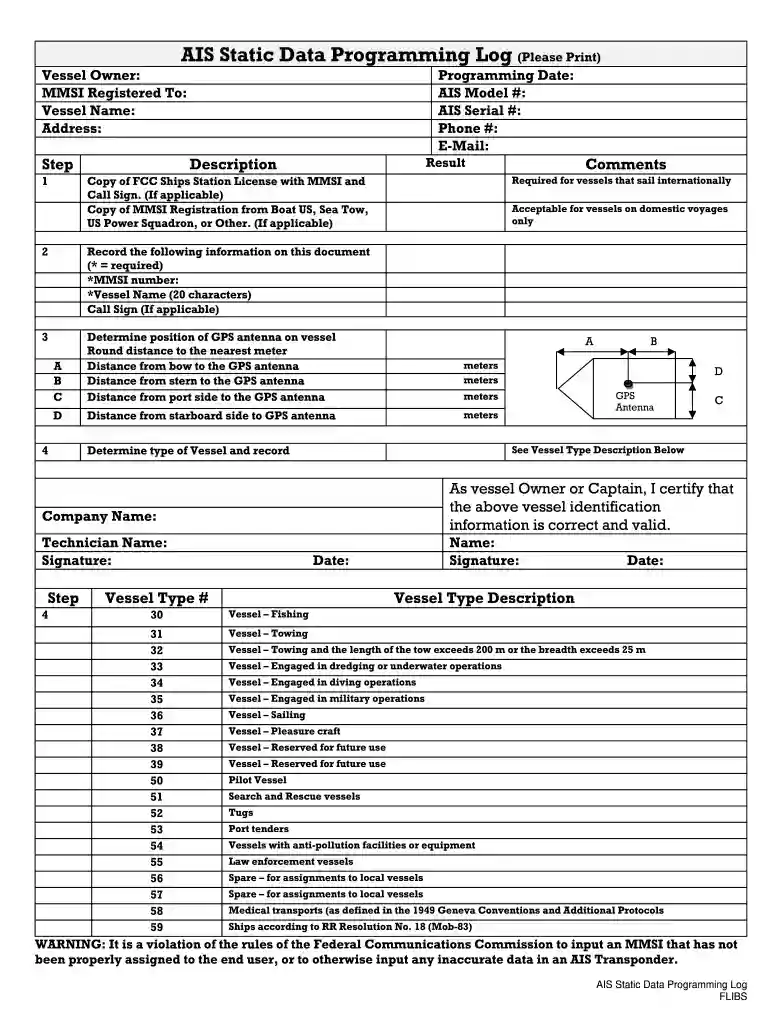
  1. Click ‘Get Form’ to open the AIS Static Data Programming Log in the editor.
  2. Begin by filling in the vessel owner’s name, MMSI registered to, and vessel name. Ensure all required fields are marked with an asterisk (*) are completed accurately.
  3. Next, provide your contact information including phone number and email address. This ensures you can be reached for any follow-up regarding your submission.
  4. Record the programming date along with the AIS model and serial numbers. These details are crucial for tracking and identification purposes.
  5. Measure and input the distances from various points on your vessel to the GPS antenna as specified. Round these measurements to the nearest meter for accuracy.
  6. Select the type of vessel from the provided descriptions. This is important for compliance with maritime regulations.
  7. Finally, certify that all information is correct by signing and dating the document at the bottom. Ensure that both technician and company names are included where required.

Start using our platform today to streamline your form completion process for free!

be ready to get more

Complete this form in 5 minutes or less

Get form

Got questions?

We have answers to the most popular questions from our customers. If you can't find an answer to your question, please contact us.
Contact us
In addition, the radar does not have as long a range as AIS. AIS provides information about the name, course and speed of near-by ships and AIS is better at seeing ships that are far away or in the shade. But AIS sees only ships fitted with AIS and can, therefore, not replace a radar.
To distinguish between real and spoofed signals, we need a way to directly determine the location of the transmission. We can then compare this with the location given by the AIS message, and, if there is a significant discrepancy, then we know that spoofing is being carried out.
AIS Data is divided into three categories: static data, which consists of information about the ships characteristics. The second is dynamic data which is ever-changing due to the constant movement of ships, and the last is the current voyage-related data.
Three types AIS ATONs The Coast Guard calls these real (or physical), synthetic, and virtual. Real AIS ATON - A physical aid to navigation structure on which an AIS transmitter is affixed and from which AIS messages are broadcast.
AIS static messages mostly broadcast information about vessel characteristics that should remain (relatively) static over the during of their voyage. This includes a vessels MMSI number, AIS version number, IMO number, call sign, name, type of ship/cargo, ship dimensions, destination, and other parameters.
be ready to get more

Complete this form in 5 minutes or less

Get form

People also ask

AIS transceivers transmit two types of information: static and dynamic. The installed AIS antenna automatically calculates the ships dynamic data, including position, Speed to ground (SOG) and heading to ground (COG). Static data refers to information about the ship that must be programmed into the AIS transceiver.
We distinguish between static (SIS) and dynamic (DIS) information states of a dialogue agent. The dynamic state is the part of the information state which can change during the course of the dialogue, while the static state stays the same.

Related links