




01. Edit your uscis g 1041 online
Type text, add images, blackout confidential details, add comments, highlights and more.

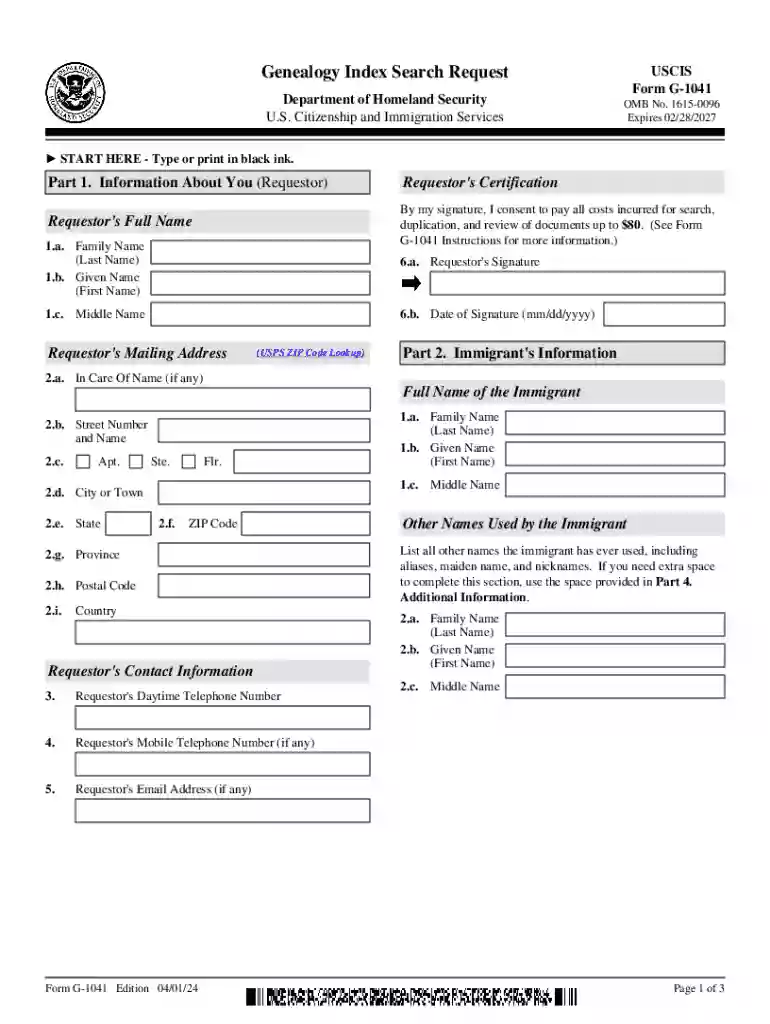
Type text, add images, blackout confidential details, add comments, highlights and more.

Draw your signature, type it, upload its image, or use your mobile device as a signature pad.

Send uscis genealogy search request via email, link, or fax. You can also download it, export it or print it out.

Start using our platform today to fill out your G-1041 form easily and for free!
We've got more versions of the uscis g 1041 form. Select the right uscis g 1041 version from the list and start editing it straight away!
Approving documents on a mobile device is quick, simple, and doesn’t require software installation if you have an account with DocHub. Sign in from any browser, fill in your blank fields with your information, and click on Sign → Create your signature. You can draw your electronic signature the same way you usually do on paper, add its image to your genealogy index search request, or type in your name and stylize its look. No matter what option you select, your document will be valid.
If you store your documents in Google Drive, there is no need to download your G-1041Genealogy Index Search Request on the computer and upload it back to our editor. A significantly easier way is to set up a browser extension developed by DocHub to streamline this flow. The extension allows editing PDFs in your internet browser. Alternatively, you can integrate your DocHub and Gmail accounts for more efficient modifying.
At DocHub, your data security is our priority. We follow HIPAA, SOC2, GDPR, and other standards, so you can work on your documents with confidence.
Genealogy Index Search Request (G-1041) Or Genealogy Records Request (G-1041A) free voice message at 1-866-259-2349. request copies of historical immigration
May 29, 2026 Use this form to obtain copies of USCIS historical records. (To request an index search of USCIS historical records, use Form G-1041, Genealogy Index SearchRead more


