




Here's how it works

01. Edit your energy efficiency certificate nc online
Type text, add images, blackout confidential details, add comments, highlights and more.

02. Sign it in a few clicks
Draw your signature, type it, upload its image, or use your mobile device as a signature pad.

03. Share your form with others
Send energy efficiency certificate n1101 9 via email, link, or fax. You can also download it, export it or print it out.
How to use or fill out energy efficiency certificate with our platform

- Click ‘Get Form’ to open the energy efficiency certificate in the editor.
- Begin by entering the Builder, Permit Holder, or Registered Design Professional's name and signature in the designated fields.
- Fill in the Property Address and Date fields accurately to ensure proper documentation.
- For Insulation Rating, list the R-Value for each applicable area: Ceiling/Roof, Wall, Floor, Closed Crawl Space Wall, Closed Crawl Space Floor, Slab, and Basement Wall. Ensure you provide values for all that apply.
- In the Fenestration section, input the U-Factor and Solar Heat Gain Coefficient (SHGC) as required.
- Complete the Building Air Leakage section by selecting either 'Visually inspected' or 'Building Air Leakage Test Results' and provide ACH50 or CFM50/SFSA results along with Tester/Company name and contact information.
- Lastly, fill out the Ducts section with Insulation R-value and Total Duct Leakage Test Result details. Include Tester/Company name and contact information here as well.
Start using our platform today to easily complete your energy efficiency certificate online for free!
Fill out energy efficiency certificate online
It's free
Security and compliance
At DocHub, your data security is our priority. We follow HIPAA, SOC2, GDPR, and other standards, so you can work on your documents with confidence.
Learn more


Related forms
PO Box 1508
The document provides information and application instructions for the Social Work Registry, a program by the Associatio ...
APPLICATION FOR LIQUOR LIABILITY COVERAGE SHORT TERM
The document outlines the Minnesota Liquor Liability Assigned Risk Plan, detailing the application process for liquor li ...
Statement of income from trust fillable form
The document is a Statement of Income from Trust, intended for trustees to inform beneficiaries about their income payme ...
Schengen visa application
The document is a Schengen Visa application form issued by the Consulate General of Italy in Toronto. It outlines the ne ...
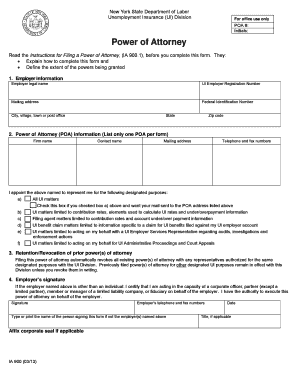
Ia 900 form pdf
The document is a Power of Attorney form from the New York State Department of Labor's Unemployment Insurance Division, ...
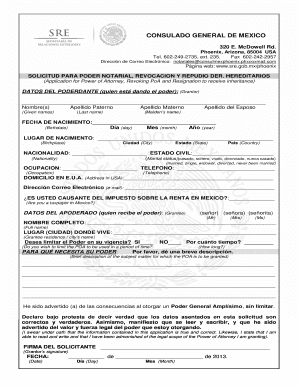
Solicitud y Requisitos de Poder Notarial - consulmex sre gob
The document is an application form from the Consulate General of Mexico in Phoenix, Arizona, for granting a Power of At ...

Travel information form
The document is a Team Travel Information Sheet for teams participating in the ITA National Team Indoor Championship. It ...
Udee practice test
The document is a preparation guide for the Uniformed Division Entrance Exam (UDEE) administered by the U.S. Department ...