Academic Dermatology of Nevada: Home 2026

Get Form
Academic Dermatology of Nevada: Home Preview on Page 1

Here's how it works

01. Edit your form online
Type text, add images, blackout confidential details, add comments, highlights and more.
02. Sign it in a few clicks
Draw your signature, type it, upload its image, or use your mobile device as a signature pad.
03. Share your form with others
Send it via email, link, or fax. You can also download it, export it or print it out.

How to use or fill out Academic Dermatology of Nevada: Home

Form edit decoration
9.5
Ease of Setup
DocHub User Ratings on G2
9.0
Ease of Use
DocHub User Ratings on G2
  1. Click ‘Get Form’ to open it in the editor.
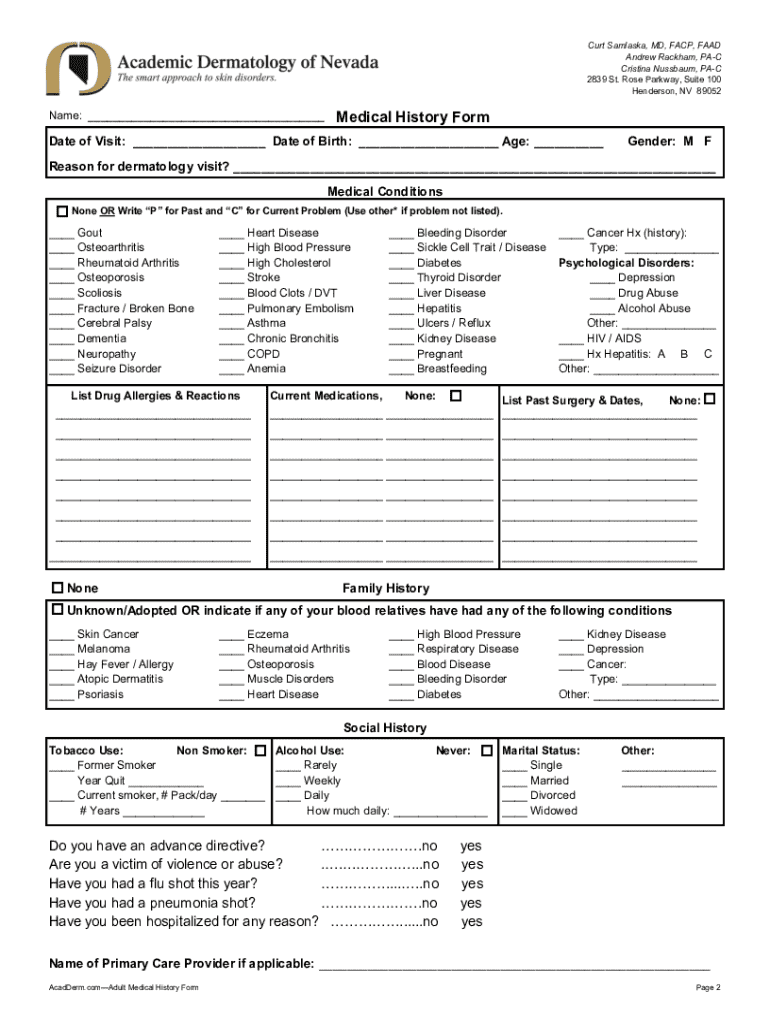
  2. Begin by entering your name at the top of the form. This is essential for identifying your records.
  3. Fill in the 'Date of Visit', 'Date of Birth', and 'Age' fields accurately to ensure proper scheduling and medical history tracking.
  4. Select your gender by marking either 'M' or 'F'.
  5. In the 'Reason for dermatology visit?' section, provide a brief description of your concerns or symptoms.
  6. For medical conditions, indicate any relevant issues by writing 'P' for past problems and 'C' for current ones. Use 'Other' if necessary.
  7. List any drug allergies and reactions, as well as current medications. If none, simply write 'None'.
  8. Complete the family history section by indicating any hereditary conditions among blood relatives.
  9. Provide details about your social history, including tobacco and alcohol use, as well as marital status.
  10. Finally, review all entries for accuracy before submitting the form through our platform.

Start filling out your form today for free and experience seamless document management!

See more Academic Dermatology of Nevada: Home versions

We've got more versions of the Academic Dermatology of Nevada: Home form. Select the right Academic Dermatology of Nevada: Home version from the list and start editing it straight away!
Versions Form popularity Fillable & printable
2019 4.1 Satisfied (60 Votes)
2010 4.8 Satisfied (34 Votes)
be ready to get more

Complete this form in 5 minutes or less

Get form

Got questions?

We have answers to the most popular questions from our customers. If you can't find an answer to your question, please contact us.
Contact us

You should use only trustworthy software solutions with strong data protection compliance to sign your paperwork electronically. DocHub is just the type of editor you need! It stores data on Amazon Web Servers and complies with all required security requirements and eSignature laws, so it’s a trustworthy way to eSign your Academic Dermatology of Nevada: Home or other documents with this tool.

If you are using Chrome, there are two straightforward methods to modify your Academic Dermatology of Nevada: Home online. First, visit the DocHub website, add your file, and modify it using our toolbar. You can also set up our Chrome extension and modify any document by dragging and dropping it in your browser window.

Security and compliance

At DocHub, your data security is our priority. We follow HIPAA, SOC2, GDPR, and other standards, so you can work on your documents with confidence.

Learn more
ccpa2
pci-dss
gdpr-compliance
hipaa
soc-compliance