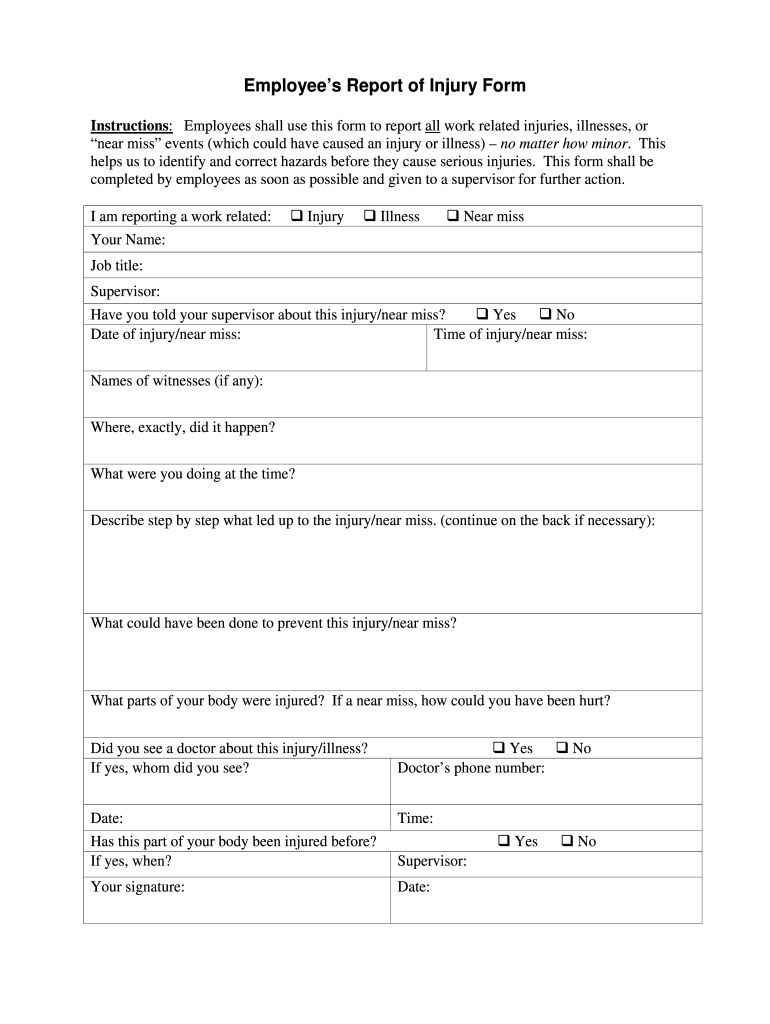
Workers compensation meaningOSHA injuryOSHA employee injury reporting requirementsFree OSHA Form 300A downloadOSHA Form 300 fillableOsha provides workers the right to participate in an osha blankWorkers compensation benefitsOSHA forms printable
Security and compliance
At DocHub, your data security is our priority. We follow HIPAA, SOC2, GDPR, and other standards, so you can work on your documents with confidence.
Nov 15, 2024 Slips, Trips, and Falls. These are among the most frequent workplace injuries, often caused by: Wet or uneven floors. Cluttered walkways.Read more
Work Injuries and Illness Timelines and Expectations
7 Days After Injury. Insured employers must report any claim of an injury to their insurance carrier within 7 days. More Than 3 Days Lost Time From Work?Read more
Cookie consent notice
This site uses cookies to enhance site navigation and personalize your experience.
By using this site you agree to our use of cookies as described in our Privacy Notice.
You can modify your selections by visiting our Cookie and Advertising Notice.