2023 Instructions for Form 8889-2026

Get Form
what is form 8889 Preview on Page 1

Here's how it works

01. Edit your what is form 8889 online
Type text, add images, blackout confidential details, add comments, highlights and more.

02. Sign it in a few clicks
Draw your signature, type it, upload its image, or use your mobile device as a signature pad.

03. Share your form with others
Send it via email, link, or fax. You can also download it, export it or print it out.

How to use or fill out 2023 Instructions for Form 8889 with DocHub

Form edit decoration
9.5
Ease of Setup
DocHub User Ratings on G2
9.0
Ease of Use
DocHub User Ratings on G2
  1. Click ‘Get Form’ to open the 2023 Instructions for Form 8889 in our editor.
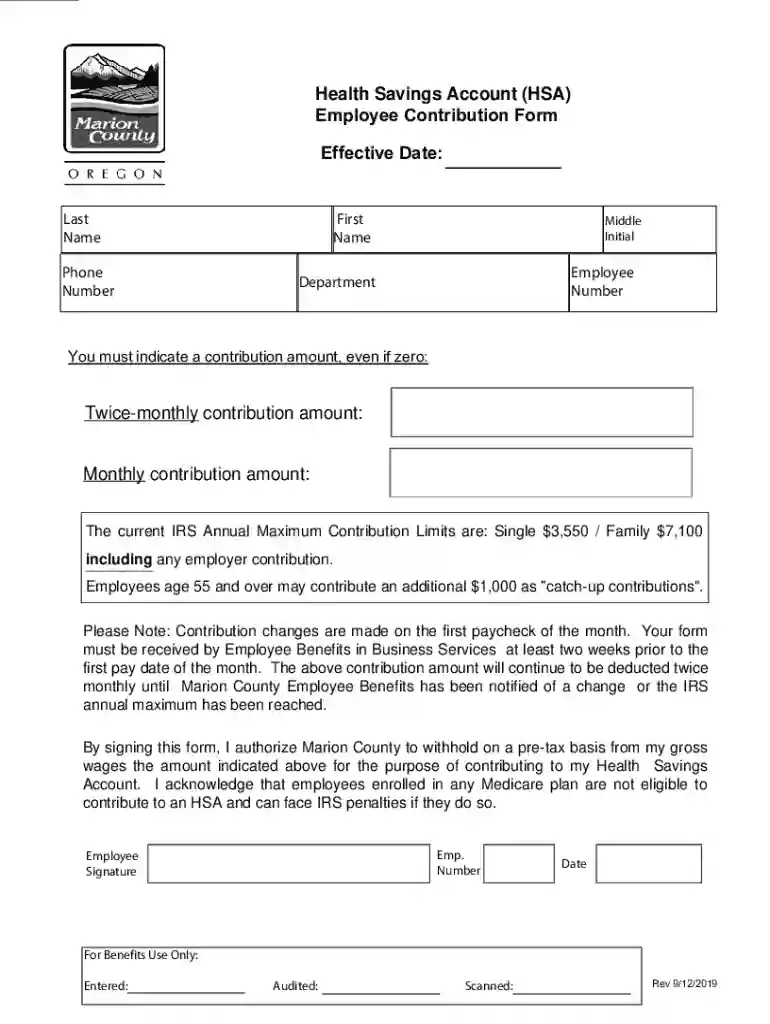
  2. Begin by entering your personal information, including your last name, first name, middle initial, and employee number. This ensures that your form is correctly attributed to you.
  3. Indicate your contribution amounts. You must specify a contribution amount for both twice-monthly and monthly contributions, even if it is zero. Refer to the current IRS Annual Maximum Contribution Limits for guidance.
  4. If applicable, include any catch-up contributions if you are age 55 or over. This allows you to contribute an additional $1,000 beyond the standard limits.
  5. Review the authorization section carefully. By signing this form, you authorize Marion County to withhold the specified amount from your gross wages on a pre-tax basis.
  6. Finally, ensure that you submit the completed form at least two weeks prior to the first pay date of the month to allow for processing.

Start using our platform today to fill out your forms online for free and streamline your document management!

See more 2023 Instructions for Form 8889 versions

We've got more versions of the 2023 Instructions for Form 8889 form. Select the right 2023 Instructions for Form 8889 version from the list and start editing it straight away!
Versions Form popularity Fillable & printable
2019 4.4 Satisfied (41 Votes)
2017 4.4 Satisfied (59 Votes)
be ready to get more

Complete this form in 5 minutes or less

Get form

Got questions?

We have answers to the most popular questions from our customers. If you can't find an answer to your question, please contact us.
Contact us
The amount in Box 3 on your 1099-SA will appear as other income on your 1040 tax form. If you use software to file your taxes, it should populate the forms automatically. The Box 3 amount also needs to be listed in Box 15 on your Form 8889 return. Download IRS instructions for Form 1099-SA.
Box 12 of your W-2 shows your HSA contributions made by pretax payroll deduction, if applicable, and by your employer (labeled employer contributions and marked with code W). Enter the amount from Box 12 on your W-2 on line 9 on Form 8889.
File Form 8889 to: Report health savings account (HSA) contributions (including those made on your behalf and employer contributions). Figure your HSA deduction. Report distributions from HSAs.
You must always file a Form 8889 in any year you or an employer contributes money to your HSA or you make withdrawals from the account. The deduction you calculate on Form 8889 is taken on the first page of your income tax return.
Use Form 8889 to: Report health savings account (HSA) contributions (including those made on your behalf and employer contributions), Figure your HSA deduction, Report distributions from HSAs, and. Figure amounts you must include in income and additional tax you may owe if you fail to be an eligible individual.
be ready to get more

Complete this form in 5 minutes or less

Get form

People also ask

Line 9 Include any amount your employer contributed to your HAS during the tax year. You should also include any contributions made by a health insurance plan on an employers behalf (box 12 of Form W-2 with code W).
You must report distributions from your HSA on IRS Form 8889. You will receive a separate 1099-SA for each type of distribution made during the tax year.

Related links