




01. Edit your az form 10193 online
Type text, add images, blackout confidential details, add comments, highlights and more.

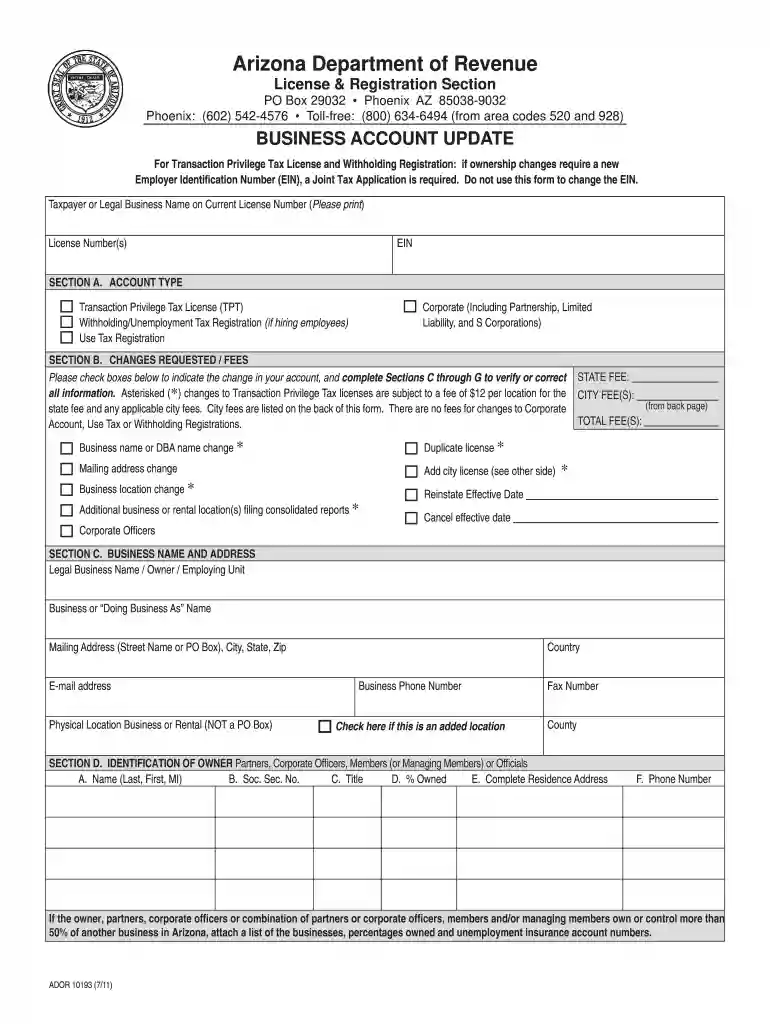
Type text, add images, blackout confidential details, add comments, highlights and more.

Draw your signature, type it, upload its image, or use your mobile device as a signature pad.

Send form 10193 via email, link, or fax. You can also download it, export it or print it out.

Start using our platform today for free to streamline your form completion process!
We've got more versions of the az form 10193 form. Select the right az form 10193 version from the list and start editing it straight away!
Most eSignature services require users to have a paid subscription. With DocHub, there are two options for you to add an electronic signature to your arizona form 10193 at no cost:
The second option, though, has restrictions on the number of signatures, sign requests, emails, and documents for adjusting available per month. You can check for full information here.
It is a no-brainer on a computer or via a mobile device to fill out a form 10193 arizona with DocHub. All you need to do is open any installed web browser on your smartphone and proceed to the DocHub site. Once authenticated, add your file and open it in editing mode. Use our toolbar to make your edits and save adjustments. Optionally, keep your file in your files or send it to a recipient on the spot.
At DocHub, your data security is our priority. We follow HIPAA, SOC2, GDPR, and other standards, so you can work on your documents with confidence.
PDF | TMVOC is a numerical simulator for three-phase non-isothermal flow of water, soil gas, and a multicomponent mixture of volatile organic chemicals.
10,193. Acquisition of Goods and Services. 10.001. 58-6080-4-011. -. 9,772 Giving Form to Domestic Activity, On the Go (REU. Supplement). 47.070. 2221126.Read more
ADOR 10193 (3/22). ARIZONA DEPARTMENT OF REVENUE. GENERAL INSTRUCTIONS FOR ARIZONA BUSINESS ACCOUNT UPDATE. Online Form. Save time and make your changes onlineRead more


