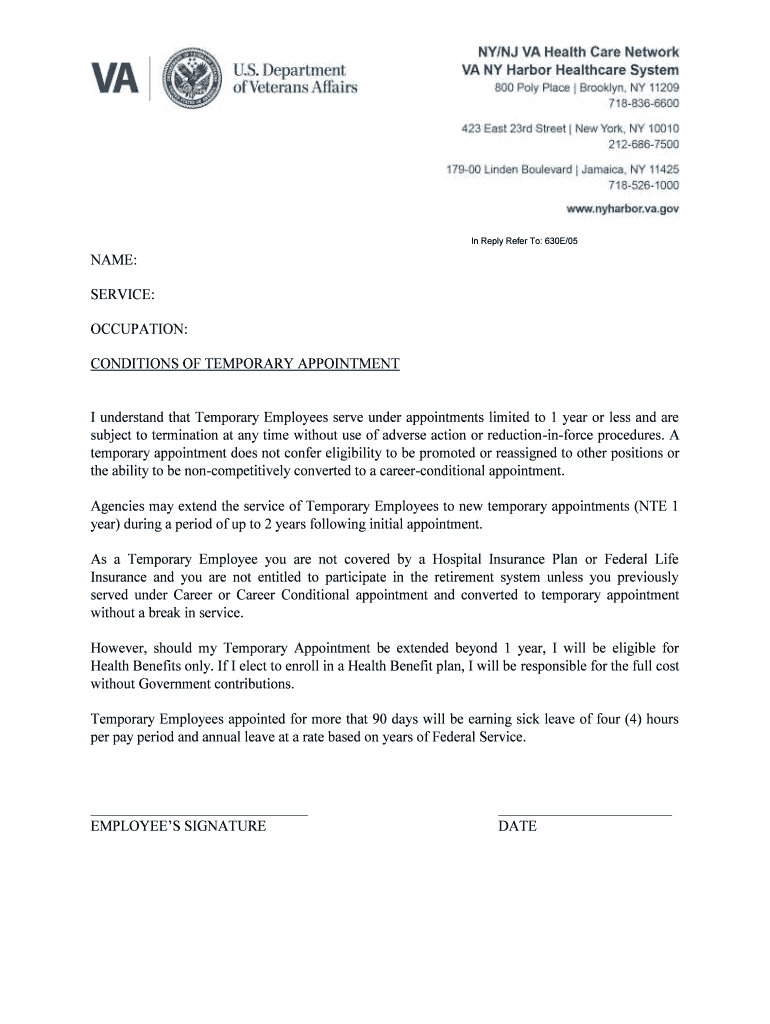
NAME: SERVICE: OCCUPATION - nyharbor va 2026

Get Form
NAME: SERVICE: OCCUPATION - nyharbor va Preview on Page 1

Here's how it works

01. Edit your form online
Type text, add images, blackout confidential details, add comments, highlights and more.
02. Sign it in a few clicks
Draw your signature, type it, upload its image, or use your mobile device as a signature pad.
03. Share your form with others
Send it via email, link, or fax. You can also download it, export it or print it out.

How to use or fill out NAME: SERVICE: OCCUPATION - nyharbor va with our platform

Form edit decoration
9.5
Ease of Setup
DocHub User Ratings on G2
9.0
Ease of Use
DocHub User Ratings on G2
  1. Click ‘Get Form’ to open the NAME: SERVICE: OCCUPATION - nyharbor va document in the editor.
  2. Begin by entering your NAME in the designated field. Ensure that you provide your full legal name for accurate identification.
  3. Next, fill in the SERVICE section. This should reflect the specific service you are providing or engaged in as a temporary employee.
  4. In the OCCUPATION field, specify your job title or role. This helps clarify your position within the organization.
  5. Review the CONDITIONS OF TEMPORARY APPOINTMENT carefully. Make sure you understand your rights and responsibilities as a temporary employee.
  6. Sign and date the form at the bottom. Your signature confirms that you acknowledge and accept the terms outlined in this document.

Start using our platform today to easily complete and manage your documents online for free!

See more NAME: SERVICE: OCCUPATION - nyharbor va versions

We've got more versions of the NAME: SERVICE: OCCUPATION - nyharbor va form. Select the right NAME: SERVICE: OCCUPATION - nyharbor va version from the list and start editing it straight away!
Versions Form popularity Fillable & printable
2018 4.9 Satisfied (26 Votes)
2009 4 Satisfied (35 Votes)
be ready to get more

Complete this form in 5 minutes or less

Get form

Got questions?

We have answers to the most popular questions from our customers. If you can't find an answer to your question, please contact us.
Contact us
1:44 3:00 And management structure of the hospital. If the hospital is governmentrun. The jobs there areMoreAnd management structure of the hospital. If the hospital is governmentrun. The jobs there are government jobs. If the hospital is private or nonprofit. The jobs are not government jobs.
The United States Department of Veterans Affairs (VA) is an agency of the federal government that provides benefits, health care, and cemetery services to military Veterans. The Secretary of Veterans Affairs, a cabinet-level official, is appointed by the President with the advice and consent of the Senate.
VA employees are federal employees in the sense that they work for the federal government. VA is the federal governments second-largest department after the Department of Defense. It employs nearly 371,000 healthcare professionals and support staff at VA medical facilities nationwide.
VA is the largest employer of social workers in the Nation with over 12,000 Masters prepared social workers. VA trains more social work graduate students than any other single agency.
Updating Your Legal Name with VA To update your legal name with VA for health care, you will need to mail or deliver documents to the Eligibility Office at your local VA medical center.

Security and compliance

At DocHub, your data security is our priority. We follow HIPAA, SOC2, GDPR, and other standards, so you can work on your documents with confidence.

Learn more
ccpa2
pci-dss
gdpr-compliance
hipaa
soc-compliance