




01. Edit your form online
Type text, add images, blackout confidential details, add comments, highlights and more.

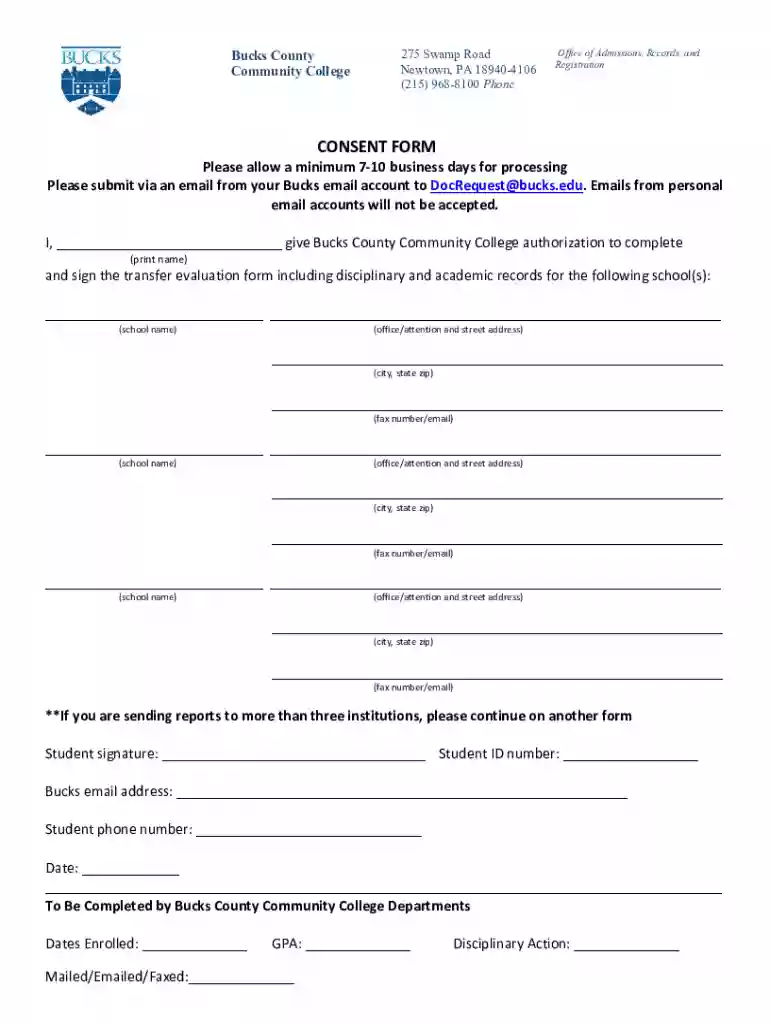
Type text, add images, blackout confidential details, add comments, highlights and more.

Draw your signature, type it, upload its image, or use your mobile device as a signature pad.

Send it via email, link, or fax. You can also download it, export it or print it out.

Start using our platform today for free to streamline your document completion process!
We've got more versions of the CONSENT FORM - Bucks County Community College form. Select the right CONSENT FORM - Bucks County Community College version from the list and start editing it straight away!
Many software solutions are available out there for document modifying and signing. DocHub is one of the most widely used online solutions that comply with all security and compliance requirements and ensures your electronically signed documentation is legally enforceable. All you need to try it out is to register an account, add your CONSENT FORM - Bucks County Community College, provide the necessary details, and click Sign. Create your eSignature by typing, drawing it, uploading its image to your document, or scanning a unique QR code.
If you store your documents in Google Drive, there is no need to download your CONSENT FORM - Bucks County Community College on your computer and upload it back to our editor. A significantly easier way is to set up a browser extension created by DocHub to streamline this flow. The extension allows editing PDFs in your browser. Alternatively, you can integrate your DocHub and Gmail accounts for more efficient modifying.
At DocHub, your data security is our priority. We follow HIPAA, SOC2, GDPR, and other standards, so you can work on your documents with confidence.
I agree to update the emergency contact/parental consent form information whenever changes occur or every six months at a minimum. I understand that myRead more
Fracking in the Marcellus Shale formation in Pennsylvania had dropped by more than 50 percent since its peak in 2010, attributed primarily to the low marketRead more
Anyone under 18 or in high school must submit the Parental Consent Forms with the Registration Form (forms can be found on registration page).


