




Here's how it works



How to use or fill out Claim for a funeral benefit Department of Veterans' Affairs with our platform

- Click ‘Get Form’ to open the Claim for Funeral Benefit in the editor.
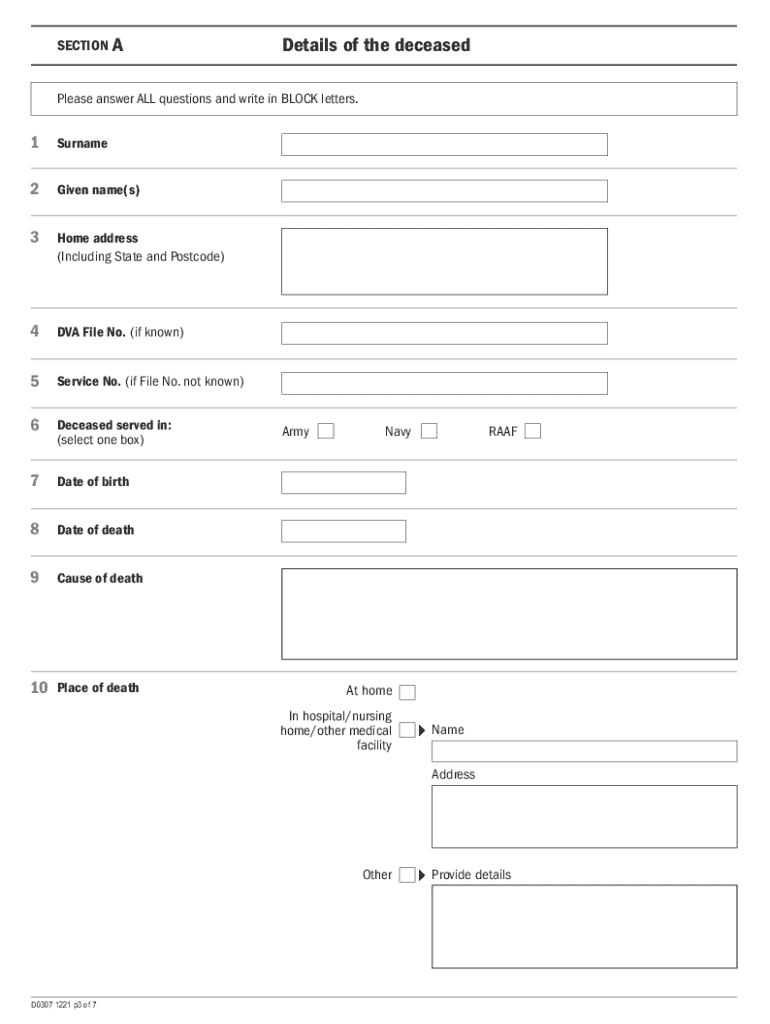
- In Section A, provide details of the deceased. Fill in their surname, given names, home address, DVA file number (if known), service number, date of birth, date of death, cause of death, and place of death.
- Move to Section B to enter your details as the claimant. Include your surname, given names, address, phone numbers, relationship to the deceased, and specify who will receive the Funeral Benefit payment.
- In Section C, detail the funeral arrangements. Provide the name and address of the funeral director and indicate if the funeral was pre-paid. Attach any necessary contracts or statements.
- Complete Section D based on whether you are claiming for a veteran with dependants or without. Answer questions regarding needy circumstances and provide asset details as required.
- Finally, in Section E, sign the declaration confirming that all information is accurate and attach any relevant accounts or receipts before submitting your application.
Start using our platform today to simplify your document editing and form completion process for free!
It's free
See more Claim for a funeral benefitDepartment of Veterans' Affairs versions
Got questions?
How can I eSign my dva file in Word?
Microsoft Word doesn’t have signing tools to create legitimate eSignatures and enforceable forms. Fortunately, DocHub is an online eSignature-compliant editor that works with different file formats, such as .doc files. Sign in to your account and add the Word version of your dva file from your device and cloud, or URL - our editor will automatically convert it into an editable PDF. Make all necessary changes in your form and click Sign to create your own legally-binding eSignature. There are four signing options from which to choose.
How to fill out dva forms online online free of charge in 2024?
Having a swift editing platform like DocHub, you do not require anything but a browser and connection to the internet to edit your dva forms online on the internet quickly. Upload your file or find the appropriate form in DocHub’s catalog, open our editor with one click, and complete it digitally. To revise your forms anytime, sign up a free account with DocHub.
Security and compliance
At DocHub, your data security is our priority. We follow HIPAA, SOC2, GDPR, and other standards, so you can work on your documents with confidence.
Learn more


