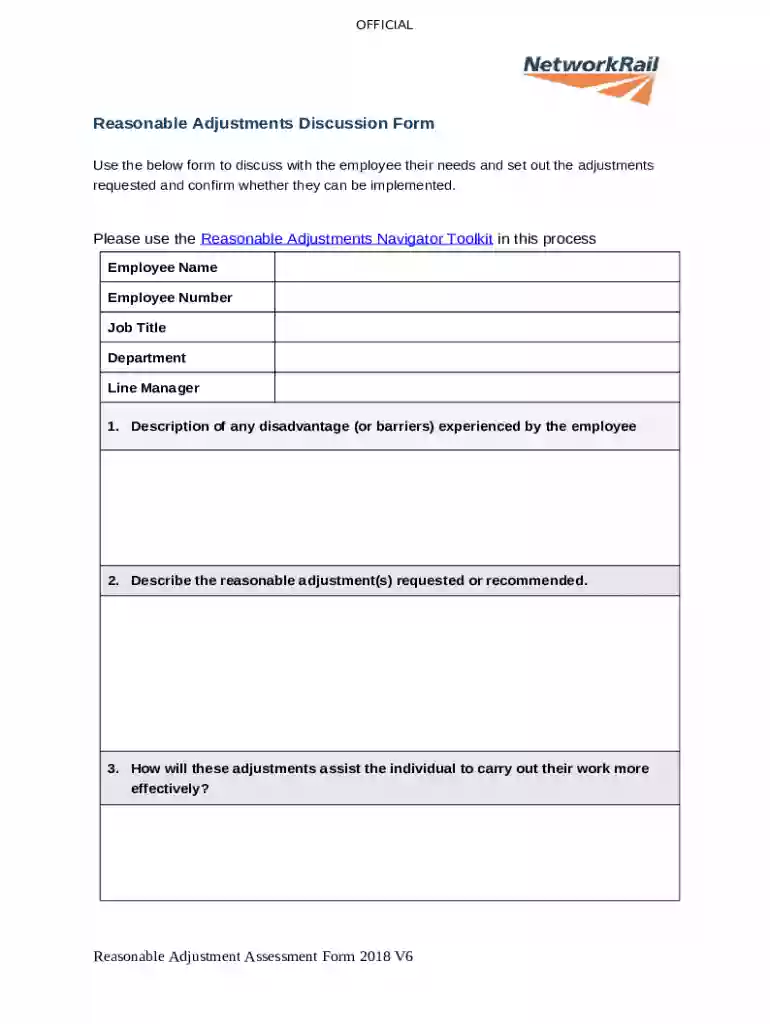
Reasonable Adjustments Assessment Form 2026

Get Form
Reasonable Adjustments Assessment Form Preview on Page 1

Here's how it works

01. Edit your form online
Type text, add images, blackout confidential details, add comments, highlights and more.

02. Sign it in a few clicks
Draw your signature, type it, upload its image, or use your mobile device as a signature pad.

03. Share your form with others
Send it via email, link, or fax. You can also download it, export it or print it out.

How to use or fill out Reasonable Adjustments Assessment Form with our platform

Form edit decoration
9.5
Ease of Setup
DocHub User Ratings on G2
9.0
Ease of Use
DocHub User Ratings on G2
  1. Click ‘Get Form’ to open the Reasonable Adjustments Assessment Form in the editor.
  2. Begin by entering the employee's details, including their name, number, job title, department, and line manager. This information is crucial for identifying the individual requiring adjustments.
  3. In section 1, describe any disadvantages or barriers experienced by the employee. Be specific to ensure clarity on their needs.
  4. For section 2, outline the reasonable adjustments requested or recommended. Clearly state how these changes will support the employee's work effectiveness.
  5. In section 3, explain how these adjustments will assist the individual in performing their duties more effectively. This helps justify the need for changes.
  6. Proceed to section 4 and assess how easy it is to implement these adjustments. Provide honest feedback for better planning.
  7. If expert advice has been sought (section 5), list who was involved and attach any recommendations received.
  8. In section 6, if any adjustments cannot be made, provide a business justification and detail any alternatives explored.
  9. Section 7 requires you to determine if First Class train travel is relevant for the employee. Mark Yes or No based on available guidance.
  10. Complete the Adjustment Action Plan at the end of the form by detailing actions required, responsible parties, and deadlines for implementation.

Start using our platform today to easily fill out your Reasonable Adjustments Assessment Form online for free!

See more Reasonable Adjustments Assessment Form versions

We've got more versions of the Reasonable Adjustments Assessment Form form. Select the right Reasonable Adjustments Assessment Form version from the list and start editing it straight away!
Versions Form popularity Fillable & printable
2018 4.9 Satisfied (56 Votes)
be ready to get more

Complete this form in 5 minutes or less

Get form

Got questions?

We have answers to the most popular questions from our customers. If you can't find an answer to your question, please contact us.
Contact us
Reasonable adjustments the location and timing of the assessment. the format, wording or type of assessment activity. the availability of support personnel for additional needs. the availability of adaptive software or hardware, or specialist equipment.
A Reasonable Adjustment is a change to the working environment or way of working. What is reasonable will depend on the employees difficulties, the employers resources and how practicable the changes are. Many Reasonable Adjustments are simple inexpensive changes that are easy to implement.
Reasonable adjustments are changes an employer makes to remove or reduce a disadvantage related to someones disability. A disability can be a physical or mental health condition. Find out more about making a request for reasonable adjustments. You can copy and paste the template text into an email or document.
Whether an employee needs a diagnosis. An employee does not need a diagnosis to be considered disabled under the Equality Act 2010. An employer should offer employees support whether or not they have a diagnosis for their neurodivergence.

Security and compliance

At DocHub, your data security is our priority. We follow HIPAA, SOC2, GDPR, and other standards, so you can work on your documents with confidence.

Learn more
ccpa2
pci-dss
gdpr-compliance
hipaa
soc-compliance