




Here's how it works

01. Edit your early intervention session note online
Type text, add images, blackout confidential details, add comments, highlights and more.

02. Sign it in a few clicks
Draw your signature, type it, upload its image, or use your mobile device as a signature pad.

03. Share your form with others
Send early intervention session notes examples via email, link, or fax. You can also download it, export it or print it out.
How to use or fill out early intervention with our platform

- Click ‘Get Form’ to open the early intervention session note in the editor.
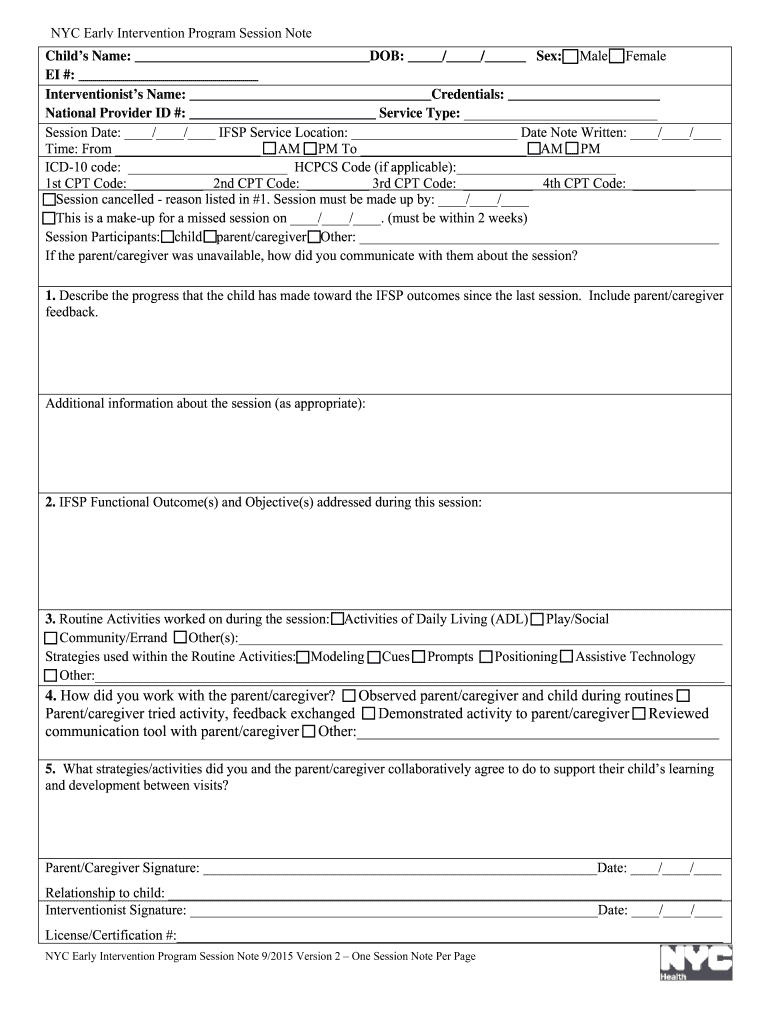
- Begin by entering the child's name and date of birth in the designated fields. Ensure that this information matches what is recorded in NYEIS.
- Fill in the sex of the child, EI number, and the interventionist's name along with their credentials. This information is crucial for accurate documentation.
- Document the session date, service type, and location as indicated on the IFSP. Make sure to include both start and end times of the session.
- If applicable, enter ICD-10 and CPT codes based on services provided during the session. This ensures proper billing and compliance.
- In sections regarding progress, describe how the child has advanced towards IFSP outcomes since the last session, including feedback from parents or caregivers.
- Complete all mandatory fields before saving your document. Review for accuracy to ensure a smooth process for both families and providers.
Start using our platform today to streamline your early intervention documentation for free!
Fill out early intervention online
It's free
It's free
See more early intervention versions
We've got more versions of the early intervention form. Select the right early intervention version from the list and start editing it straight away!
Security and compliance
At DocHub, your data security is our priority. We follow HIPAA, SOC2, GDPR, and other standards, so you can work on your documents with confidence.
Learn more


