Type text, add images, blackout confidential details, add comments, highlights and more.
02. Sign it in a few clicks
Draw your signature, type it, upload its image, or use your mobile device as a signature pad.
03. Share your form with others
Send consignment paper via email, link, or fax. You can also download it, export it or print it out.
How to use or fill out Consignment forms and guidelinesdocx with our platform
Ease of Setup
DocHub User Ratings on G2
Ease of Use
DocHub User Ratings on G2
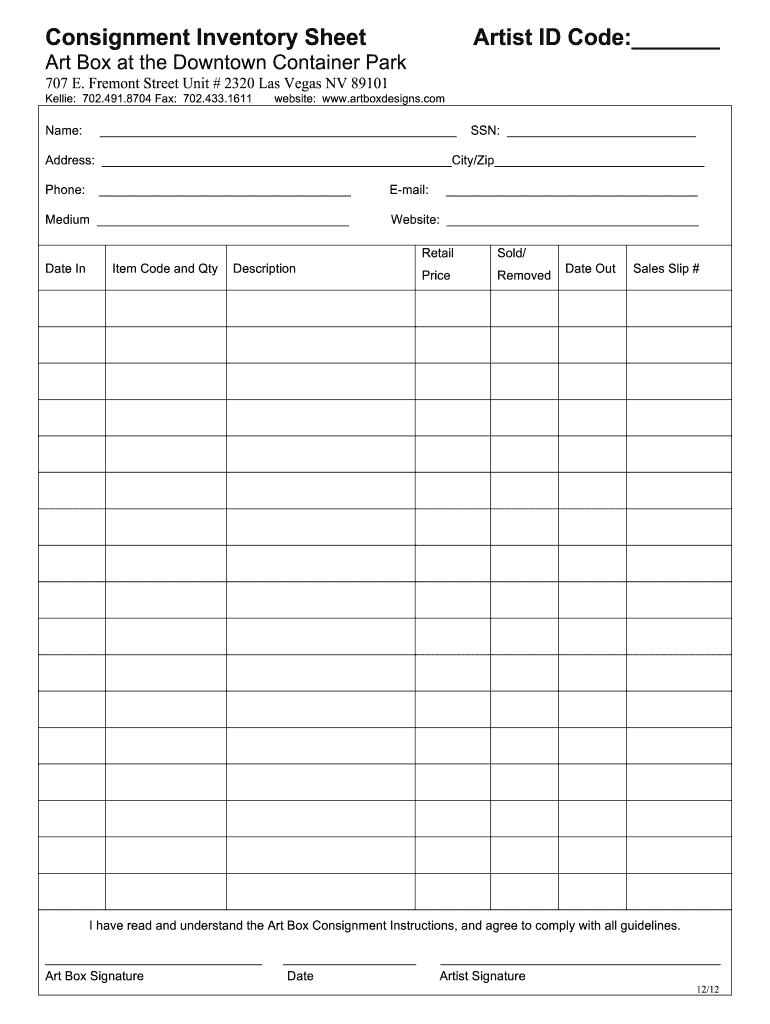
Click ‘Get Form’ to open the Consignment Inventory Sheet in the editor.
Begin by entering your Artist ID Code at the top of the form. This unique identifier helps track your submissions.
Fill in your personal details, including Name, SSN, Address, Phone, and Email. Ensure all information is accurate for effective communication.
In the 'Medium' section, specify the type of artwork you are consigning. This helps categorize your items appropriately.
List each item you are consigning in the designated fields. Include Item Code, Quantity, Description, Retail Price, and Sales Slip Number for each piece.
Review the guidelines provided at the bottom of the form to ensure compliance with Art Box's consignment policies before signing.
Finally, sign and date the form to confirm your understanding and agreement with Art Box's consignment instructions.
Start using our platform today to streamline your consignment process for free!
Fill out Consignment forms and guidelinesdocx online It's free
Printable consignment forms and guidelines docxConsignment forms and guidelines docx pdfFree consignment forms and guidelines docxConsignment agreement template WordSimple consignment agreement PDFMilitary Consignment Format PDFConsignment form templateConsignment inventory agreement template
Security and compliance
At DocHub, your data security is our priority. We follow HIPAA, SOC2, GDPR, and other standards, so you can work on your documents with confidence.
Upon completion of the test, a breeder may withhold bulls from his consignment to take home. Notification of withholding must be given by the off-test date.Read more
1 Adjust the paper guide on the ADF tray to the width of the original document. The transfer may not be an indirect transfer, such as a consignment.Read more
Cookie consent notice
This site uses cookies to enhance site navigation and personalize your experience.
By using this site you agree to our use of cookies as described in our Privacy Notice.
You can modify your selections by visiting our Cookie and Advertising Notice.