Type text, add images, blackout confidential details, add comments, highlights and more.

02. Sign it in a few clicks
Draw your signature, type it, upload its image, or use your mobile device as a signature pad.

03. Share your form with others
Send form 8952 via email, link, or fax. You can also download it, export it or print it out.

How to use or fill out Form 8952 instructions: Fill out & sign online
Ease of Setup
DocHub User Ratings on G2
Ease of Use
DocHub User Ratings on G2
Click ‘Get Form’ to open it in the editor.
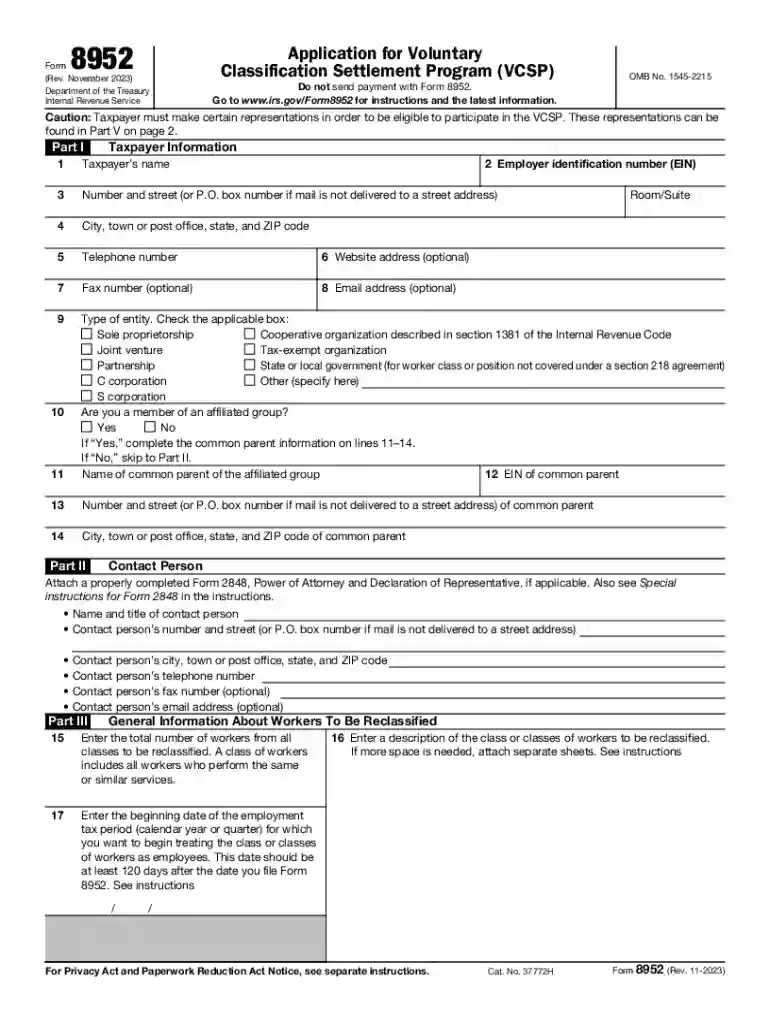
Begin with Part I by entering your taxpayer information, including your name, address, and contact details. Ensure accuracy as this information is crucial for processing.
In Part II, provide your Employer Identification Number (EIN) and details of a contact person if applicable. This section helps establish communication with the IRS.
Move to Part III to describe the workers you wish to reclassify. Enter the total number of workers and their employment start date. Be specific about the class of workers.
In Part IV, calculate payment using Section 3509(a) rates. Follow the instructions carefully for accurate calculations based on compensation data.
Finally, complete Part V by making necessary representations regarding worker classification. Ensure that you sign where indicated to validate your application.
Start filling out Form 8952 today for free using our platform!
Fill out Form 8952 instructions: Fill out & sign online online It's free
See more Form 8952 instructions: Fill out & sign online versions
We've got more versions of the Form 8952 instructions: Fill out & sign online form. Select the right Form 8952 instructions: Fill out & sign online version from the list and start editing it straight away!
Form 8952 instructions fill out sign online pdfIrs form 8952 instructions fill out sign onlineFederal Form 8962IRS Form 8962 instructions1095-A formIRS reclassification FormVoluntary Classification Settlement ProgramWhat is Form 8962
Security and compliance
At DocHub, your data security is our priority. We follow HIPAA, SOC2, GDPR, and other standards, so you can work on your documents with confidence.
Aug 10, 2021 After filling in the form (all fields are required), click Create. A self-signed certificate based on the information you just provided is
A paid preparer must sign Form 8952 and provide the information in the Paid Preparer Use Only section at the end of the form if the preparer was paid to
Cookie consent notice
This site uses cookies to enhance site navigation and personalize your experience.
By using this site you agree to our use of cookies as described in our Privacy Notice.
You can modify your selections by visiting our Cookie and Advertising Notice.