Power of Attorney Form - Toronto-Dominion Bank 2026

Get Form
td power of attorney form Preview on Page 1

Here's how it works

01. Edit your td power of attorney form online
Type text, add images, blackout confidential details, add comments, highlights and more.
02. Sign it in a few clicks
Draw your signature, type it, upload its image, or use your mobile device as a signature pad.
03. Share your form with others
Send td bank power of attorney via email, link, or fax. You can also download it, export it or print it out.

How to use or fill out Power of Attorney Form - Toronto-Dominion Bank with Our Platform

Form edit decoration
9.5
Ease of Setup
DocHub User Ratings on G2
9.0
Ease of Use
DocHub User Ratings on G2
  1. Click ‘Get Form’ to open it in the editor.
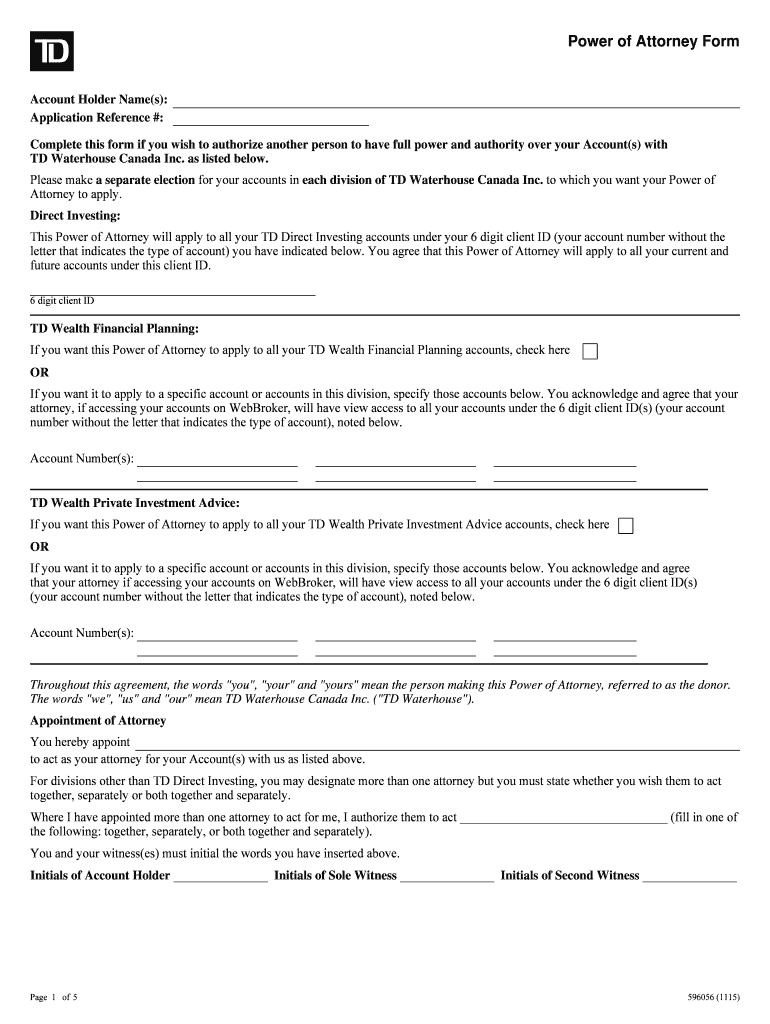
  2. Begin by entering the Account Holder Name(s) and Application Reference # at the top of the form. This identifies who is granting the power of attorney.
  3. In the Direct Investing section, provide your 6-digit client ID. This applies to all your TD Direct Investing accounts.
  4. For TD Wealth Financial Planning, check the box if you want this Power of Attorney to apply to all accounts or specify individual account numbers as needed.
  5. Designate your attorney by filling in their name and specify if they will act together, separately, or both. Ensure initials are provided for verification.
  6. Complete the signature section, including witness signatures as required. Make sure witnesses meet legal requirements based on your province.

Start using our platform today for free to streamline your document editing and signing process!

See more Power of Attorney Form - Toronto-Dominion Bank versions

We've got more versions of the Power of Attorney Form - Toronto-Dominion Bank form. Select the right Power of Attorney Form - Toronto-Dominion Bank version from the list and start editing it straight away!
Versions Form popularity Fillable & printable
2021 4.2 Satisfied (55 Votes)
2015 4.3 Satisfied (42 Votes)
2014 3.9 Satisfied (27 Votes)
be ready to get more

Complete this form in 5 minutes or less

Get form

Got questions?

We have answers to the most popular questions from our customers. If you can't find an answer to your question, please contact us.
Contact us
At TD, we want to provide you with the best experience we can when you do business with us. This includes situations where you want to allow someone else to act for you under a Power of Attorney for finances or property (what we refer to as a POA).
Its smart to set up your POA on accounts before you need them. This is a fairly simple process. To add a POA to your bank account, submit the signed, docHubd legal document to the financial institution holding the relevant accounts to review and confirm.
While TD has its own forms of Power of Attorney available for your use for some products and services, you are not required to use a TD POA form.
This is a fairly simple process. To add a POA to your bank account, submit the signed, docHubd legal document to the financial institution holding the relevant accounts to review and confirm.
They also cannot have any financial interest in the document (e.g., if they become a beneficiary). Do I need to docHub the POA? The power of attorney can be a legal and important document, but its not necessary to have the signing verified if youre able.

Security and compliance

At DocHub, your data security is our priority. We follow HIPAA, SOC2, GDPR, and other standards, so you can work on your documents with confidence.

Learn more
ccpa2
pci-dss
gdpr-compliance
hipaa
soc-compliance

People also ask

Explore our comprehensive guide to find reliable notary services at over 1,300 TD Bank branches across the Eastern United States.
You can also consider creating a POA on a banks own power of attorney form, but this process can quickly feel overwhelming if you have assets or accounts at many different institutions.