




Here's how it works



How to use or fill out Use Tax Rates - Illinois Department of Revenue with our platform

- Click ‘Get Form’ to open it in the editor.
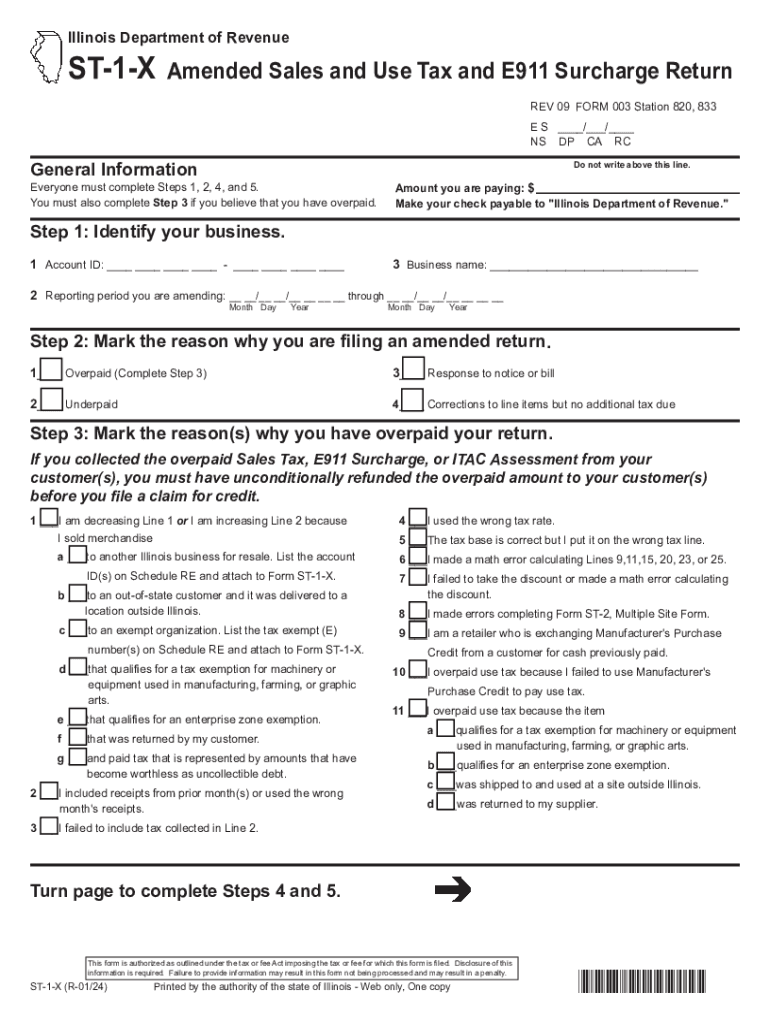
- Begin by identifying your business. Fill in your Account ID and Business Name, and specify the Reporting Period you are amending.
- Next, mark the reason for filing an amended return. Choose from options such as Overpaid, Underpaid, or Corrections to line items.
- If you selected Overpaid, complete Step 3 by indicating why you believe you overpaid your return. This includes options like math errors or incorrect tax rates.
- Proceed to Step 4 to correct your financial information. Complete all applicable lines, ensuring figures are rounded to the nearest whole dollar.
- Finally, sign the form in Step 5 under penalties of perjury, confirming that all information is accurate and complete.
Start using our platform today for free to streamline your document editing and form completion!
It's free
See more Use Tax Rates - Illinois Department of Revenue versions
Got questions?
Can I type my eSignature on my illinois st 1 tax form?
Yes, a typed name is recognized as a valid electronic signature when you create it on your paperwork utilizing a compliant solution like DocHub. Simply upload your illinois st 1 tax form to our editor, click Sign in the top tool pane → Create your signature → Type your name in the appropriate tab, and decide how it will appear on your document.
Can I print my illinois st 1 and complete it on my own?
If you choose analog ways of completing your illinois st 1, it is simple to download your file for printing. Search DocHub’s Forms & Templates catalog to get the exact document template you need and open it for editing or download it on your device in the format of your liking. It is possible to complete your form electronically and put your handwritten signature on it right after printing or eSign your document with DocHub.
Security and compliance
At DocHub, your data security is our priority. We follow HIPAA, SOC2, GDPR, and other standards, so you can work on your documents with confidence.
Learn more




