




Here's how it works



How to use or fill out Nevada Taxation with our platform

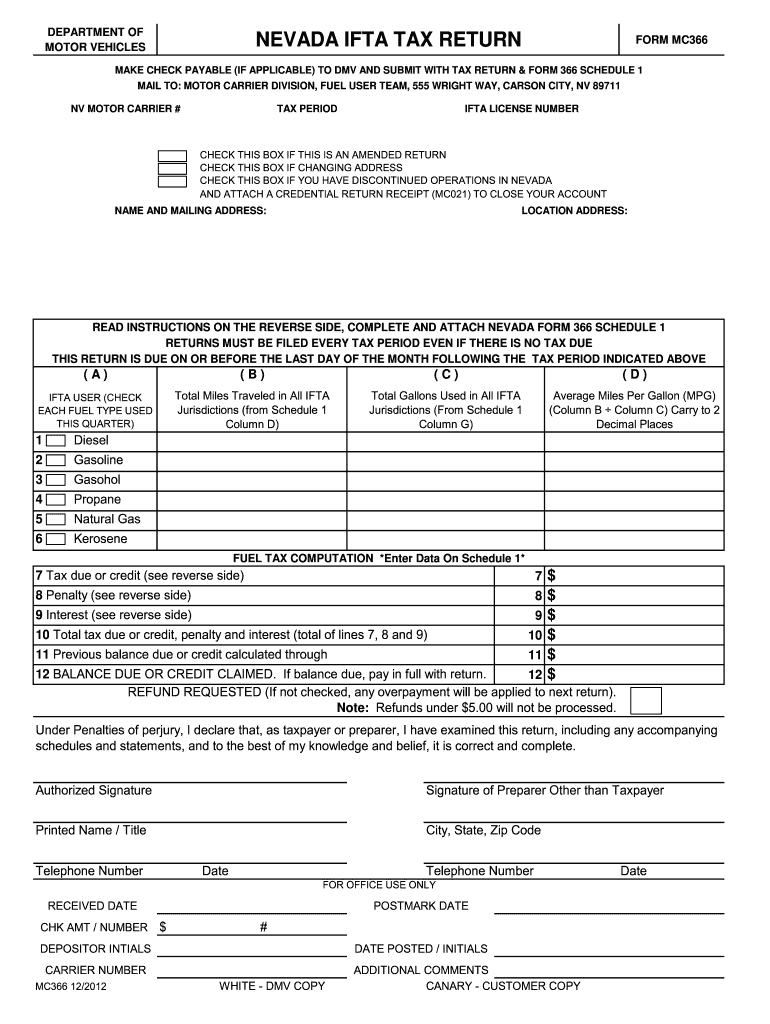
- Click ‘Get Form’ to open the Nevada IFTA Tax Return (Form MC366) in the editor.
- Begin by entering your NV Motor Carrier Number and the Tax Period at the top of the form.
- If applicable, check the boxes for an amended return, address change, or discontinued operations.
- Fill in your name and mailing address, as well as your location address.
- Complete Columns A through D by indicating fuel types used, total miles traveled, total gallons used, and calculating average MPG.
- Proceed to calculate tax due or credit based on your entries from Schedule 1. Ensure all calculations are accurate.
- Sign and date the form at the bottom. If someone else prepared it, they must also sign.
Start using our platform today to streamline your Nevada taxation process for free!
It's free
See more nevada taxation versions
Got questions?
Can I type my electronic signature on my tax nevada?
Sure, a typed name is recognized as a valid electronic signature when you create it on your form using a compliant solution like DocHub. Simply import your tax nevada to our editor, click Sign in the top tool pane → Create your signature → Type your name in the appropriate tab, and select how it will look on your document.
How do you modify nv ifta online from Google Drive?
If you store your paperwork in Google Drive, there is no need to download your nv ifta online on your computer and upload it back to our editor. A much simpler way is to set up a browser extension created by DocHub to simplify this flow. The extension allows editing PDFs right in your web browser. Alternatively, you may integrate your DocHub and Gmail accounts for more efficient editing.
Security and compliance
At DocHub, your data security is our priority. We follow HIPAA, SOC2, GDPR, and other standards, so you can work on your documents with confidence.
Learn more




