




Here's how it works



How to use or fill out City of Coeur d'Alene - Application and Recruitment Process

- Click ‘Get Form’ to open it in the editor.
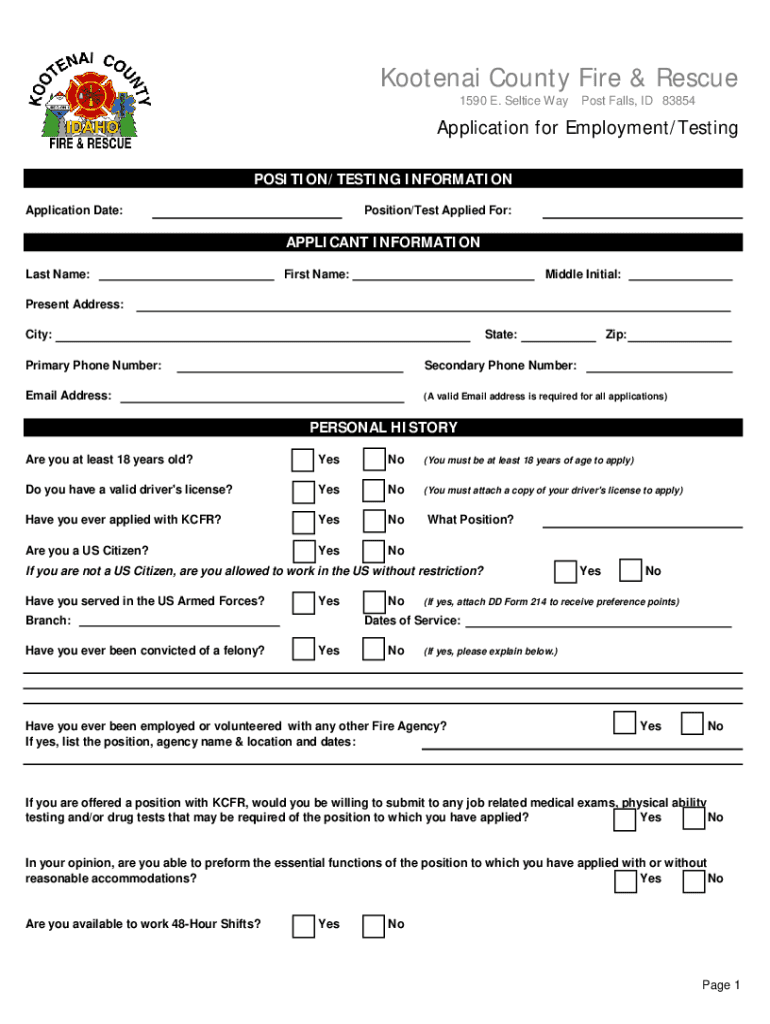
- Begin by entering your personal information in the 'Applicant Information' section. Fill in your last name, first name, middle initial, address, phone numbers, and email address. Ensure that your email is valid as it is required for all applications.
- Proceed to the 'Personal History' section. Answer questions regarding your age, citizenship status, driver's license validity, and military service. Be honest as any discrepancies may lead to disqualification.
- In the 'Education Information' section, indicate whether you graduated from high school or received a GED. If applicable, provide details about any college education or vocational training.
- List your work history in the designated sections. Include current and past employers along with job titles, duties performed, and reasons for leaving each position.
- Finally, review all entered information for accuracy before submitting your application through our platform. Ensure all required documents are attached.
Start filling out your application today using our editor for a seamless experience!
It's free
See more City of Coeur d'Alene - Application and Recruitment Process versions
| Versions | Form popularity | Fillable & printable |
|---|---|---|
| 2019 | 4.8 Satisfied (146 Votes) |
Got questions?
Can I sign my City of Coeur d'Alene - Application and Recruitment Process with my phone?
Yes, it is possible with DocHub. This trustworthy and compliant online service features a phone-based signing option. Once you log in to your DocHub account and add your City of Coeur d'Alene - Application and Recruitment Process to our editor, fill out all required areas and utilize the Sign feature on the upper barf. Click on Create your signature and select Phone from the available choices. Here, you scan a QR code with your smartphone and draw your signature on your phone screen, as you normally do when signing hard copies. If you access DocHub right from your mobile device, you can electronically sign your form by drawing your eSignature, adding its image, or simply with a typed name.
How do you fill out City of Coeur d'Alene - Application and Recruitment Process online?
You may get and modify your City of Coeur d'Alene - Application and Recruitment Process online by using DocHub. Its straightforward yet feature-rich design enables you to begin productive work right after you register your account. Create your profile and add your file, and then our interface will guide you via our stress-free form completion experience.
What are the 9 steps in the hiring process?
What are the 7 steps of the hiring process?
What are the stages of the hiring process?
Security and compliance
At DocHub, your data security is our priority. We follow HIPAA, SOC2, GDPR, and other standards, so you can work on your documents with confidence.
Learn more




