




01. Edit your form online
Type text, add images, blackout confidential details, add comments, highlights and more.

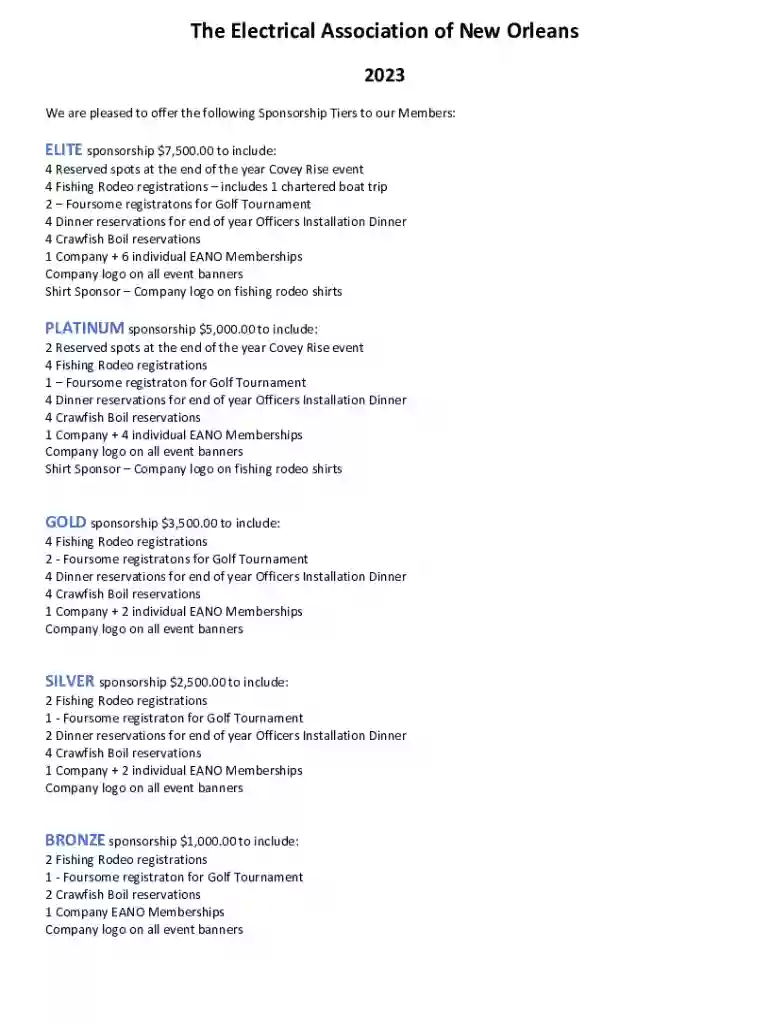
Type text, add images, blackout confidential details, add comments, highlights and more.

Draw your signature, type it, upload its image, or use your mobile device as a signature pad.

Send it via email, link, or fax. You can also download it, export it or print it out.

Start using our platform today to easily complete your SPONSORSHIP OVERVIEW & REGISTRATION form!
We've got more versions of the SPONSORSHIP OVERVIEW & REGISTRATION form. Select the right SPONSORSHIP OVERVIEW & REGISTRATION version from the list and start editing it straight away!
At DocHub, your data security is our priority. We follow HIPAA, SOC2, GDPR, and other standards, so you can work on your documents with confidence.
Sponsorships are available for festivals, special events, athletics, and field signage. Click through our Parks Recreation Sponsorship Guide to the right.Read more
Conference sponsors provide critical funding that allows us to feature engaging keynote speakers that attract and provide a valuable education experienceRead more
We offer several sponsorship opportunities for corporate partners, with tiers including Platinum, Gold, Silver, and Bronze. The level of brand placement and


