Type text, add images, blackout confidential details, add comments, highlights and more.

02. Sign it in a few clicks
Draw your signature, type it, upload its image, or use your mobile device as a signature pad.

03. Share your form with others
Send ohio sd 101 short form via email, link, or fax. You can also download it, export it or print it out.

How to use or fill out sd 101 tax fill with our platform
Ease of Setup
DocHub User Ratings on G2
Ease of Use
DocHub User Ratings on G2
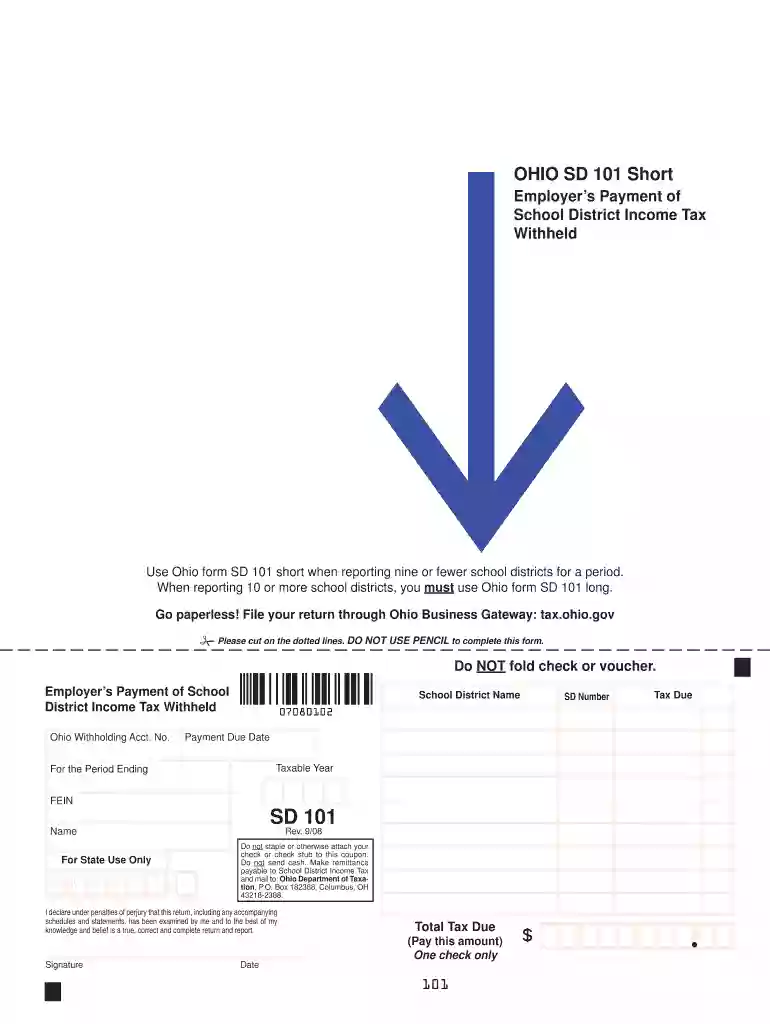
Click ‘Get Form’ to open the sd 101 tax fill in the editor.
Begin by entering your Ohio Withholding Account Number at the top of the form. This is essential for identifying your tax account.
Fill in the SD Number and School District Name fields. Ensure that you select the correct school district from the provided list to avoid any discrepancies.
Next, input the Tax Due amount based on your calculations for the period ending. Double-check this figure for accuracy.
Enter the Payment Due Date and Taxable Year. These dates are crucial for timely filing and compliance.
Complete the FEIN (Federal Employer Identification Number) field to further validate your submission.
Finally, sign and date the form at the bottom, confirming that all information is true and complete before submitting it through our platform.
Start using our platform today to streamline your sd 101 tax fill process for free!
Cookie consent notice
This site uses cookies to enhance site navigation and personalize your experience.
By using this site you agree to our use of cookies as described in our Privacy Notice.
You can modify your selections by visiting our Cookie and Advertising Notice.