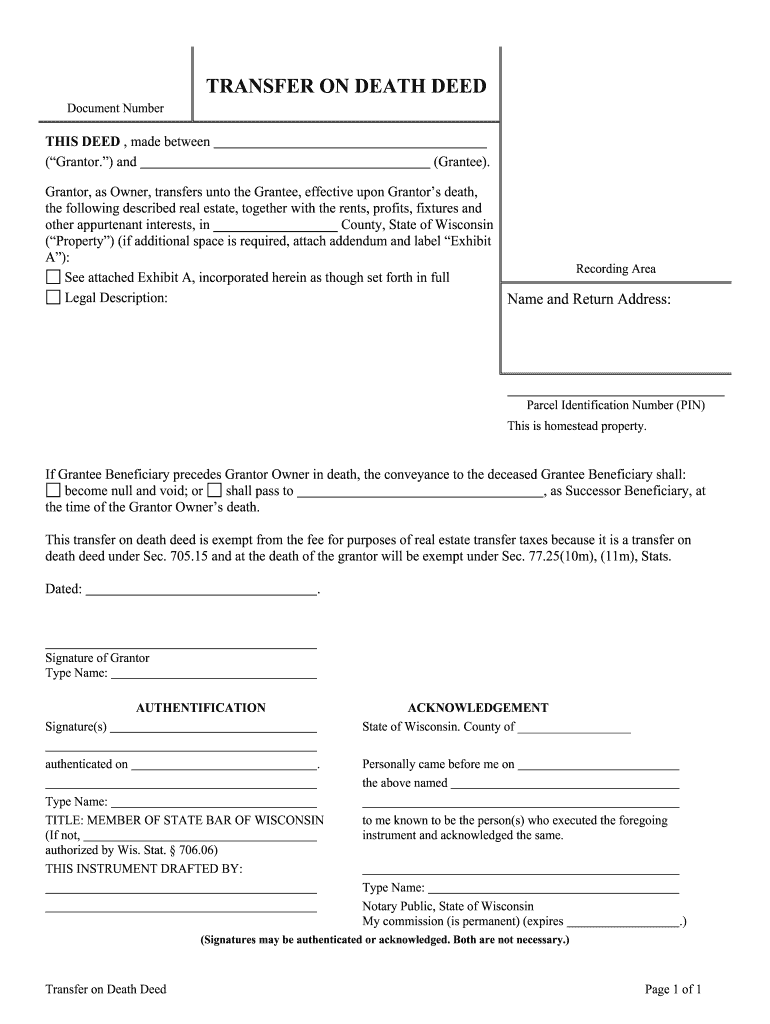
01. Edit your wisconsin transfer on death deed form pdf online
Type text, add images, blackout confidential details, add comments, highlights and more.
02. Sign it in a few clicks
Draw your signature, type it, upload its image, or use your mobile device as a signature pad.
03. Share your form with others
Send transfer on death deed wisconsin via email, link, or fax. You can also download it, export it or print it out.
How to use or fill out transfer death deed with our platform
Ease of Setup
DocHub User Ratings on G2
Ease of Use
DocHub User Ratings on G2
Click ‘Get Form’ to open the transfer death deed in the editor.
Begin by entering the names of the Grantor and Grantee in the designated fields. Ensure that you accurately identify both parties involved in the transfer.
Next, provide a detailed legal description of the property being transferred. If necessary, attach an addendum labeled 'Exhibit A' for additional information.
Fill in the Parcel Identification Number (PIN) and confirm if this is homestead property by checking the appropriate box.
Indicate what happens if the Grantee predeceases the Grantor by selecting either option provided regarding successor beneficiaries.
Finally, date and sign the document as the Grantor. Ensure that your signature is authenticated by a Notary Public, as required.
Start using our platform today to complete your transfer death deed online for free!
Transfer death deed floridaTransfer death deed formTransfer death deed texasTransfer death deed onlineTransfer death deed templateTransfer death deed californiaFlorida transfer on death deed formProblems with transfer on death deeds
Security and compliance
At DocHub, your data security is our priority. We follow HIPAA, SOC2, GDPR, and other standards, so you can work on your documents with confidence.
Transfer-on-death deed is a deed that automatically transfers property to a designated beneficiary upon the death of the property owner without probate.Read more
Cookie consent notice
This site uses cookies to enhance site navigation and personalize your experience.
By using this site you agree to our use of cookies as described in our Privacy Notice.
You can modify your selections by visiting our Cookie and Advertising Notice.