




Here's how it works



How to use or fill out Form IT-203-B Nonresident and Part-Year Resident Income Allocation and College Tuition Itemized Dedu

- Click ‘Get Form’ to open it in the editor.
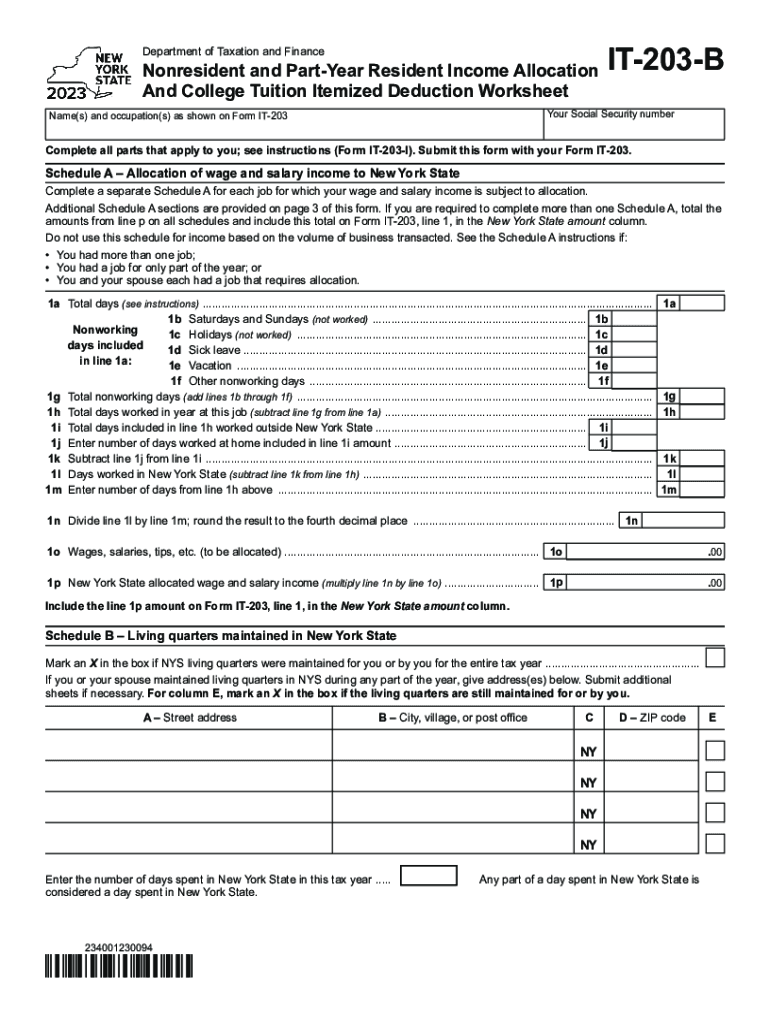
- Begin with Schedule A, where you will allocate your wage and salary income. Fill in your total days worked, including nonworking days such as weekends and holidays. Ensure you accurately calculate the total nonworking days and subtract them from your total days worked.
- Next, complete Schedule B by marking if you maintained living quarters in New York State. Provide the necessary addresses and indicate the number of days spent in New York during the tax year.
- Proceed to Schedule C for the college tuition itemized deduction. Answer whether you are claimed as a dependent on another taxpayer’s return. If not, list each eligible student’s details, including their college information and qualified tuition expenses.
- Finally, review all entries for accuracy before submitting the completed form along with Form IT-203.
Start using our platform today to fill out your Form IT-203-B easily and for free!
It's free
See more Form IT-203-B Nonresident and Part-Year Resident Income Allocation and College Tuition Itemized Dedu versions
Got questions?
What is the best way to send my Form IT-203-B Nonresident and Part-Year Resident Income Allocation and College Tuition Itemized Dedu for eSignature?
Upload your Form IT-203-B Nonresident and Part-Year Resident Income Allocation and College Tuition Itemized Dedu to DocHub (once you’ve set up an account for this). If you need to complete fields in it, use appropriate tools from the top pane. For instance, drop Signature Fields, assign each to specific party, and click on Sign → Request signatures from others. Personalize your message for your recipients and click Send Request. You can also send your form by fax or as a Signing link instead of using email (you’ll find these options by navigating to the Menu → Send)
How do you edit Form IT-203-B Nonresident and Part-Year Resident Income Allocation and College Tuition Itemized Dedu from Google Drive?
If you store your papers in Google Drive, there is no need to download your Form IT-203-B Nonresident and Part-Year Resident Income Allocation and College Tuition Itemized Dedu on your computer and upload it back to our editor. A much simpler way is to set up a browser extension created by DocHub to streamline this flow. The extension allows editing PDFs right in your web browser. Alternatively, you may integrate your DocHub and Gmail accounts for more efficient editing.
What is a 203 nonresident income tax return?
What is the difference between IT-201 and 203?
What does tax topic 203 mean?
Security and compliance
At DocHub, your data security is our priority. We follow HIPAA, SOC2, GDPR, and other standards, so you can work on your documents with confidence.
Learn more


