




Here's how it works

01. Edit your reco brokerage renewal online
Type text, add images, blackout confidential details, add comments, highlights and more.

02. Sign it in a few clicks
Draw your signature, type it, upload its image, or use your mobile device as a signature pad.

03. Share your form with others
Send it via email, link, or fax. You can also download it, export it or print it out.
How to use or fill out Application for Renewal: Brokerage with our platform

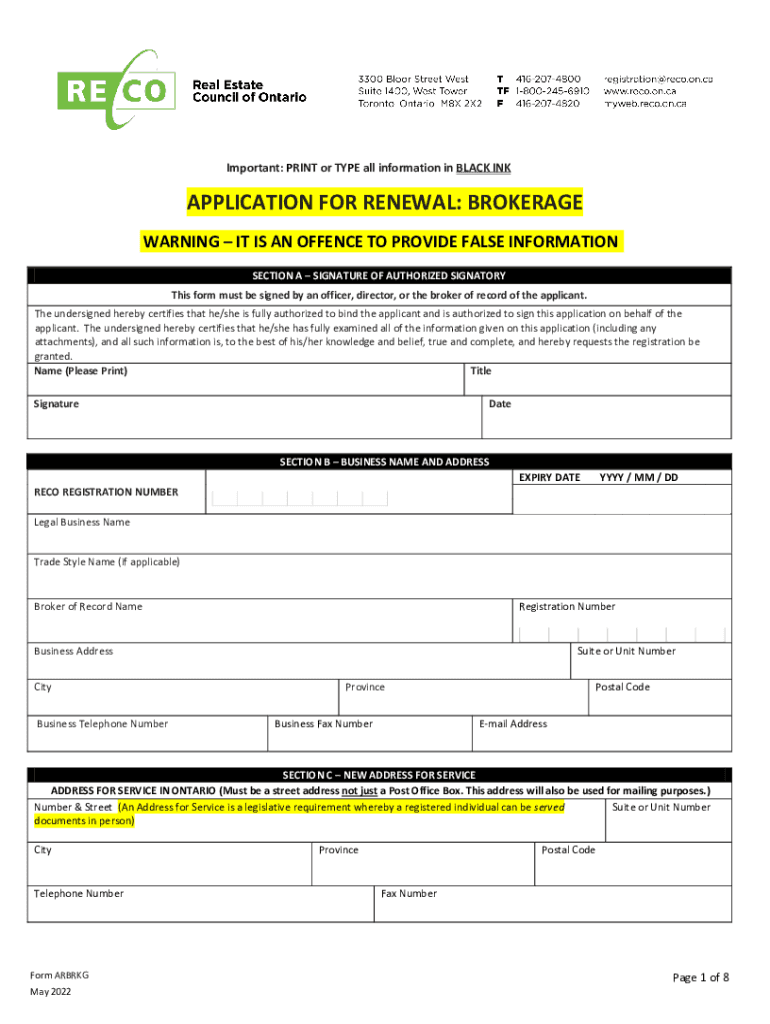
- Click ‘Get Form’ to open the Application for Renewal: Brokerage in the editor.
- Begin with Section A, where the authorized signatory must print their name, title, and provide a signature along with the date. Ensure that this section is completed accurately as it certifies the information provided.
- In Section B, fill in your business name, address, RECO registration number, and contact details. Make sure all information is current and correct to avoid delays.
- Proceed to Section C if there is a new address for service. This must be a physical street address; P.O. Boxes are not acceptable.
- Complete Sections D through J by answering all disclosure questions truthfully. If any questions apply to you or your corporation, provide detailed explanations as required.
- Finally, review all sections for completeness and accuracy before submitting your application via email or fax as instructed at the end of the document.
Start using our platform today to streamline your form completion process for free!
Fill out Application for Renewal: Brokerage online
It's free
It's free
See more Application for Renewal: Brokerage versions
We've got more versions of the Application for Renewal: Brokerage form. Select the right Application for Renewal: Brokerage version from the list and start editing it straight away!
| Versions | Form popularity | Fillable & printable |
|---|---|---|
| 2022 | 4.8 Satisfied (56 Votes) |
Got questions?
We have answers to the most popular questions from our customers. If you can't find an answer to your question, please contact us.
Contact us
How to renew CA broker license?
You may use eLicensing or submit your renewal application 90 days prior to your license expiration date. Your renewal is on-time if your eLicensing transaction is completed or your application is postmarked before midnight on your license expiration date.
How to renew a real estate license in Ontario?
There are two steps you must follow to renew your registration: Step 1: Complete your education requirements. If this is your first renewal, you must complete post-registration education through one of our approved providers. Step 2: Apply for renewal of registration.
Security and compliance
At DocHub, your data security is our priority. We follow HIPAA, SOC2, GDPR, and other standards, so you can work on your documents with confidence.
Learn more




