Type text, add images, blackout confidential details, add comments, highlights and more.
02. Sign it in a few clicks
Draw your signature, type it, upload its image, or use your mobile device as a signature pad.
03. Share your form with others
Send op 236 schedule a via email, link, or fax. You can also download it, export it or print it out.
How to use or fill out op 236 with our platform
Ease of Setup
DocHub User Ratings on G2
Ease of Use
DocHub User Ratings on G2
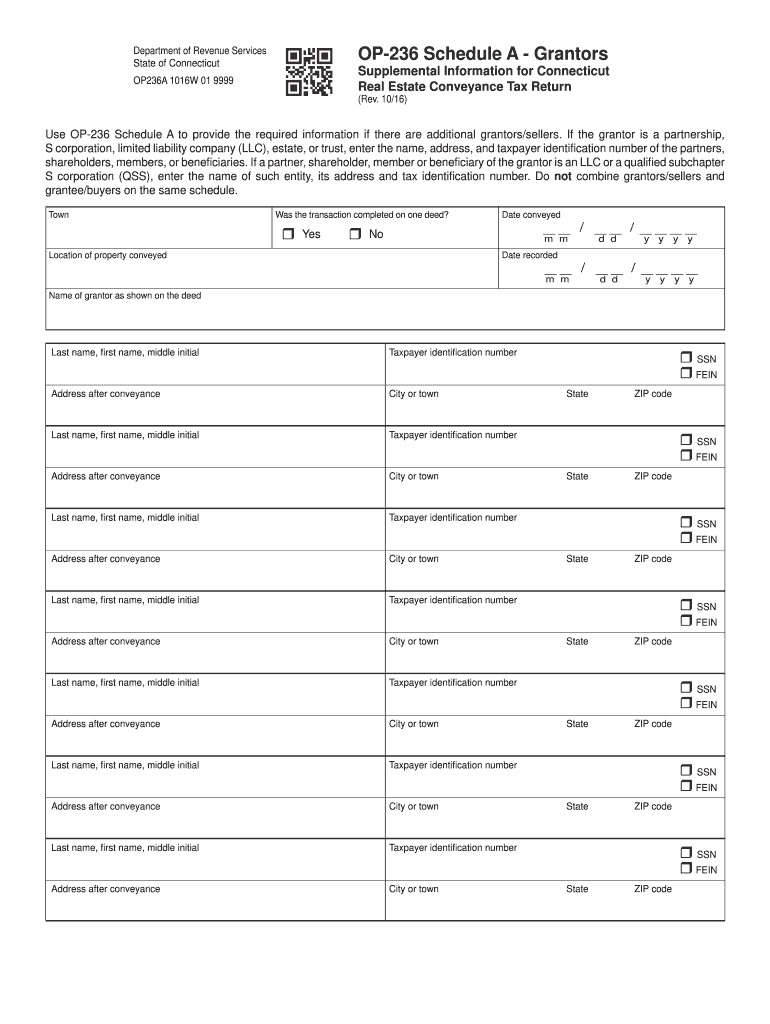
Click ‘Get Form’ to open the OP-236 Schedule A in the editor.
Begin by indicating whether the transaction was completed on one deed by selecting 'Yes' or 'No'.
Enter the date conveyed in the format MM/DD/YYYY, followed by the location of the property conveyed.
Fill in the date recorded using the same MM/DD/YYYY format.
For each grantor, input their last name, first name, middle initial, taxpayer identification number (SSN or FEIN), and address after conveyance. Ensure that you do not combine grantors/sellers with grantee/buyers.
Repeat step 5 for all additional grantors as necessary, ensuring all fields are accurately filled out.
Start filling out your OP-236 Schedule A online for free today!
For solo organ - H.T. FitzSimons edition - *Initially published in 1986 as 15 Elevations - W206 (*op. 235), then later combined with 15 additional short
OP-236. Connecticut Real Estate Conveyance Tax Return (Rev. 04/17) If Yes, attach OP-236 Schedule A - Grantors. 7. Was more than one deed filedRead more
Jul 17, 2025 Finn Grim, Baron of Dragons Mist, 203979, Exp. 3/31/18, OP Rank: 236 (as of 4/7/2017), Device: Sable, a tree blasted and eradicated and on a chief embattledRead more
Cookie consent notice
This site uses cookies to enhance site navigation and personalize your experience.
By using this site you agree to our use of cookies as described in our Privacy Notice.
You can modify your selections by visiting our Cookie and Advertising Notice.