Scriveners error affidavit deed 2026

Get Form
scrivener's error Preview on Page 1

Here's how it works

01. Edit your scrivener's error online
Type text, add images, blackout confidential details, add comments, highlights and more.

02. Sign it in a few clicks
Draw your signature, type it, upload its image, or use your mobile device as a signature pad.

03. Share your form with others
Send corrective affidavit clerical deed via email, link, or fax. You can also download it, export it or print it out.

How to use or fill out scriveners error affidavit deed with our platform

Form edit decoration
9.5
Ease of Setup
DocHub User Ratings on G2
9.0
Ease of Use
DocHub User Ratings on G2
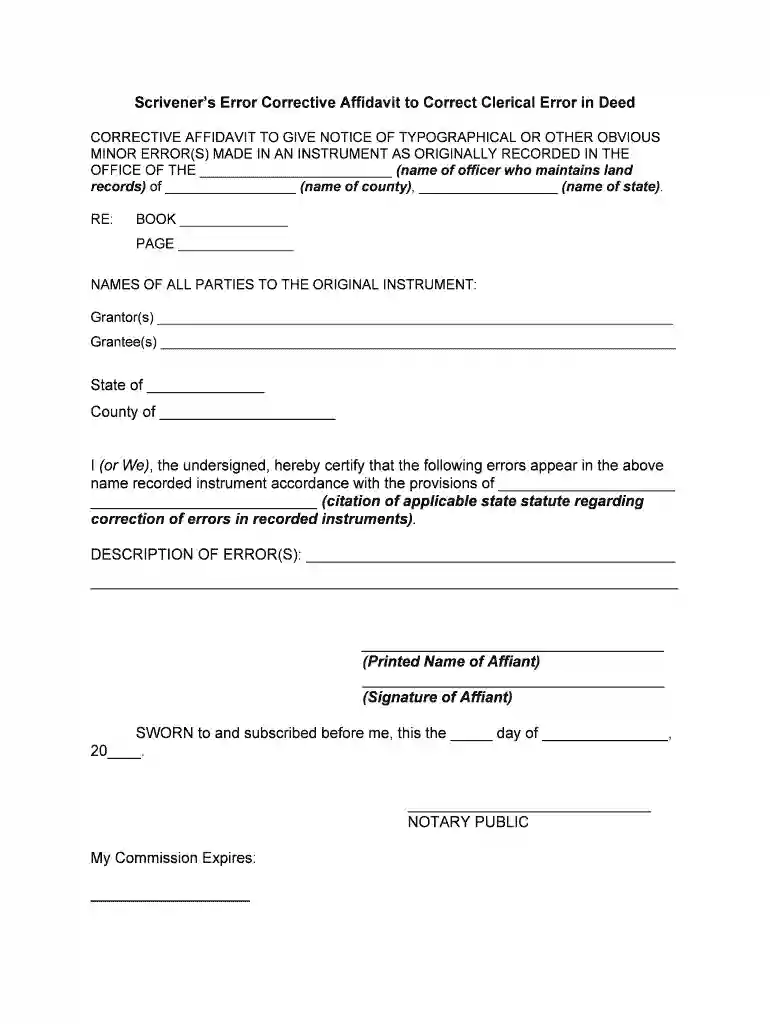
  1. Click ‘Get Form’ to open the scrivener’s error affidavit deed in the editor.
  2. Begin by filling in the name of the officer who maintains land records and the county and state where the original instrument was recorded.
  3. In the RE section, enter the book and page numbers associated with the original deed.
  4. List all parties involved in the original instrument under Grantor(s) and Grantee(s) sections.
  5. Specify the state and county where you are certifying this affidavit.
  6. In the DESCRIPTION OF ERROR(S) section, clearly outline any typographical or clerical errors found in the recorded instrument.
  7. Print your name as Affiant and provide your signature below it.
  8. Complete the notary section by having a notary public witness your signature, including their commission expiration date.
  9. Finally, ensure that all information is accurate before saving or exporting your completed document for submission.

Start using our platform today to easily complete your scrivener’s error affidavit deed online for free!

be ready to get more

Complete this form in 5 minutes or less

Get form

Got questions?

We have answers to the most popular questions from our customers. If you can't find an answer to your question, please contact us.
Contact us
On the face page and page 1 of the Original Agreement, Seller is referred to erroneously as VII PACIFIC SHORES INVESTORS, L.L.C., a Delaware limited liability company. Both references are hereby corrected to read: VII PACIFIC SHORES INVESTORS, L.L.C., a Delaware limited liability company. 5.
An Affidavit of docHubners Error is used to correct a technical or clerical error in a previously filed legal document. It is a sworn statement made by a docHubner or an individual who prepared the flawed contract or other written agreements.
How to fill out the docHubners Affidavit for Document Correction? Gather the original document and identify the errors. Fill out your personal information including name, address, and relationship to the document. Clearly state the mistakes found in the original document. Provide the correct information as needed.
Generally speaking, a docHubners error is an unintentional mistake in the drafting of a contract. 1 Examples include typing an incorrect word, number, or letter, or omitting a word or words or even an entire provision of the contract.
Unlike a Corrective Deed, a docHubners Affidavit doesnt correct anything. Instead, it simply adds information to the property records to help clarify something about the prior deed.

Security and compliance

At DocHub, your data security is our priority. We follow HIPAA, SOC2, GDPR, and other standards, so you can work on your documents with confidence.

Learn more
ccpa2
pci-dss
gdpr-compliance
hipaa
soc-compliance
be ready to get more

Complete this form in 5 minutes or less

Get form