




Here's how it works



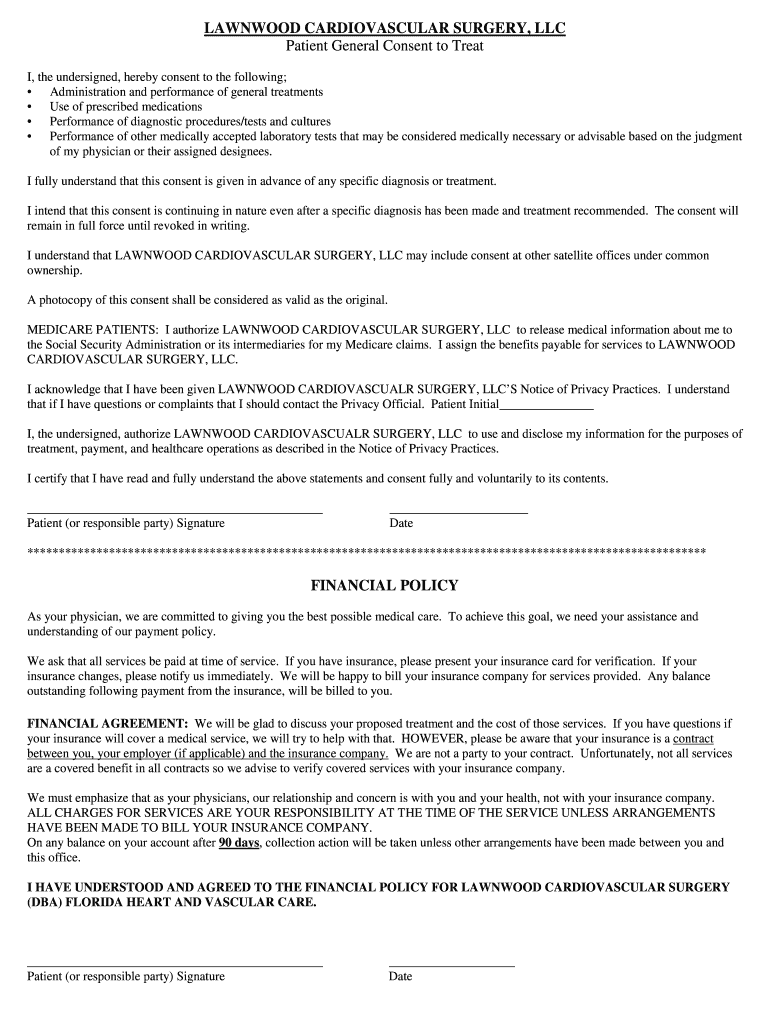
How to use or fill out Patient Consent and Financial Policy LAWNWOOD CARDIOVASCULAR SU

- Click ‘Get Form’ to open it in the editor.
- Begin by reading the Patient General Consent section carefully. This outlines your agreement to treatments, medications, and procedures. Ensure you understand each point before proceeding.
- In the designated field, provide your initials to confirm that you acknowledge the Notice of Privacy Practices provided by LAWNWOOD CARDIOVASCULAR SURGERY, LLC.
- Sign and date the form at the bottom where indicated. This confirms your consent and understanding of the policies outlined.
- Next, navigate to the Financial Policy section. Review the payment expectations and responsibilities thoroughly.
- Sign and date this section as well, indicating your agreement to the financial terms presented.
Start using our platform today for free to complete your Patient Consent and Financial Policy effortlessly!
It's free
Got questions?
How can I eSign my Patient Consent and Financial Policy Patient Consent and Financial Policy LAWNWOOD CARDIOVASCULAR SU from Gmail?
With DocHub, it’s pretty simple. The service offers users an add-on called DocHub for Gmail, which you can find in the Google Workspace Marketplace without being charged. Set it up and grant it access to your Google account. Open your email with your Patient Consent and Financial Policy Patient Consent and Financial Policy LAWNWOOD CARDIOVASCULAR SU attached and click on the add-on button in the right-side panel. Sign in to your DocHub account, and import the form to our editor, where you can complete it and sign.
Can I edit Patient Consent and Financial Policy Patient Consent and Financial Policy LAWNWOOD CARDIOVASCULAR SU on my phone?
As a comprehensive document modifying service, DocHub is available on mobile devices. Open DocHub in your choice of mobile browser and use our smart mobile-friendly toolset to fill out your Patient Consent and Financial Policy Patient Consent and Financial Policy LAWNWOOD CARDIOVASCULAR SU.
Security and compliance
At DocHub, your data security is our priority. We follow HIPAA, SOC2, GDPR, and other standards, so you can work on your documents with confidence.
Learn more


