
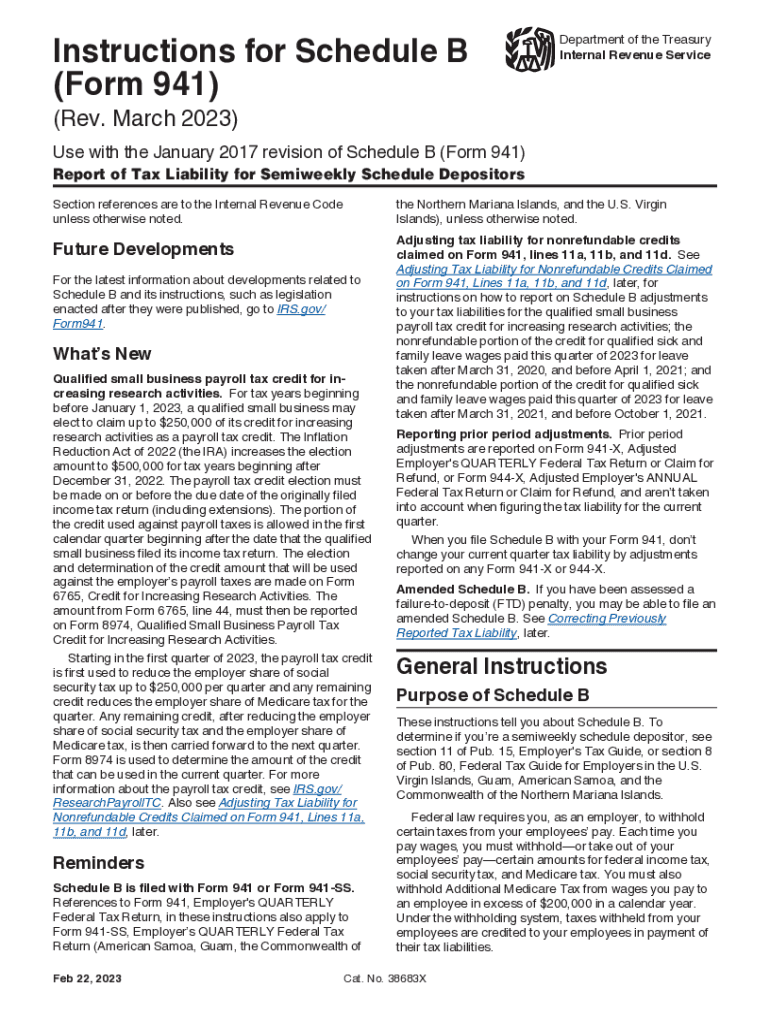



Instructions for Schedule B (Form 941) (Rev March 2023) Instructions for Schedule B (Form 941), Repo-2026

Get Form
schedule b tax form Preview on Page 1

Here's how it works

01. Edit your schedule b tax form online
Type text, add images, blackout confidential details, add comments, highlights and more.

02. Sign it in a few clicks
Draw your signature, type it, upload its image, or use your mobile device as a signature pad.

03. Share your form with others
Send schedule b form 941 2023 via email, link, or fax. You can also download it, export it or print it out.

How to use or fill out Instructions for Schedule B (Form 941) (Rev March 2023) Instructions for Schedule B (Form 941), Repo with our platform

Form edit decoration
9.5
Ease of Setup
DocHub User Ratings on G2
9.0
Ease of Use
DocHub User Ratings on G2
  1. Click ‘Get Form’ to open it in the editor.
  2. Enter your employer identification number (EIN) and business name at the top of Schedule B. Ensure they match the information on Form 941.
  3. Select the appropriate quarter box at the top of Schedule B that corresponds with your Form 941 submission.
  4. In the designated sections, list your tax liabilities for each day wages were paid, ensuring you enter amounts in the correct month columns.
  5. Calculate your total liability for the quarter by summing up monthly liabilities and ensure it matches line 12 on Form 941.
  6. If applicable, account for any nonrefundable credits claimed on Form 941 when reporting tax liabilities on Schedule B.

Start using our platform today to streamline your document editing and form completion process for free!

See more Instructions for Schedule B (Form 941) (Rev March 2023) Instructions for Schedule B (Form 941), Repo versions

We've got more versions of the Instructions for Schedule B (Form 941) (Rev March 2023) Instructions for Schedule B (Form 941), Repo form. Select the right Instructions for Schedule B (Form 941) (Rev March 2023) Instructions for Schedule B (Form 941), Repo version from the list and start editing it straight away!
Versions Form popularity Fillable & printable
2023 4.4 Satisfied (44 Votes)
2022 4.5 Satisfied (42 Votes)
2022 4.8 Satisfied (182 Votes)
2021 4.4 Satisfied (118 Votes)
2021 4.4 Satisfied (218 Votes)
2020 4.2 Satisfied (62 Votes)
be ready to get more

Complete this form in 5 minutes or less

Get form

Got questions?

We have answers to the most popular questions from our customers. If you can't find an answer to your question, please contact us.
Contact us
Mailing Addresses for Form 941 Mail the return without including paymentMail the return along with payment Internal Revenue Service PO Box 409101 Ogden, UT 84409 Internal Revenue Service P.O. Box 932100 Louisville, KY 40293-21003 more rows
It is only required when the total exceeds certain thresholds. For most taxpayers, a Schedule B is only necessary when you receive more than $1,500 of taxable interest or dividends. What Is a Schedule B IRS Form? - TurboTax Tax Tips Videos - Intuit TurboTax - Intuit investments-and-taxes wha TurboTax - Intuit investments-and-taxes wha
You must fill out this schedule and attach it to Form 941 if youre a semiweekly schedule depositor or became one because your accumulated tax liability on any day was $100,000 or more. Write your daily tax liability on the numbered space that corresponds to the date wages were paid. Schedule B (Form 941) (Rev. March 2024) - IRS IRS pub irs-pdf f941sb IRS pub irs-pdf f941sb
How to Fill Out 941 Schedule B? Enter employer information: This includes your EIN, business name, and address. Choose quarter: Select the quarter for which you are filing Form 941. Enter tax liability breakdown: Enter your daily tax liability on the appropriate dates when wages were paid. What Is Schedule B (Form 941) and When Do You File It? TaxBandits form-941 form-941-sc TaxBandits form-941 form-941-sc
How to Fill Out 941 Schedule B? Enter employer information: This includes your EIN, business name, and address. Choose quarter: Select the quarter for which you are filing Form 941. Enter tax liability breakdown: Enter your daily tax liability on the appropriate dates when wages were paid.

Security and compliance

At DocHub, your data security is our priority. We follow HIPAA, SOC2, GDPR, and other standards, so you can work on your documents with confidence.

Learn more
ccpa2
pci-dss
gdpr-compliance
hipaa
soc-compliance
be ready to get more

Complete this form in 5 minutes or less

Get form

