




01. Edit your bridgeport building department online
Type text, add images, blackout confidential details, add comments, highlights and more.

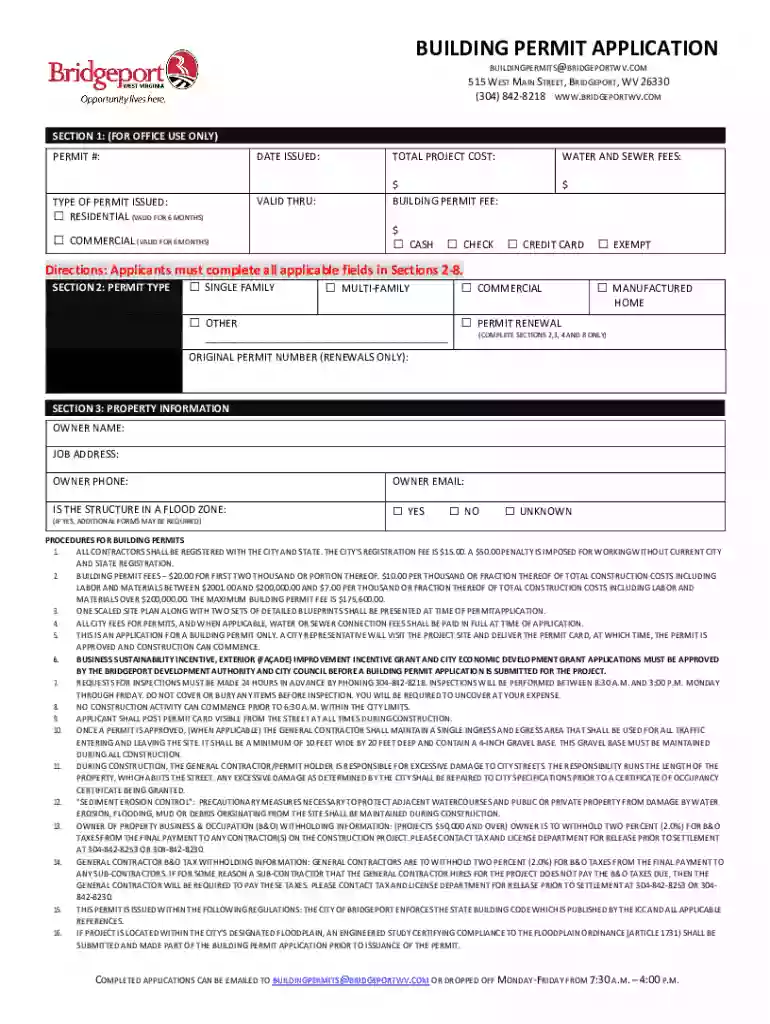
Type text, add images, blackout confidential details, add comments, highlights and more.

Draw your signature, type it, upload its image, or use your mobile device as a signature pad.

Send bridgeport ct building department via email, link, or fax. You can also download it, export it or print it out.

Start using our platform today to streamline your building permit application process!
We've got more versions of the bridgeport building department form. Select the right bridgeport building department version from the list and start editing it straight away!
Sure, you’ll find numerous apps for this on the web. Nevertheless, if you need to eSign your building department bridgeport ct without installing extra software, DocHub is the best choice you can make. This powerful editor works on mobile devices just like on desktops. Open our editor in your preferred internet browser, register or log in to your account, and start processing your documents.
If you use Chrome, there are two straightforward ways to edit your Building Department - Bridgeport, CT online. First, visit the DocHub website, add your file, and edit it utilizing our toolbar. You may also set up our Chrome extension and edit any document by dragging and dropping it in your web browser window.
At DocHub, your data security is our priority. We follow HIPAA, SOC2, GDPR, and other standards, so you can work on your documents with confidence.
A Building Permit is required to enlarge, alter, repair, move, demolish, move a lot line, change the occupancy of an existing building or structure,
Remarks at Bridgeport, Connecticut, November 04, 1944. This is not a formal campaign speech. Its just a visit from one neighbor to a lot of other neighbors.Read more
Aug 5, 2025 Bridgeport Harbor Station is an operating power station of at least 576-megawatts (MW) in Bridgeport, Fairfield, Connecticut, United StatesRead more


