




Here's how it works



How to use or fill out osap disability verification form with our platform

- Click ‘Get Form’ to open the OSAP Disability Verification Form in the editor.
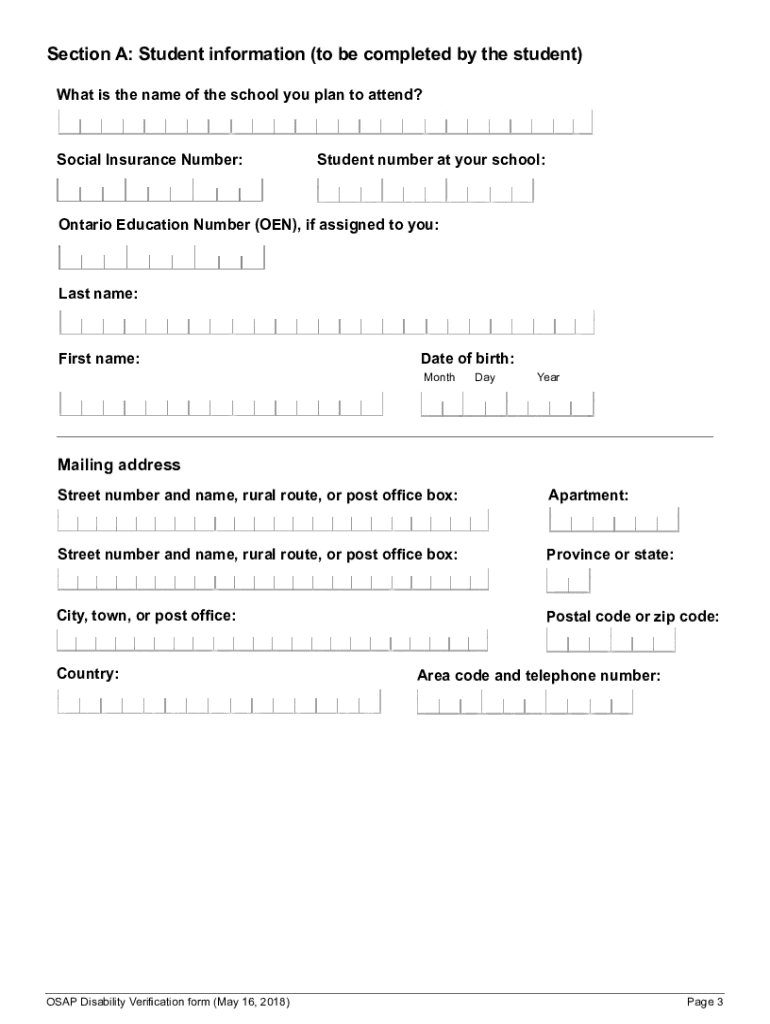
- Begin with Section A, where you will provide your personal information. Fill in your name, date of birth, and contact details accurately.
- Complete the required consents and declarations in Section A. Ensure you sign and date this section to validate your consent.
- Once Section A is complete, send it to your health care provider for them to fill out Section B regarding your disability.
- After receiving Section B back from your health care provider, review both sections for completeness before submission.
- Submit the completed form online through your OSAP account using the ‘Print/Upload’ feature or send a paper copy to the appropriate financial aid office.
Start filling out your OSAP Disability Verification Form today for free on our platform!
It's free
See more osap disability verification form versions
Got questions?
Can I sign my osap disability verification form 2024 on a mobile?
Sure, you’ll find numerous applications for this on the web. Nevertheless, if you need to eSign your osap disability verification form 2024 without installing additional software, DocHub is the optimum choice you can make. This powerful editor works on mobile devices just as on desktops. Open our editor in any internet browser, register or log in to your account, and start managing your documents.
How do you edit osap forms in Chrome?
If you are using Chrome, there are two easy ways to edit your osap forms online. First, visit the DocHub website, add your document, and edit it utilizing our toolbar. You may also install our Chrome extension and edit any document by dragging and dropping it in your browser window.
Security and compliance
At DocHub, your data security is our priority. We follow HIPAA, SOC2, GDPR, and other standards, so you can work on your documents with confidence.
Learn more




