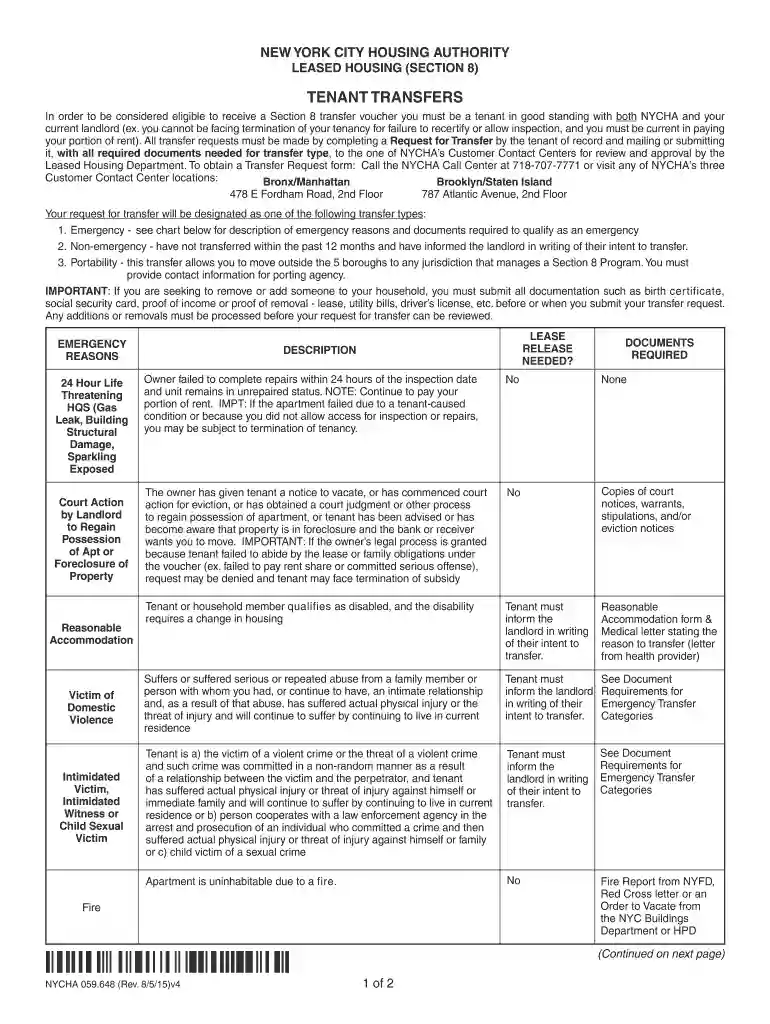
nycha tenant form Preview on Page 1

Nycha tenant form 2026

Here's how it works

  • 01. Edit your nycha tenant form online

    Type text, add images, blackout confidential details, add comments, highlights and more.

  • 02. Sign it in a few clicks

    Draw your signature, type it, upload its image, or use your mobile device as a signature pad.

  • 03. Share your form with others

    Send new york city housing authority tenant via email, link, or fax. You can also download it, export it or print it out.

How to use or fill out nycha tenant form with our platform

Form edit decoration
9.5
Ease of Setup
DocHub User Ratings on G2
9.0
Ease of Use
DocHub User Ratings on G2
  1. Click ‘Get Form’ to open the nycha tenant form in the editor.
  2. Begin by filling out your personal information in the designated fields, including your name, address, and contact details. Ensure all information is accurate to avoid delays.
  3. Select the appropriate transfer type from the options provided: Emergency, Non-emergency, or Portability. Each type has specific requirements, so refer to the guidelines for documentation needed.
  4. If applicable, provide details regarding any household members you wish to add or remove. Attach necessary documents such as birth certificates or proof of income as required.
  5. Review all sections carefully to ensure completeness. Use our platform’s editing tools to make any necessary adjustments before finalizing your submission.
  6. Once satisfied with your form, save it and follow the instructions for submission via mail or directly at a NYCHA Customer Contact Center.

Start using our platform today for free to streamline your nycha tenant form completion!

See more nycha tenant form versions

We've got more versions of the nycha tenant form form. Select the right nycha tenant form version from the list and start editing it straight away!

VersionsForm popularityFillable & printable
20154.8 Satisfied (121 Votes)
20124 Satisfied (26 Votes)

be ready to get more

Complete this form in 5 minutes or less

Security and compliance

At DocHub, your data security is our priority. We follow HIPAA, SOC2, GDPR, and other standards, so you can work on your documents with confidence.

Related links

MAVA | External Resources

If you are a NYCHA tenant and have lost income in your household, request a rent reduction by calling (718) 707-7771 or thru the online self-service portal.

Learn more
If you believe that this page should be taken down, please follow our DMCA take down process here