




01. Edit your form online
Type text, add images, blackout confidential details, add comments, highlights and more.

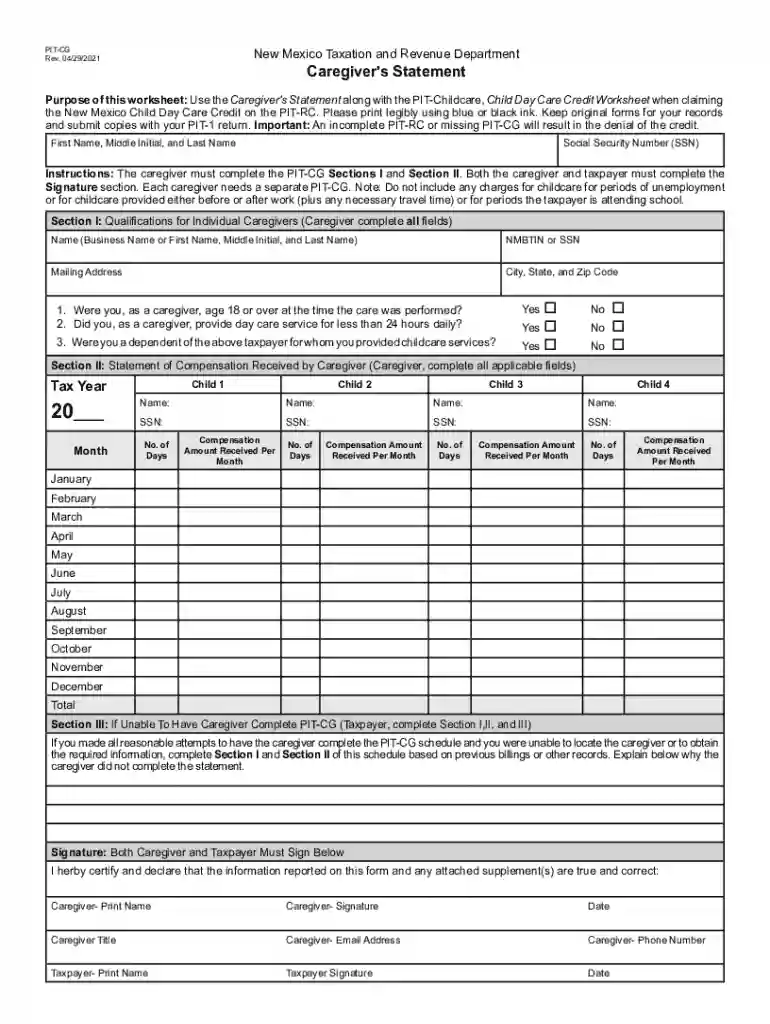
Type text, add images, blackout confidential details, add comments, highlights and more.

Draw your signature, type it, upload its image, or use your mobile device as a signature pad.

Send it via email, link, or fax. You can also download it, export it or print it out.

Start using our platform today to easily complete your Caregiver's Statement online for free!
We've got more versions of the Caregiver's Statement form. Select the right Caregiver's Statement version from the list and start editing it straight away!
With DocHub, you can easily sign your Caregiver's Statement or any other document on iOS, even without setting up additional programs. You can access your DocHub account from any internet-connected browser and fill out and sign your document in any way you like with just a couple of clicks.
When you go for analog methods of completing your Caregiver's Statement, it is simple to download your file for printing. Search DocHub’s Forms & Templates catalog to find the exact document template you require and open it for editing or download it on your device in the format of your choice. It is possible to complete your form electronically and put your handwritten signature on it after printing or eSign your document with DocHub.
At DocHub, your data security is our priority. We follow HIPAA, SOC2, GDPR, and other standards, so you can work on your documents with confidence.
Use the Caregivers Statement along with the PIT-Childcare, Child Day Care Credit Worksheet when claiming the New Mexico Child Day Care Credit on the PIT-RC.
We at the National Center on Family Support urge the CDC to explicitly include family caregivers in the first phases of vaccination with healthcare workers andRead more


