Type text, add images, blackout confidential details, add comments, highlights and more.
02. Sign it in a few clicks
Draw your signature, type it, upload its image, or use your mobile device as a signature pad.
03. Share your form with others
Send form 35 via email, link, or fax. You can also download it, export it or print it out.
How to use or fill out form 35 real estate with our platform
Ease of Setup
DocHub User Ratings on G2
Ease of Use
DocHub User Ratings on G2
Click ‘Get Form’ to open it in the editor.
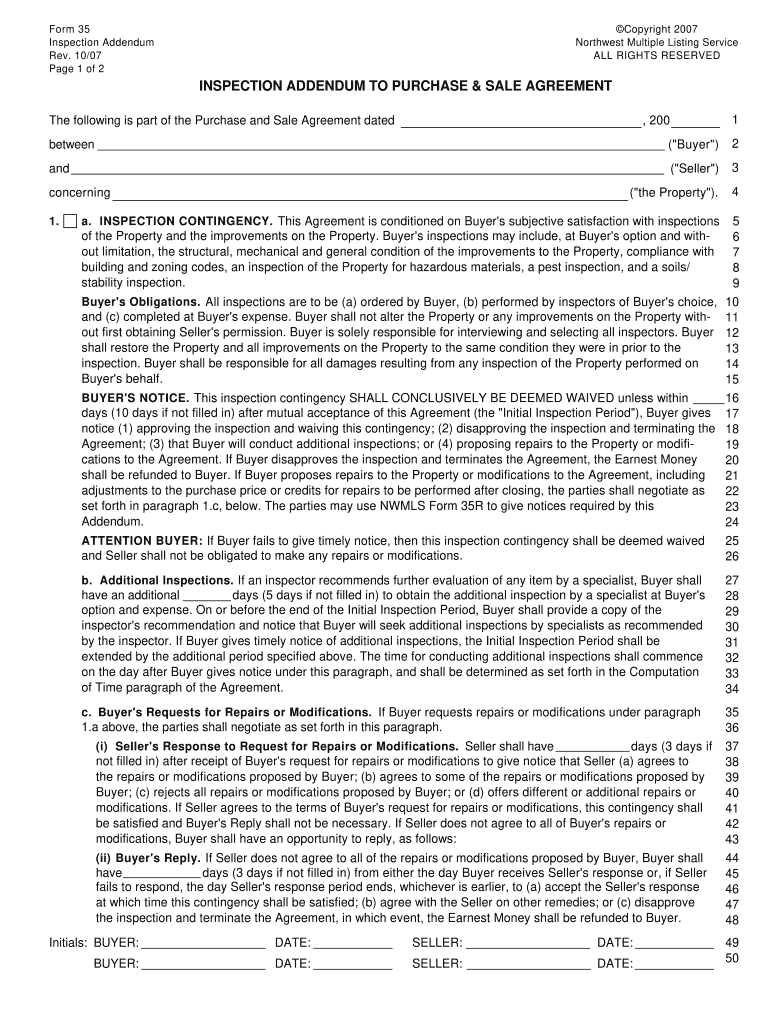
Begin by entering the date of the Purchase and Sale Agreement at the top of the form. This is crucial for establishing timelines.
Fill in the names of both Buyer and Seller in the designated fields. Ensure accuracy as this information is legally binding.
In Section 1, outline your inspection contingency preferences. Specify any inspections you wish to conduct, such as structural or pest inspections.
Complete the Buyer’s Notice section by indicating how many days you have to provide notice regarding inspection results. This is essential for maintaining your rights.
If additional inspections are needed, specify the number of days allowed for these evaluations in Section 1.b.
Review and finalize any requests for repairs or modifications in Section 1.c, ensuring all parties are clear on expectations.
Start using our platform today to streamline your form completion process for free!
Form 35 real estate templateForm 35 real estate pdfForm 35 real estate sampleHow to fill out form 35 real estateForm 35 real estate exampleNWMLS Form 35Form 35RReal estate form 50
Security and compliance
At DocHub, your data security is our priority. We follow HIPAA, SOC2, GDPR, and other standards, so you can work on your documents with confidence.
About Form 3520, Annual Return To Report Transactions
U.S. persons (and executors of estates of U.S. decedents) file Form 3520 to report: Certain transactions with foreign trusts. Ownership of foreign trustsRead more
by BL Hopper 1992 Cited by 12 a. In a real estate transaction, however, even the listing broker does not usually have the power to bind the seller by signing the contract.Read more
Feb 28, 2026 (h) Leases We lease real estate, information technology (IT) and other equipment and vehicles. We also have arrangements with certainRead more
Cookie consent notice
This site uses cookies to enhance site navigation and personalize your experience.
By using this site you agree to our use of cookies as described in our Privacy Notice.
You can modify your selections by visiting our Cookie and Advertising Notice.