Type text, add images, blackout confidential details, add comments, highlights and more.
02. Sign it in a few clicks
Draw your signature, type it, upload its image, or use your mobile device as a signature pad.
03. Share your form with others
Send business management via email, link, or fax. You can also download it, export it or print it out.
How to use or fill out 201 form pdf with DocHub
Ease of Setup
DocHub User Ratings on G2
Ease of Use
DocHub User Ratings on G2
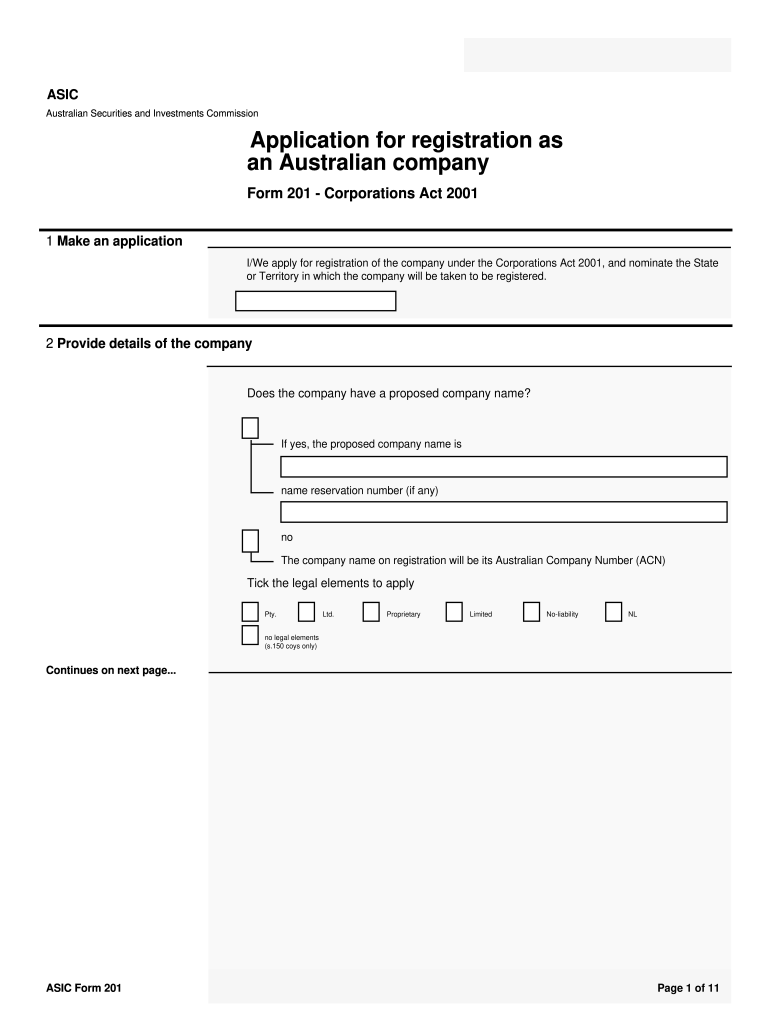
Click ‘Get Form’ to open the 201 form PDF in our editor.
Begin by filling out the application section, indicating whether you are applying for registration and nominating the State or Territory.
Provide details of the company, including the proposed name and any name reservation number. Ensure to tick the appropriate legal elements such as 'Pty' or 'Ltd'.
In the governance section, specify if your company will rely on replaceable rules or has a constitution. If applicable, upload a copy of the constitution using our platform.
Complete the registered office address and confirm if you occupy these premises. If not, ensure you have consent from the occupier.
Appoint officeholders by providing their details, ensuring compliance with residency requirements for directors and secretaries.
Fill out the share structure table accurately, detailing all shares issued by your company at the time of application.
Finally, review all information for accuracy before signing and submitting your application through our platform.
Start using our editor today to streamline your form completion process for free!
201 form pdf download201 form pdf 2021IT-201 FormIT-201 printable FormWhere can I find my IT-201 formIT-201 instructionsNYS IT-201 fillable formIT-201-V Form
Security and compliance
At DocHub, your data security is our priority. We follow HIPAA, SOC2, GDPR, and other standards, so you can work on your documents with confidence.
The briefing form is prepared by the Incident Commander for presentation to the incoming Incident. Commander along with a more detailed oral briefing.Read more
Aug 17, 2017 TI1is document lists observations made by the FDA representative(s) during the inspection ofyom facility. TI1ey are inspectional.Read more
Cookie consent notice
This site uses cookies to enhance site navigation and personalize your experience.
By using this site you agree to our use of cookies as described in our Privacy Notice.
You can modify your selections by visiting our Cookie and Advertising Notice.