




Here's how it works

01. Edit your dochub com fillable form online
Type text, add images, blackout confidential details, add comments, highlights and more.

02. Sign it in a few clicks
Draw your signature, type it, upload its image, or use your mobile device as a signature pad.

03. Share your form with others
Send checkbook reconciliation worksheet via email, link, or fax. You can also download it, export it or print it out.
How to use or fill out reconciliation worksheet with our platform

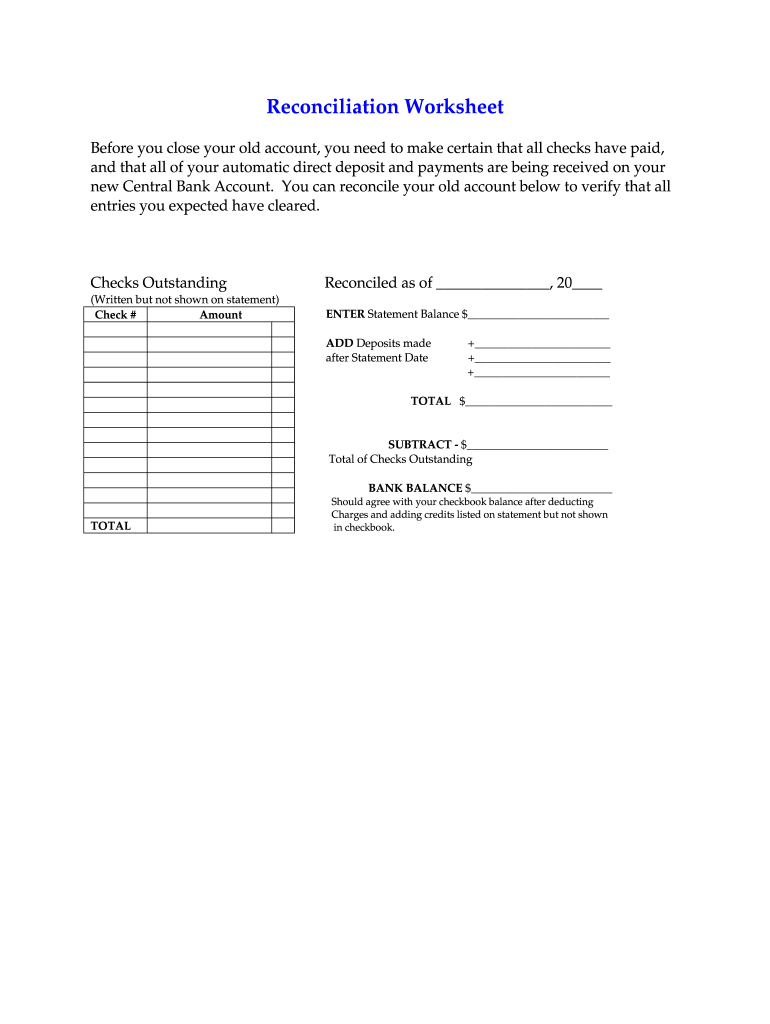
- Click ‘Get Form’ to open the reconciliation worksheet in the editor.
- Begin by entering the date you are reconciling as of in the designated field labeled 'Reconciled as of ______, 20_'.
- List any outstanding checks that have been written but are not reflected on your bank statement. Fill in the 'Check #' and 'Amount' for each check under the 'Checks Outstanding' section.
- Input your statement balance in the field labeled 'ENTER Statement Balance $_______'.
- Add any deposits made after the statement date in the provided fields. Ensure to sum these amounts correctly.
- Calculate your total by adding your statement balance and any deposits, then enter this amount in 'TOTAL $________'.
- Subtract the total of checks outstanding from your calculated total and enter this amount under 'SUBTRACT - $_______'.
- Finally, ensure that your bank balance matches your checkbook balance after accounting for any charges or credits not recorded in your checkbook.
Start using our platform today to streamline your reconciliation process for free!
Fill out reconciliation worksheet online
It's free
It's free
Security and compliance
At DocHub, your data security is our priority. We follow HIPAA, SOC2, GDPR, and other standards, so you can work on your documents with confidence.
Learn more


