Utsa 30 2026

Get Form
utsa petition form Preview on Page 1

Here's how it works

01. Edit your utsa petition form online
Type text, add images, blackout confidential details, add comments, highlights and more.

02. Sign it in a few clicks
Draw your signature, type it, upload its image, or use your mobile device as a signature pad.

03. Share your form with others
Send it via email, link, or fax. You can also download it, export it or print it out.

How to use or fill out utsa 30 with our platform

Form edit decoration
9.5
Ease of Setup
DocHub User Ratings on G2
9.0
Ease of Use
DocHub User Ratings on G2
  1. Click ‘Get Form’ to open the utsa 30 document in the editor.
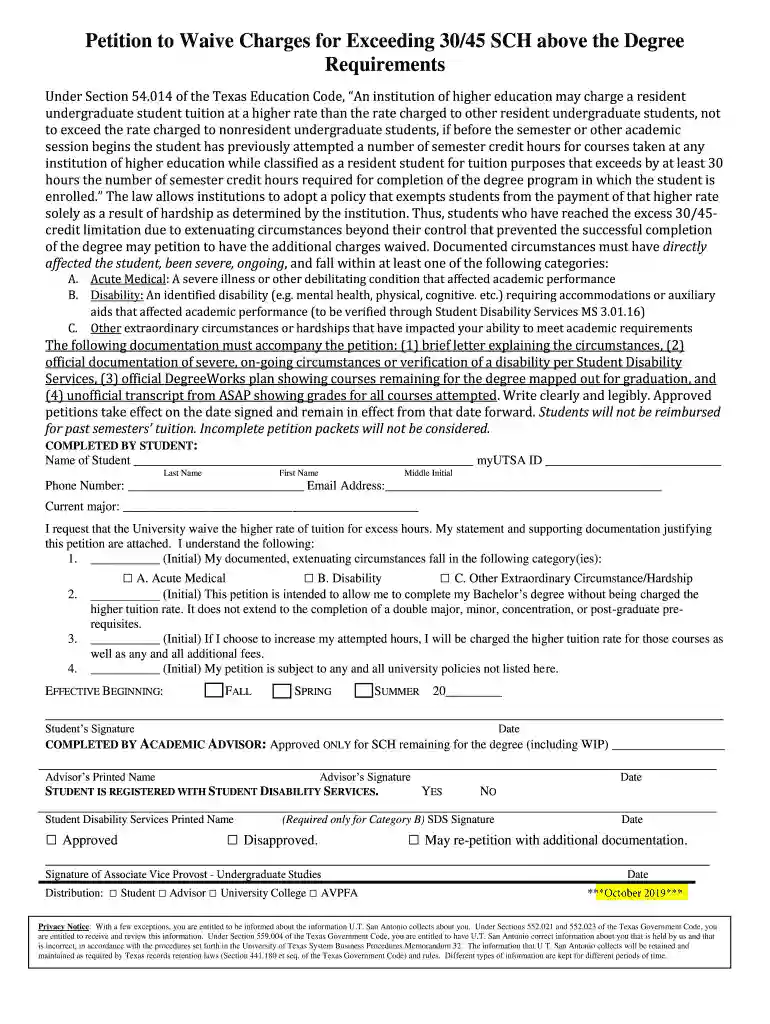
  2. Begin by entering your personal information in the 'COMPLETED BY STUDENT' section. Fill in your name, myUTSA ID, phone number, email address, and current major.
  3. In the statement section, indicate your request for a tuition waiver by checking the appropriate box and attaching your supporting documentation.
  4. Initial next to each category that applies to your circumstances (A. Acute Medical, B. Disability, C. Other Extraordinary Circumstance/Hardship) to confirm your eligibility.
  5. Specify the effective semester for which you are requesting the waiver by filling in FALL, SPRING, or SUMMER along with the year.
  6. Sign and date the form at the bottom of the page to validate your petition before submitting it for review.

Start using our platform today to easily complete and submit your utsa 30 form online for free!

See more utsa 30 versions

We've got more versions of the utsa 30 form. Select the right utsa 30 version from the list and start editing it straight away!
Versions Form popularity Fillable & printable
2019 4.8 Satisfied (271 Votes)
2016 3.8 Satisfied (30 Votes)
be ready to get more

Complete this form in 5 minutes or less

Get form

Got questions?

We have answers to the most popular questions from our customers. If you can't find an answer to your question, please contact us.
Contact us
Students must complete their degree requirements within 150 semester credit hours. If you go over this limit, you will be charged 30-hour or 45-hour charges.
Maximum Time Frames. The number of semester credit hours you may attempt cannot exceed 150% of the number of semester credit hours required for graduation in your program of study, as published in the university catalogs.
3-peat, 30-Hour or 45-Hour Charge Appeals The 3-peat charges occur when you attempt to take the same class a third time. Students must complete their degree requirements within 150 semester credit hours. If you go over this limit, you will be charged 30-hour or 45-hour charges.
Students who fail to maintain the minimum required grade-point average of 2.0 in all work attempted at UT San Antonio will be placed on academic probation or on academic dismissal as appropriate. Students whose cumulative UTSA grade-point average fails below 2.0 are placed on Academic Probation.
Under Section 51.907 of the Texas Education Code, an institution of higher education may not permit a student to drop more than six courses, including any course a transfer student has dropped at another institution of higher education. the student is not dropping the course in order to withdraw from the institution.

Security and compliance

At DocHub, your data security is our priority. We follow HIPAA, SOC2, GDPR, and other standards, so you can work on your documents with confidence.

Learn more
ccpa2
pci-dss
gdpr-compliance
hipaa
soc-compliance
be ready to get more

Complete this form in 5 minutes or less

Get form