




01. Edit your fda x ray application form online
Type text, add images, blackout confidential details, add comments, highlights and more.

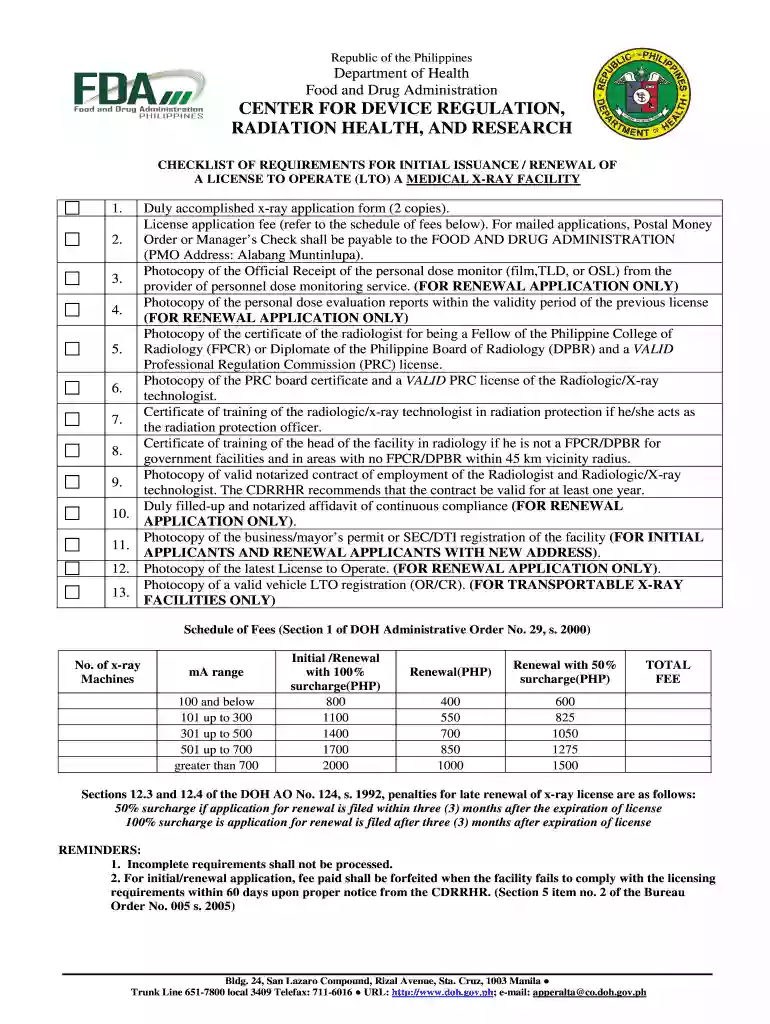
Type text, add images, blackout confidential details, add comments, highlights and more.

Draw your signature, type it, upload its image, or use your mobile device as a signature pad.

Send application form x ray via email, link, or fax. You can also download it, export it or print it out.

Start using our platform today to streamline your application process for free!
Yes, and it’s really easy! DocHub is a web-based PDF editor with advanced document management features that allow you rapidly adjust your documents, fill out blank fields and drop new ones for other people to fill out, and create electronic signatures in several ways. Upload your application form for medical x ray facility, give information as required, and decide how you want to eSign your document - by typing your name, drawing your signature, uploading its image, or using a QR code.
If you store your files in Google Drive, there is no need to download your fda x ray application on your computer and upload it back to our editor. A much simpler way is to install a browser extension created by DocHub to simplify this flow. The extension allows editing PDFs in your internet browser. Alternatively, you can integrate your DocHub and Gmail accounts for more efficient modifying.
At DocHub, your data security is our priority. We follow HIPAA, SOC2, GDPR, and other standards, so you can work on your documents with confidence.
May 31, 2022 Comprehensive guidelines for procurement, acceptance, commissioning, and QA of SGRT systems installed on computed tomography (CT) simulators, C-Read more
Jun 4, 2025 Each applicant must complete a total of 24 observational hours in the Radiology department of a hospital or clinic. 3. Students reapplying mustRead more


