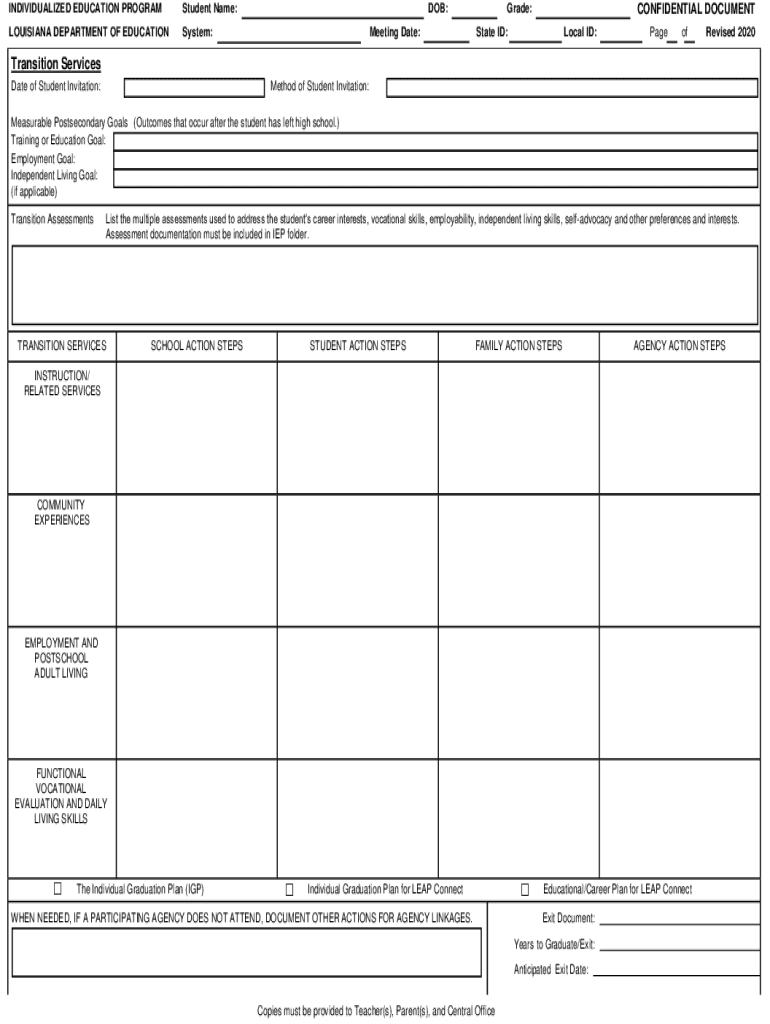
Louisiana iep form 2026

Get Form
assessments year Preview on Page 1

Here's how it works

01. Edit your assessments year online
Type text, add images, blackout confidential details, add comments, highlights and more.
02. Sign it in a few clicks
Draw your signature, type it, upload its image, or use your mobile device as a signature pad.
03. Share your form with others
Send it via email, link, or fax. You can also download it, export it or print it out.

How to use or fill out Louisiana IEP form with our platform

Form edit decoration
9.5
Ease of Setup
DocHub User Ratings on G2
9.0
Ease of Use
DocHub User Ratings on G2
  1. Click ‘Get Form’ to open the Louisiana IEP form in the editor.
  2. Begin by entering the student's name, date of birth, and meeting date in the designated fields. Ensure accuracy as this information is crucial for identification.
  3. Fill out the General Student Information section, including grade, local ID, and state ID. This helps in tracking the student’s progress and services.
  4. In the Transition Services section, specify measurable postsecondary goals such as training or education goals, employment goals, and independent living goals if applicable.
  5. Complete the Instruction/Related Services section by detailing any necessary accommodations and supports needed for effective learning.
  6. Review all entries for completeness and accuracy before saving your changes. Utilize our platform's features to easily modify any sections as needed.

Start using our platform today to streamline your document editing and ensure a smooth completion of the Louisiana IEP form!

See more louisiana iep form versions

We've got more versions of the louisiana iep form form. Select the right louisiana iep form version from the list and start editing it straight away!
Versions Form popularity Fillable & printable
2020 4.8 Satisfied (184 Votes)
2016 4 Satisfied (49 Votes)
2015 4.4 Satisfied (25 Votes)
be ready to get more

Complete this form in 5 minutes or less

Get form

Got questions?

We have answers to the most popular questions from our customers. If you can't find an answer to your question, please contact us.
Contact us
To print IEP Progress Reports: Log on to the Special Education view. Click the IEP tab. Select the IEPs you want to print IEP progress reports for; the report includes any IEPs currently appearing on the list page. On the Reports menu, click IEP Progress Report.
An Individualized Education Plan (IEP) is the form that documents the educational goals of your child with special needs. Its an official document, but there are no official requirements for creating an IEP. So, yes, you can write your own IEP! You dont need a degree in special education or social work.
IEP documents must include the following: Present level of educational performance (PLOP): A thorough description of your childs current abilities, skills, weaknesses, and strengths. This description must include how your childs disability affects his or her involvement and progress in the general curriculum.

Security and compliance

At DocHub, your data security is our priority. We follow HIPAA, SOC2, GDPR, and other standards, so you can work on your documents with confidence.

Learn more
ccpa2
pci-dss
gdpr-compliance
hipaa
soc-compliance