




Here's how it works

01. Edit your satisfactory academic appeal form online
Type text, add images, blackout confidential details, add comments, highlights and more.

02. Sign it in a few clicks
Draw your signature, type it, upload its image, or use your mobile device as a signature pad.

03. Share your form with others
Send sap academic progress appeal form via email, link, or fax. You can also download it, export it or print it out.
How to use or fill out satisfactory academic appeal form with our platform

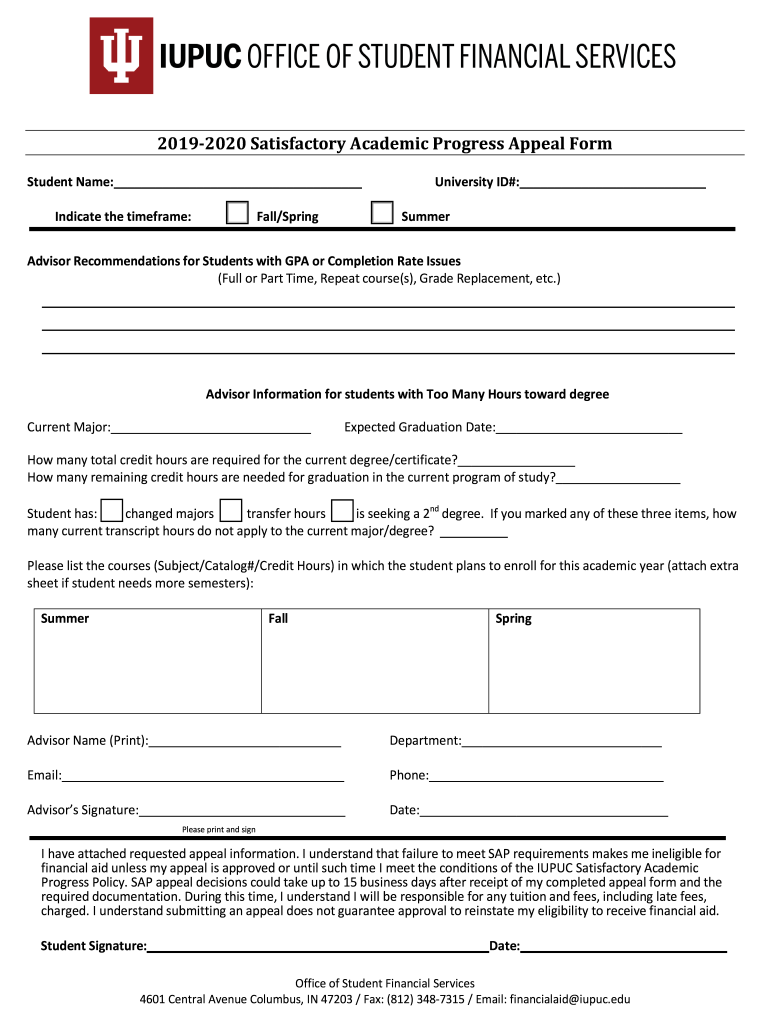
- Click ‘Get Form’ to open the satisfactory academic appeal form in the editor.
- Begin by entering your personal information, including your name and university ID number. This ensures that your appeal is correctly associated with your student record.
- Indicate the timeframe for which you are appealing (Fall/Spring or Summer) by selecting the appropriate option.
- In the statement section, provide a detailed explanation of the extenuating circumstances that led to not meeting Satisfactory Academic Progress (SAP) standards. Be sure to include any supporting documentation.
- Describe any changes you have made to improve your academic performance moving forward. This could include working with an academic advisor or modifying study habits.
- Complete the advisor recommendation section if applicable, detailing any relevant advice or plans for future courses.
- Review all entered information for accuracy before submitting. Once satisfied, submit all items to the Office of Student Financial Services via email or fax as indicated on the form.
Start using our platform today to easily complete and submit your satisfactory academic appeal form for free!
Fill out satisfactory academic appeal form online
It's free
It's free
See more satisfactory academic appeal form versions
We've got more versions of the satisfactory academic appeal form form. Select the right satisfactory academic appeal form version from the list and start editing it straight away!
| Versions | Form popularity | Fillable & printable |
|---|---|---|
| 2019 | 4.8 Satisfied (170 Votes) |
Security and compliance
At DocHub, your data security is our priority. We follow HIPAA, SOC2, GDPR, and other standards, so you can work on your documents with confidence.
Learn more


