




Here's how it works

01. Edit your form online
Type text, add images, blackout confidential details, add comments, highlights and more.

02. Sign it in a few clicks
Draw your signature, type it, upload its image, or use your mobile device as a signature pad.

03. Share your form with others
Send it via email, link, or fax. You can also download it, export it or print it out.
How to use or fill out Independent contractors - California Department of with our platform

- Click ‘Get Form’ to open it in the editor.
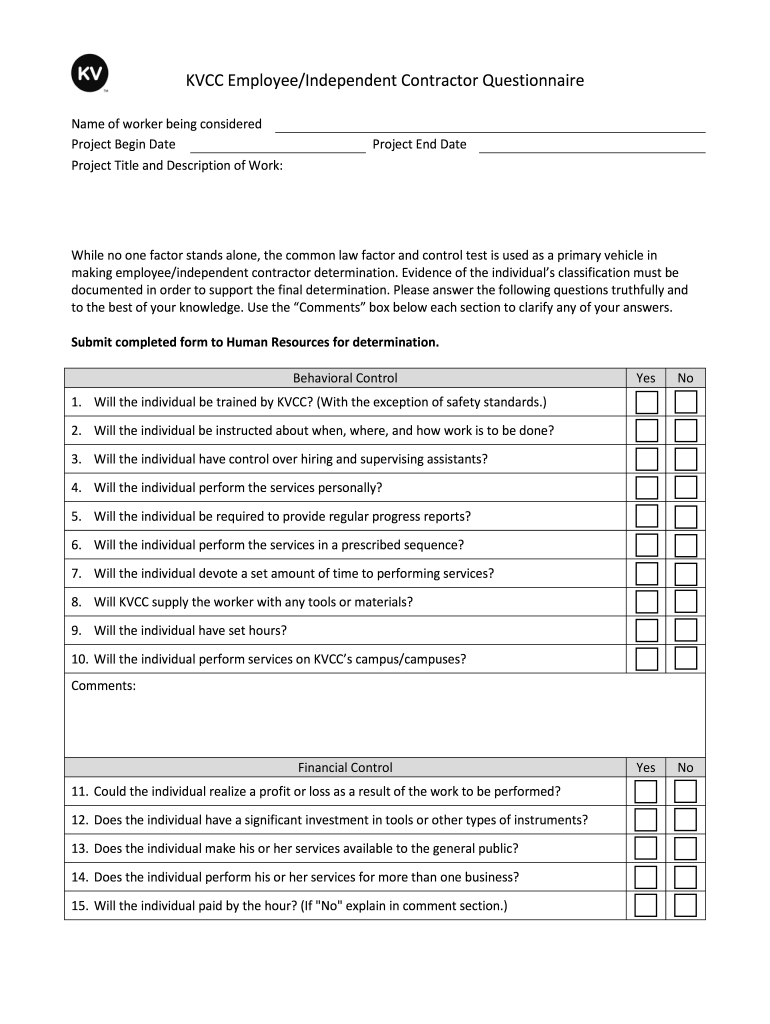
- Begin by entering the name of the worker being considered, along with the project begin date and title. This sets the context for the evaluation.
- Proceed to answer the behavioral control questions. For each question, select 'Yes' or 'No' based on your assessment of the individual's role. Use the comments box to provide clarifications if necessary.
- Next, move to the financial control section. Again, respond truthfully to each question regarding profit potential and investment in tools. Utilize comments for any additional explanations.
- Complete the relationship of business and worker section by answering whether there is a written contract and if benefits are provided. Comments can help clarify complex situations.
- Finally, address any additional questions that pertain to previous employment or contractor status with KVCC. Ensure all fields are filled out accurately before submission.
- Once completed, submit the form directly through our platform for review by Human Resources.
Start using our platform today for free to streamline your document editing and submission process!
Fill out Independent contractors - California Department of online
It's free
It's free
Security and compliance
At DocHub, your data security is our priority. We follow HIPAA, SOC2, GDPR, and other standards, so you can work on your documents with confidence.
Learn more


