




Here's how it works
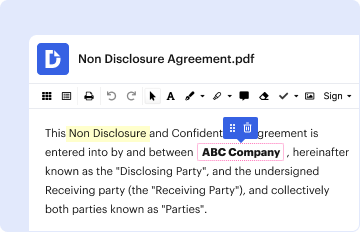
How to use or fill out Policies, Procedures & Resources University of West Florida with our platform

- Click ‘Get Form’ to open the Policies, Procedures & Resources document in the editor.
- Begin by entering your Department Name in the designated field. This is crucial for identifying the relevant academic unit.
- Next, list all Degree Programs pertinent to the Program Review. Use separate lines for each program to ensure clarity.
- Fill in the Department Chair's information, including their Name and E-mail/Phone number. This contact is essential for communication regarding the review.
- Provide details for Department Support Staff by entering their Name and E-mail/Phone number as well.
- If applicable, complete the section for the Program Review Contact Person with their Name and E-mail/Phone number, ensuring this person can be reached if different from the Department Chair.
Start using our platform today to streamline your document editing and form completion process for free!
It's free
Got questions?
Can I fill out and sign my Policies, Procedures & ResourcesUniversity of West Florida online?
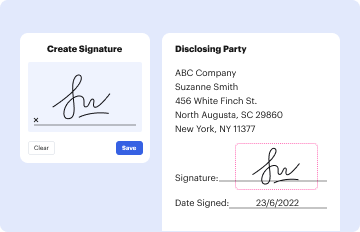
Sure, and it’s really straightforward! DocHub is a web-based PDF editor with advanced document management functions that allow you quickly adjust your paperwork, complete empty fields and drop new ones for other people to fill out, and create electronic signatures in several ways. Import your Policies, Procedures & ResourcesUniversity of West Florida, give information as required, and select how you want to eSign your template - by typing your name, drawing your signature, uploading its image, or utilizing a QR code.
Can I edit Policies, Procedures & ResourcesUniversity of West Florida on my phone?
As a comprehensive document editing platform, DocHub is accessible on smart phones. Open DocHub in your choice of mobile browser and use our smart mobile-friendly toolset to fill out your Policies, Procedures & ResourcesUniversity of West Florida.
Whats the difference between policies and procedures?
What is an example of a policy and procedure?
What are examples of policies and procedures?
Security and compliance
At DocHub, your data security is our priority. We follow HIPAA, SOC2, GDPR, and other standards, so you can work on your documents with confidence.
Learn more


