Type text, add images, blackout confidential details, add comments, highlights and more.
02. Sign it in a few clicks
Draw your signature, type it, upload its image, or use your mobile device as a signature pad.
03. Share your form with others
Send 1604e deadline 2024 via email, link, or fax. You can also download it, export it or print it out.
How to use or fill out 1604e with our platform
Ease of Setup
DocHub User Ratings on G2
Ease of Use
DocHub User Ratings on G2
Click ‘Get Form’ to open the 1604e in the editor.
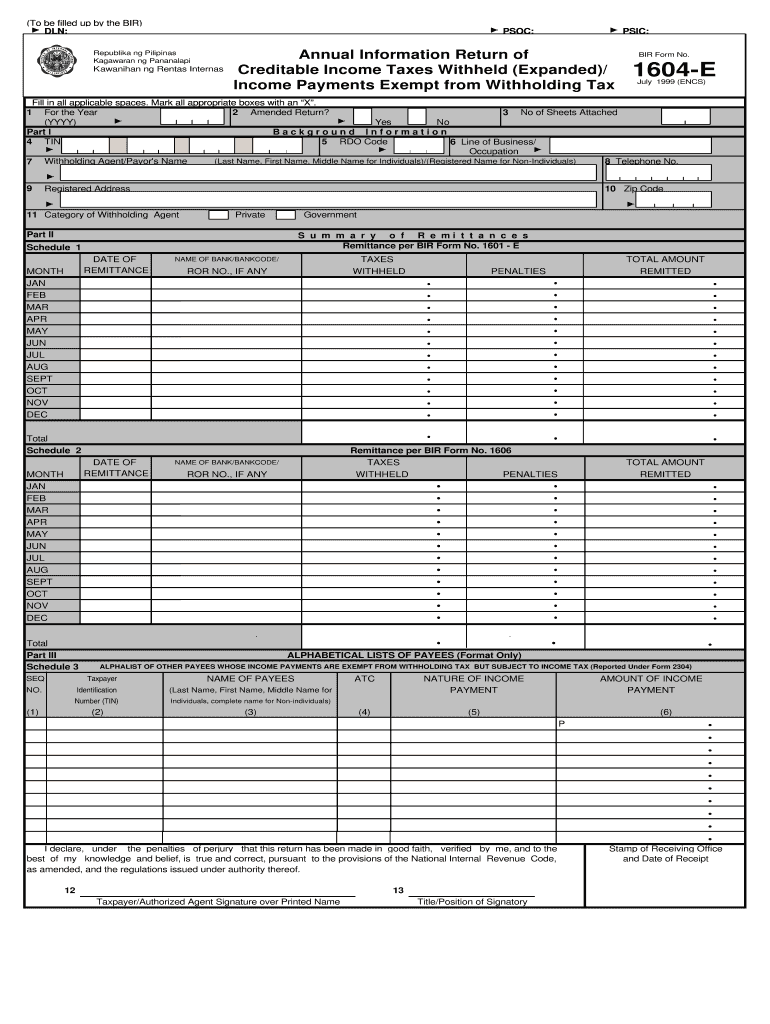
Begin by filling in the year of the return in Box 1. Ensure you mark 'Yes' or 'No' for an amended return in Box 2.
Complete Part I by entering your Taxpayer Identification Number (TIN) and RDO Code, followed by your name and registered address. Make sure to include your telephone number.
In Part II, summarize your remittances. Fill out the dates of remittance and corresponding amounts withheld for each month.
Proceed to Part III, where you will list payees alphabetically. Include their TINs, nature of income payments, and amounts paid.
Finally, sign and date the form at the bottom, ensuring all information is accurate before submission.
Start using our platform today for free to streamline your form completion process!
16 U.S. Code 1604 - National Forest System land and
The Secretary shall develop, maintain, and, as appropriate, revise land and resource management plans for units of the National Forest System.Read more
TOMMAN NI TIL UT ON THE CHANCE TO - Googleapis.com
Sep 14, 2015 a vibration sensor 1604e , an environmental ( e . g . , weather ) where the reflection takes place , which enables the distur sensor 1604fRead more
Cookie consent notice
This site uses cookies to enhance site navigation and personalize your experience.
By using this site you agree to our use of cookies as described in our Privacy Notice.
You can modify your selections by visiting our Cookie and Advertising Notice.