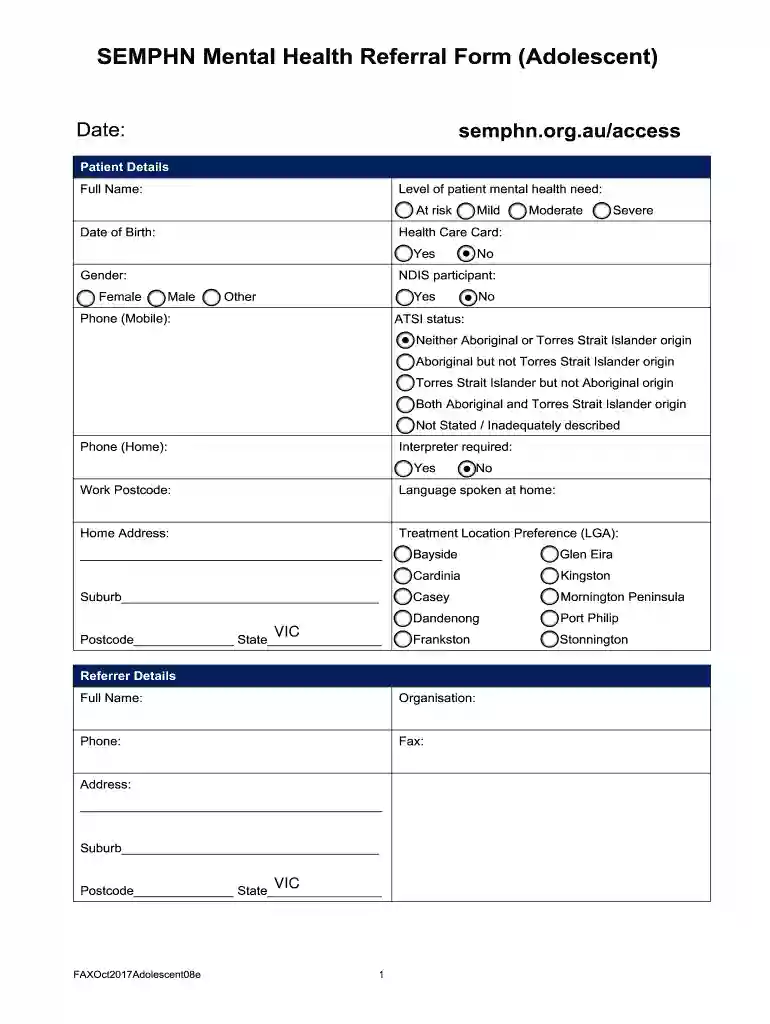
SEMPHN Mental Health Referral Form (Adolescent) 2026

Get Form
SEMPHN Mental Health Referral Form (Adolescent) Preview on Page 1

Here's how it works

01. Edit your form online
Type text, add images, blackout confidential details, add comments, highlights and more.

02. Sign it in a few clicks
Draw your signature, type it, upload its image, or use your mobile device as a signature pad.

03. Share your form with others
Send it via email, link, or fax. You can also download it, export it or print it out.

How to use or fill out SEMPHN Mental Health Referral Form (Adolescent) with our platform

Form edit decoration
9.5
Ease of Setup
DocHub User Ratings on G2
9.0
Ease of Use
DocHub User Ratings on G2
  1. Click ‘Get Form’ to open the SEMPHN Mental Health Referral Form (Adolescent) in the editor.
  2. Begin by filling out the 'Patient Details' section. Enter the patient's full name, date of birth, gender, and contact information. Indicate their mental health need level and whether they have a Health Care Card or are an NDIS participant.
  3. Next, complete the 'Referrer Details' section with your full name, organization, and contact information. This ensures that communication remains clear and efficient.
  4. In the 'Support Person Details' section, provide information about any support person involved in the patient's care. Include their relationship to the patient for context.
  5. Proceed to fill out the 'Assessment' section. Here you will document relevant alerts and reasons for referral, along with any outcome tools used.
  6. Complete the 'Patient History and Status' section by detailing diagnosis history, family history, social history, and any substance use concerns.
  7. Finally, review all sections for accuracy before signing in the 'Consent' area. Ensure both patient and referrer signatures are included before submitting.

Start using our platform today to easily fill out your SEMPHN Mental Health Referral Form (Adolescent) for free!

See more SEMPHN Mental Health Referral Form (Adolescent) versions

We've got more versions of the SEMPHN Mental Health Referral Form (Adolescent) form. Select the right SEMPHN Mental Health Referral Form (Adolescent) version from the list and start editing it straight away!
Versions Form popularity Fillable & printable
2017 4.8 Satisfied (41 Votes)
be ready to get more

Complete this form in 5 minutes or less

Get form

Got questions?

We have answers to the most popular questions from our customers. If you can't find an answer to your question, please contact us.
Contact us

Most eSignature services require users to have a paid subscription. With DocHub, there are two options for you to create an electronic signature to your SEMPHN Mental Health Referral Form (Adolescent) at no cost:

  • You can do it during a 7-day trial period;
  • You can subscribe to a free plan.

The second option, though, has restrictions on the number of signatures, sign requests, emails, and documents for adjusting available per month. You can check for full details here.

When you edit your SEMPHN Mental Health Referral Form (Adolescent) with DocHub, you merely need a stable web connection and virtually any web browser installed on your device. No need to set up any third-party software or study tutorials. Just open a tab with DocHub, drag and drop your file, and modify it immediately.

Security and compliance

At DocHub, your data security is our priority. We follow HIPAA, SOC2, GDPR, and other standards, so you can work on your documents with confidence.

Learn more
ccpa2
pci-dss
gdpr-compliance
hipaa
soc-compliance