




Here's how it works

01. Edit your form online
Type text, add images, blackout confidential details, add comments, highlights and more.

02. Sign it in a few clicks
Draw your signature, type it, upload its image, or use your mobile device as a signature pad.

03. Share your form with others
Send it via email, link, or fax. You can also download it, export it or print it out.
How to use or fill out Pet Insurance Veterinary Fee Claim Form - HCF - Yumpu

- Click ‘Get Form’ to open it in the editor.
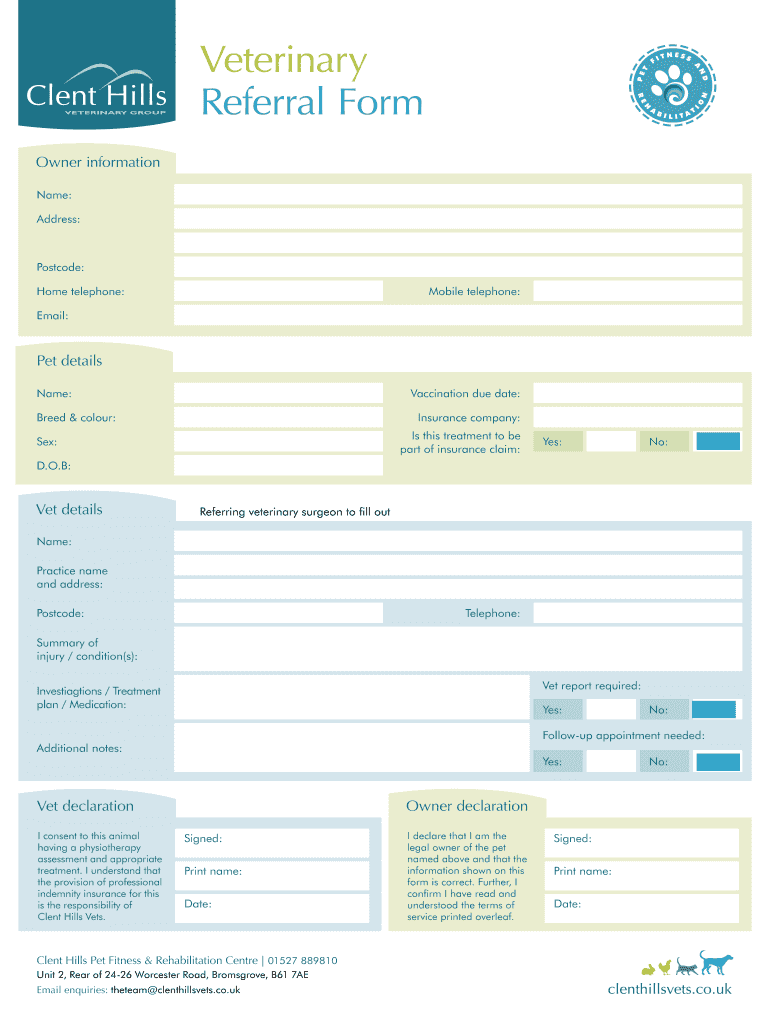
- Begin by filling out the Owner Information section. Enter your name, address, postcode, home and mobile telephone numbers, and email address.
- Next, provide details about your pet. Include their name, vaccination due date, breed and color, insurance company, sex, and date of birth. Indicate if this treatment is part of an insurance claim.
- In the Vet Details section, have your referring veterinary surgeon complete their information including name, practice name and address, postcode, telephone number, and a summary of the injury or condition.
- Check if a vet report is required and whether follow-up appointments are needed. Fill in any additional notes as necessary.
- Complete the Vet Declaration by consenting to the physiotherapy assessment and treatment. Ensure you understand the responsibilities outlined.
- Finally, sign and print your name along with the date in the Owner Declaration section to confirm you are the legal owner of the pet and that all information is correct.
Start using our platform today for free to streamline your form completion process!
Fill out Pet Insurance Veterinary Fee Claim Form - HCF - Yumpu online
It's free
It's free
Security and compliance
At DocHub, your data security is our priority. We follow HIPAA, SOC2, GDPR, and other standards, so you can work on your documents with confidence.
Learn more


