Type text, add images, blackout confidential details, add comments, highlights and more.
02. Sign it in a few clicks
Draw your signature, type it, upload its image, or use your mobile device as a signature pad.
03. Share your form with others
Send irs letter 147c via email, link, or fax. You can also download it, export it or print it out.
How to use or fill out form 147 with our platform
Ease of Setup
DocHub User Ratings on G2
Ease of Use
DocHub User Ratings on G2
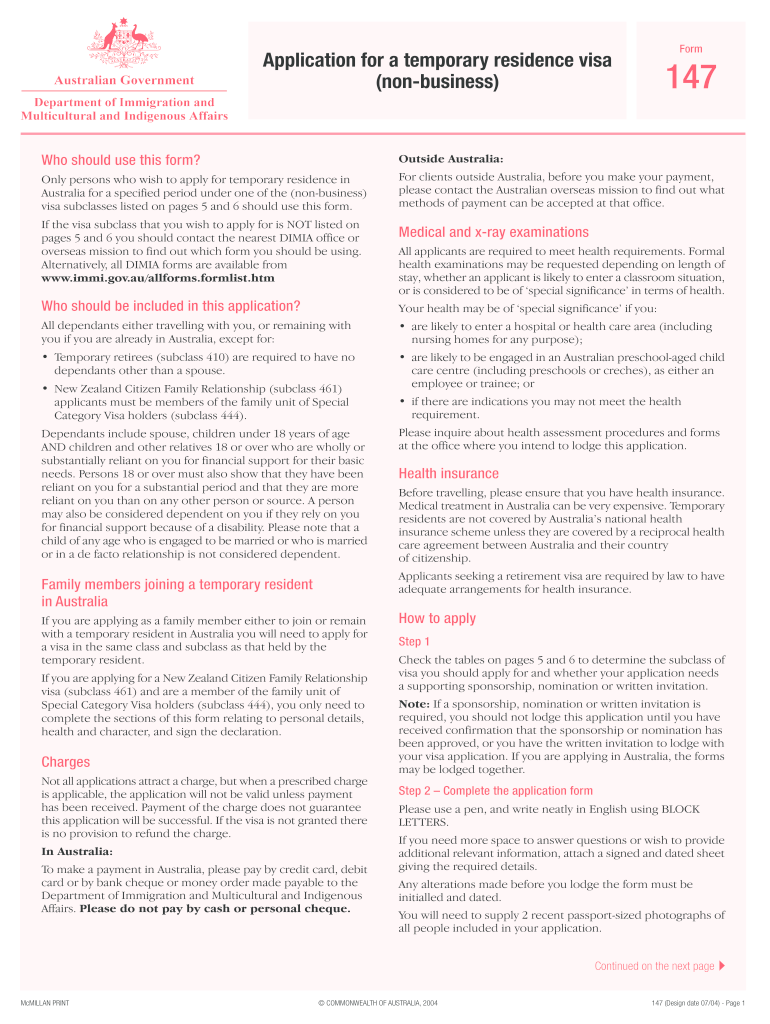
Click ‘Get Form’ to open it in the editor.
Begin by identifying the visa subclass you are applying for in Part A. Ensure you select the correct option based on your eligibility.
In Part B, fill out your personal details including full name, date of birth, and current occupation. Make sure to provide a valid residential address as a Post Office box is not acceptable.
Proceed to Part C to detail your employment or activity plans in Australia. Include information about your employer and salary if applicable.
In Part D, list all family members accompanying you. Provide their details accurately to avoid processing delays.
Complete Part E regarding health and character assessments. Answer all questions truthfully and attach any necessary documentation.
Finally, review all sections for accuracy before signing the declaration in Part P. Use our platform’s features to save and submit your application seamlessly.
Start filling out form 147 today using our platform for free!
An irs letter 147c, also known as an ein verification letter, is a letter the internal revenue service (irs) sends a company when it has lost or. Open formRead more
Nov 1, 2020 SBA Standard Loan Note (Form 147). Use this form to document key loan information such as the loan number, the interest rate, the lender, andRead more
Sep 19, 2013 Please notify me via email when my rebate form has been received. ❏ I do not wish to receive special offers, promotions or other emailRead more
Cookie consent notice
This site uses cookies to enhance site navigation and personalize your experience.
By using this site you agree to our use of cookies as described in our Privacy Notice.
You can modify your selections by visiting our Cookie and Advertising Notice.