Type text, add images, blackout confidential details, add comments, highlights and more.
02. Sign it in a few clicks
Draw your signature, type it, upload its image, or use your mobile device as a signature pad.
03. Share your form with others
Send diversity surveys via email, link, or fax. You can also download it, export it or print it out.
How to use or fill out diversity surveys with our platform
Ease of Setup
DocHub User Ratings on G2
Ease of Use
DocHub User Ratings on G2
Click ‘Get Form’ to open the diversity survey in the editor.
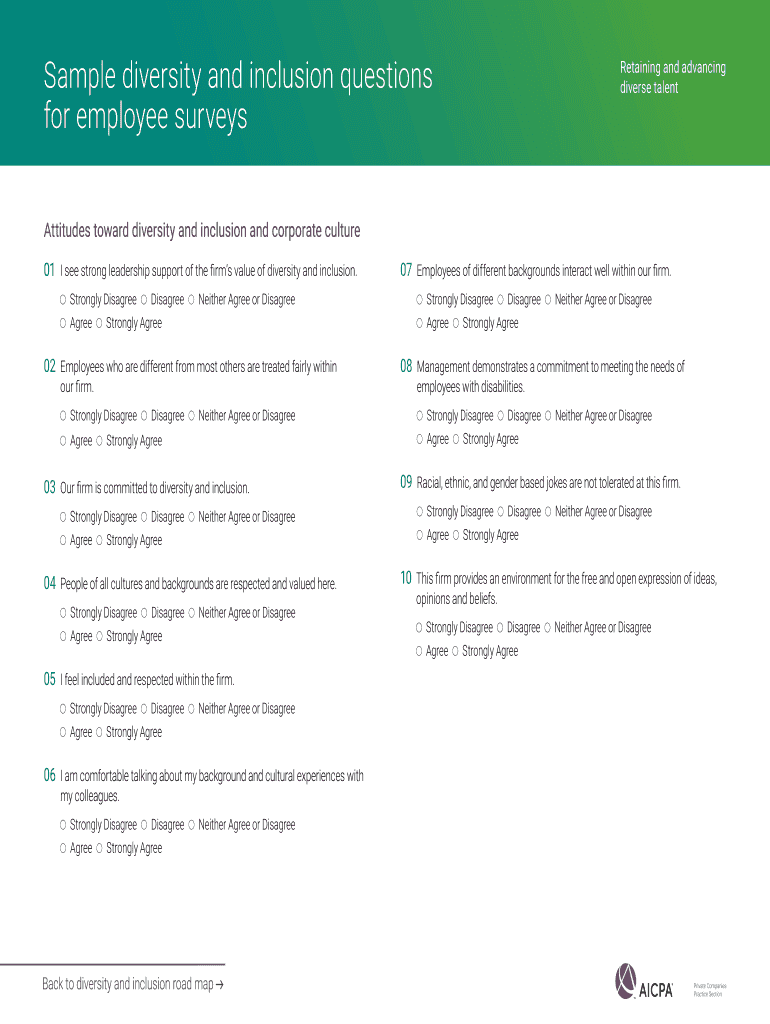
Begin by reviewing the introductory section, which outlines the purpose of the survey. This will help you understand the importance of your feedback.
Move on to the first set of questions regarding leadership support for diversity. For each statement, select your level of agreement by clicking on 'Strongly Disagree', 'Disagree', 'Neither Agree nor Disagree', 'Agree', or 'Strongly Agree'.
Continue through sections addressing employee treatment, management commitment, and workplace culture. Ensure you answer each question honestly to provide valuable insights.
Once all sections are completed, review your responses for accuracy. You can easily edit any answers directly in the editor.
Finally, submit your completed survey by clicking ‘Submit’ or save it for later if needed.
Engage with our platform today to make your voice heard in diversity initiatives!
Measuring diversity Part 1: get the definition right and it is
May 12, 2012 THE 12 ITEM STAGES OF DIVERSITY SURVEY: AN ORGANISATIONAL REPORT CARD is a measure of the stage of diversity the business finds itself in.
The survey includes measures that can be disaggregated by different social identities, including race, gender, sexual orientation, religion, ability/disabilityRead more
Cookie consent notice
This site uses cookies to enhance site navigation and personalize your experience.
By using this site you agree to our use of cookies as described in our Privacy Notice.
You can modify your selections by visiting our Cookie and Advertising Notice.