Change of Beneficiary Form Instructions - American Equity Preview on Page 1

Change of Beneficiary Form Instructions - American Equity 2026

Here's how it works

  • 01. Edit your form online

    Type text, add images, blackout confidential details, add comments, highlights and more.

  • 02. Sign it in a few clicks

    Draw your signature, type it, upload its image, or use your mobile device as a signature pad.

  • 03. Share your form with others

    Send it via email, link, or fax. You can also download it, export it or print it out.

How to use or fill out Change of Beneficiary Form Instructions - American Equity with our platform

Form edit decoration
9.5
Ease of Setup
DocHub User Ratings on G2
9.0
Ease of Use
DocHub User Ratings on G2
  1. Click ‘Get Form’ to open it in the editor.
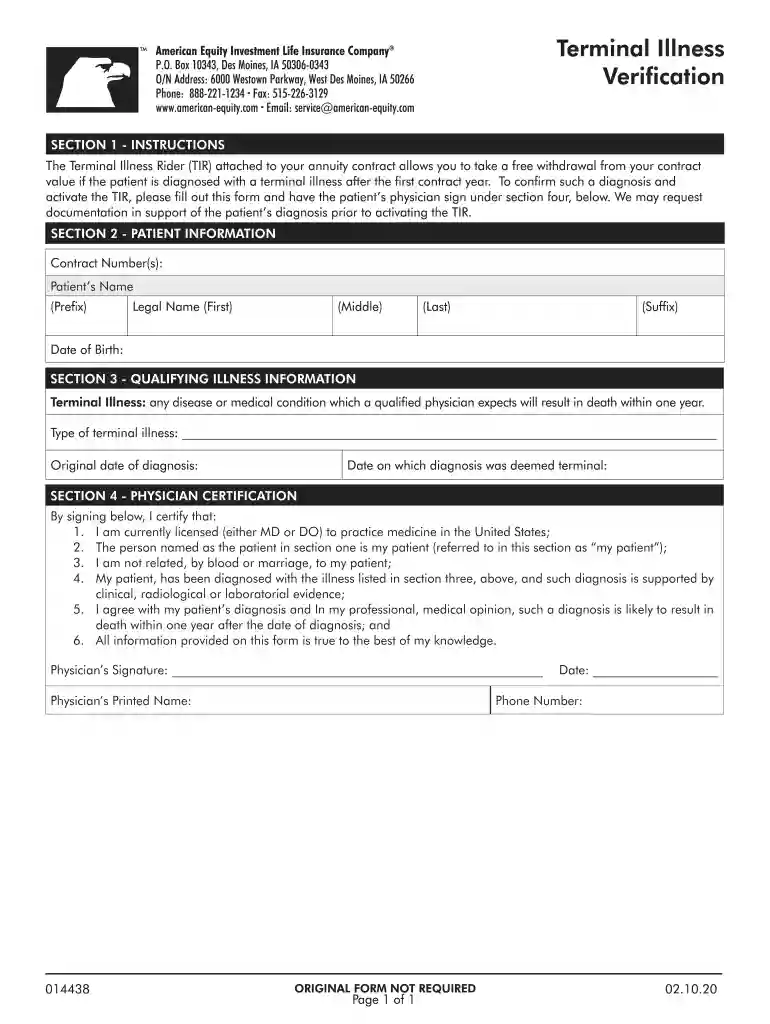
  2. Begin by entering the Contract Number(s) in the designated field. This is essential for identifying your specific annuity contract.
  3. Fill in the Patient’s Name, including Prefix, First Name, Middle Name, Last Name, and Suffix. Ensure that all names are spelled correctly to avoid any processing delays.
  4. Provide the Date of Birth for the patient. This information is crucial for verification purposes.
  5. In Section 3, describe the Type of terminal illness clearly and provide both the Original date of diagnosis and the Date on which diagnosis was deemed terminal.
  6. Section 4 requires a Physician's Certification. The physician must sign and print their name, along with providing their phone number and date. Ensure that all statements are accurate as per medical standards.

Start using our platform today to complete your Change of Beneficiary Form easily and for free!

See more Change of Beneficiary Form Instructions - American Equity versions

We've got more versions of the Change of Beneficiary Form Instructions - American Equity form. Select the right Change of Beneficiary Form Instructions - American Equity version from the list and start editing it straight away!

VersionsForm popularityFillable & printable
20204.8 Satisfied (79 Votes)

be ready to get more

Complete this form in 5 minutes or less

Security and compliance

At DocHub, your data security is our priority. We follow HIPAA, SOC2, GDPR, and other standards, so you can work on your documents with confidence.

Related links

Designating a Beneficiary

Where Do I Send My FEGLI Designation of Beneficiary Form? Designating a Trust. Instructions(PDF file) Designations Form: Standard Form 1152, Designation ofRead more

Learn more
2001 - Instructions for Form 709

If you are filing this form solely to elect allocation. See the instructions for Line 5 property, whether tangible or intangible,.Read more

Learn more
Instructions for the Requester of Form W-9 (Rev. March 2024)

For chapter 4 purposes, Form W-9 is used to withhold on payments to foreign financial institutions (FFI) and non-financial foreign entities (NFFE) if they dontRead more

Learn more
If you believe that this page should be taken down, please follow our DMCA take down process here