




01. Edit your form online
Type text, add images, blackout confidential details, add comments, highlights and more.

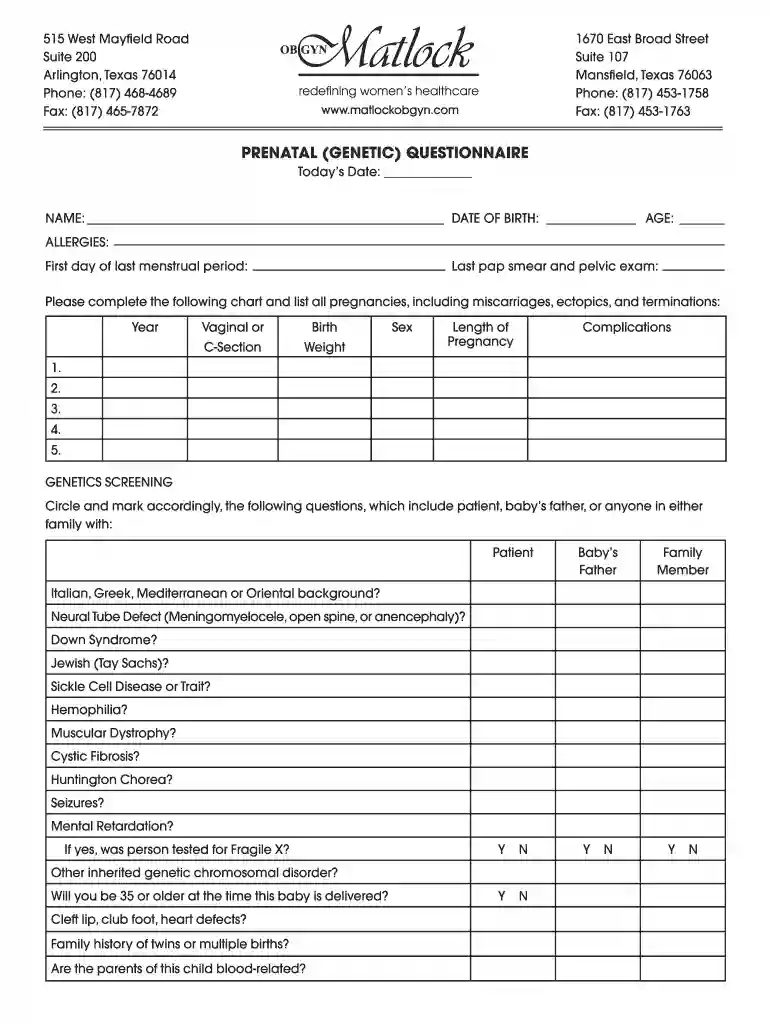
Type text, add images, blackout confidential details, add comments, highlights and more.

Draw your signature, type it, upload its image, or use your mobile device as a signature pad.

Send it via email, link, or fax. You can also download it, export it or print it out.

Start filling out your Prenatal (Genetic) Questionnaire today for free on our platform!
You should use only reliable software solutions with strong security compliance to approve your documents electronically. DocHub is just the type of editor you need! It stores data on Amazon Web Servers and complies with all essential security criteria and eSignature laws, so it’s a trusted way to eSign your Prenatal (Genetic) Questionnaire Prenatal Questionnaire or other documents using this tool.
If you are using Chrome, there are two straightforward ways to modify your Prenatal (Genetic) Questionnaire Prenatal Questionnaire online. First, visit the DocHub website, add your document, and modify it using our toolbar. You may also set up our Chrome extension and modify any document by dragging and dropping it in your browser tab.
At DocHub, your data security is our priority. We follow HIPAA, SOC2, GDPR, and other standards, so you can work on your documents with confidence.
by GM Cohn 1996 Cited by 10 Objective: To evaluate a prenatal questionnaire as a genetic screen and as an aid in pre-amniocentesis genetic risk assessment.
questionnaire survey aimed at gathering public understanding of EB and other rare diseases, as well as attitudes toward prenatal testing. prenatal genetic
by GM Cohn 1996 Cited by 10 Objective: To evaluate a prenatal questionnaire as a genetic screen and as an aid in pre-amniocentesis genetic risk assessment. Methods: In a retrospectiveRead more


