




Here's how it works



How to use or fill out tiaa brokerage application with our platform

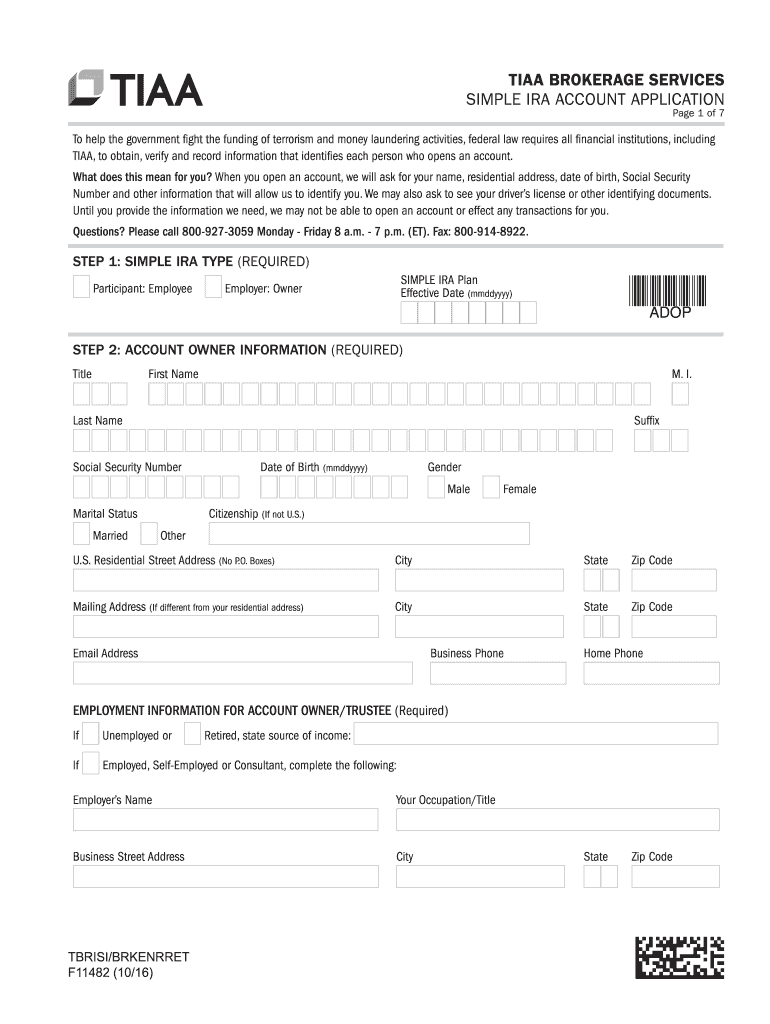
- Click ‘Get Form’ to open the TIAA Brokerage Application in the editor.
- Begin with Step 1, where you select the SIMPLE IRA type. Indicate whether you are a participant or an owner and provide the effective date.
- In Step 2, fill out your account owner information. Enter your title, first name, middle initial, last name, suffix, Social Security Number, marital status, date of birth, gender, and residential address. Ensure all fields marked as required are completed.
- Proceed to Step 3 to provide plan administrator details. Include their name and contact information for any contribution questions.
- In Step 4, outline your investment profile by selecting your annual income range and approximate net worth. Choose your investment objective from the provided options.
- Step 5 involves selecting a bank deposit sweep option for uninvested cash balances in your account.
- For Step 6, designate primary and contingent beneficiaries. Fill in their names, percentages of assets they will receive, and other required details.
- Finally, review and sign in Step 8 to confirm that all information is accurate before submitting your application.
Start using our platform today to easily complete your TIAA Brokerage Application online for free!
It's free
See more tiaa brokerage application versions
| Versions | Form popularity | Fillable & printable |
|---|---|---|
| 2016 | 4.8 Satisfied (105 Votes) |
Got questions?
How can I create an electronic signature in my site dochub com merrill on Android?
Approving paperwork on a mobile device is fast, straightforward, and doesn’t require software installation when you have an account with DocHub. Sign in from any browser, fill in your blank fields with your data, and click on Sign → Create your signature. You can draw your electronic signature the same way you usually do on paper, add its image to your site dochub com merrill, or type in your name and stylize its look. No matter what option you choose, your paperwork will be valid.
How do you fill out tiaa site dochub com on iOS?
You need only an internet connection and a web browser to fill out your tiaa site dochub com on an iOS phone. Open the DocHub website and authenticate. Then, add your document or choose it from the list in your dashboard. Then use our editing tools to fill out your form and save all your modifications. You can also send it to a specified recipient straight away.
How do I open a retirement brokerage account?
What is the best brokerage for a retirement account?
How do I open a TIAA IRA account?
Security and compliance
At DocHub, your data security is our priority. We follow HIPAA, SOC2, GDPR, and other standards, so you can work on your documents with confidence.
Learn more


