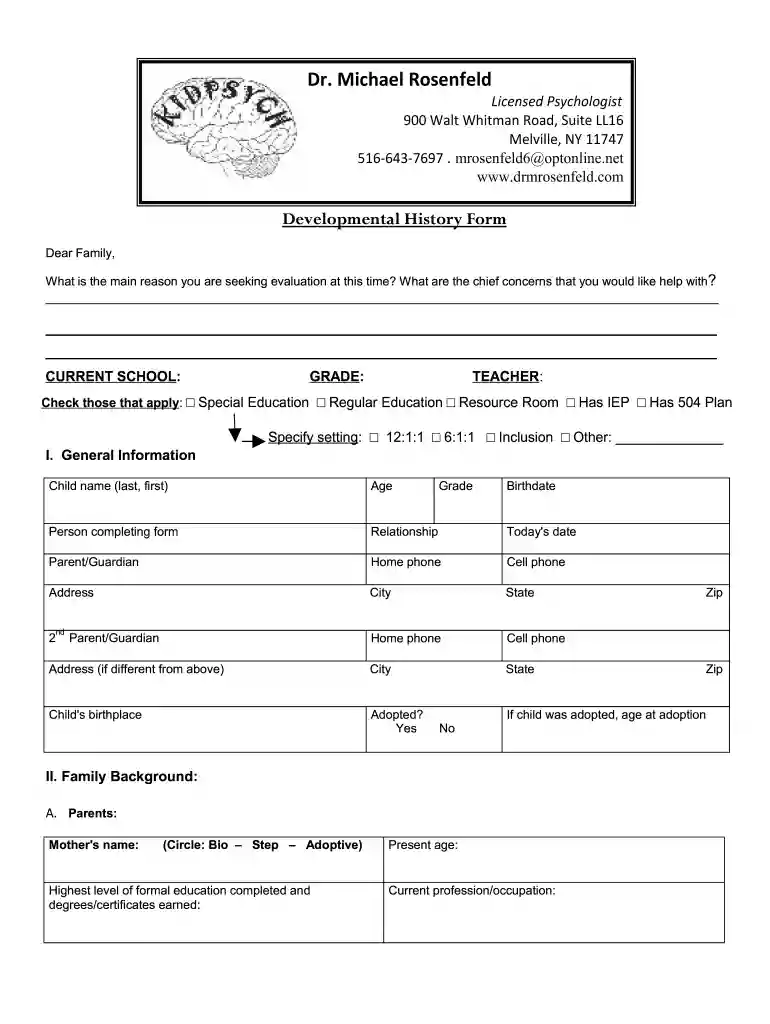
Developmental History Form doc 2793-2026

Get Form
Developmental History Form doc 2793 Preview on Page 1

Here's how it works

01. Edit your form online
Type text, add images, blackout confidential details, add comments, highlights and more.

02. Sign it in a few clicks
Draw your signature, type it, upload its image, or use your mobile device as a signature pad.

03. Share your form with others
Send it via email, link, or fax. You can also download it, export it or print it out.

How to use or fill out Developmental History Form doc 2793 with our platform

Form edit decoration
9.5
Ease of Setup
DocHub User Ratings on G2
9.0
Ease of Use
DocHub User Ratings on G2
  1. Click ‘Get Form’ to open the Developmental History Form doc 2793 in the editor.
  2. Begin by filling out the 'General Information' section. Enter your child's name, age, and the details of the person completing the form, including their relationship to the child.
  3. Proceed to 'Family Background.' Here, provide information about both parents, including names, ages, education levels, and current occupations. Indicate if they live with the child full-time.
  4. In 'Child’s Birth History,' answer questions regarding any chemical substances consumed during pregnancy and any concerns during labor and delivery. Fill in details about your child's birth weight and height.
  5. Move on to 'Developmental History.' For each milestone listed, indicate the age at which your child achieved it or mark 'NA' if not applicable.
  6. Complete sections on 'Education History,' 'Medication History,' and 'Medical History' by providing relevant details as prompted.
  7. Finally, review all entries for accuracy before saving or sharing your completed form using our platform's features.

Start filling out your Developmental History Form doc 2793 today for free using our editor!

be ready to get more

Complete this form in 5 minutes or less

Get form

Got questions?

We have answers to the most popular questions from our customers. If you can't find an answer to your question, please contact us.
Contact us
Developmental history in psychology refers to a comprehensive account of an individuals growth and development over time. It typically includes milestones, events, and docHub experiences that have shaped the persons personality, behavior, and psychological well-being.
When taking a developmental history, the focus should be on the age of attainment of skills or milestones in different developmental domains. The major domains of child development are: motor development. speech and language development.
Developmental milestones are behaviors or physical skills seen in infants and children as they grow and develop. Rolling over, crawling, walking, and talking are all considered milestones. The milestones are different for each age range. There is a normal range in which a child may docHub each milestone.
History, developmental: An account of how and when a person met developmental milestones, such as walking and talking. For adults, information on social-emotional development may be included. Used primarily in the diagnosis of developmental disorders.
CHILD AND ADOLESCENT. DEVELOPMENTAL HISTORY QUESTIONNAIRE. Please PRINT all information. CHILDS NAME Sex Date of Birth Age School Grade Referred by Reason for requesting psychological consultation: FAMILY CONSTELLATION. Fathers Name: DOB: Age: PRENATAL HISTORY. BIRTH HISTORY. POSTNATAL HISTORY. DEVELOPMENTAL MILESTONES.

Security and compliance

At DocHub, your data security is our priority. We follow HIPAA, SOC2, GDPR, and other standards, so you can work on your documents with confidence.

Learn more
ccpa2
pci-dss
gdpr-compliance
hipaa
soc-compliance
be ready to get more

Complete this form in 5 minutes or less

Get form

People also ask

How to create effective progress reports? Detailed observations: Take detailed notes on each childs activities and behaviors. Clear and simple language: Preschool progress reports should be easy for families to understand. A balance of strengths and areas for improvement: A balanced approach is crucial.

Related links