




01. Edit your blinn college texas success initiative assessment online
Type text, add images, blackout confidential details, add comments, highlights and more.

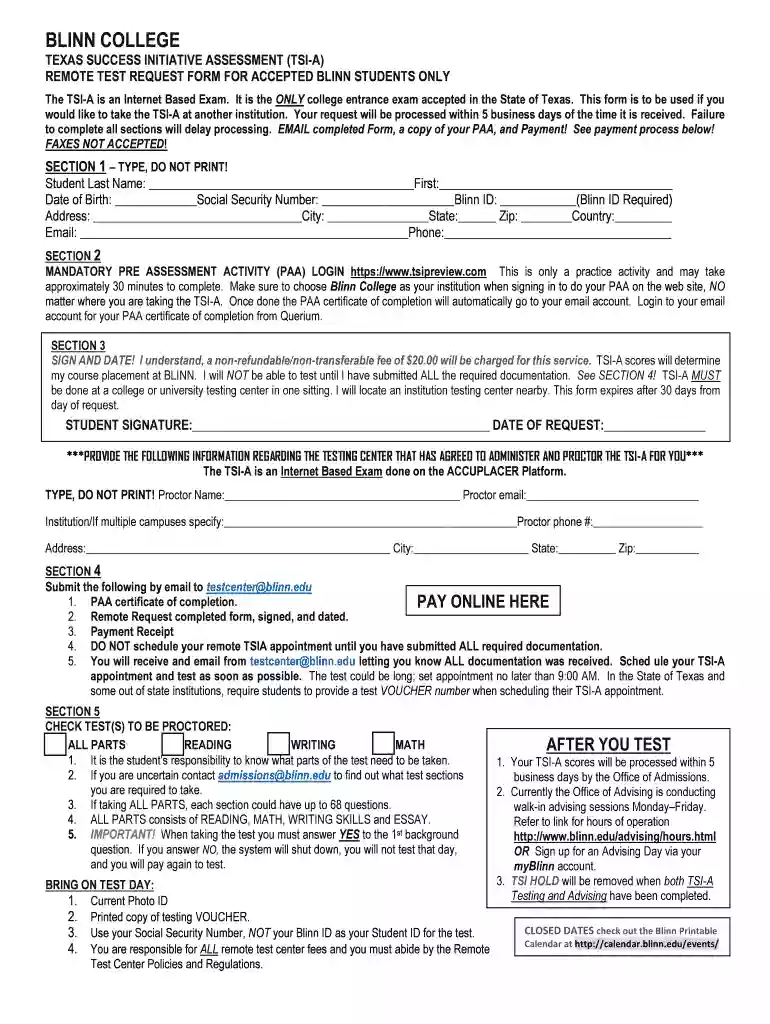
Type text, add images, blackout confidential details, add comments, highlights and more.

Draw your signature, type it, upload its image, or use your mobile device as a signature pad.

Send blinn texas initiative assessment via email, link, or fax. You can also download it, export it or print it out.

Start using our platform today to streamline your form completion process for free!
You need to use only trusted software solutions with strong data protection compliance to sign your documents electronically. DocHub is just the type of software you need! It stores data on Amazon Web Servers and complies with all required security criteria and eSignature laws, so it’s a reliable way to eSign your blinn texas success initiative assessment or other forms with this tool.
If your go-to electronic mail service is Gmail, it is simple to integrate your DocHub editor in your work. Edit your test form tsia with DocHub instruments and attach it to your drafts in Gmail. See how straightforward it is to exchange documents and work together with a swift PDF editing solution at hand.
At DocHub, your data security is our priority. We follow HIPAA, SOC2, GDPR, and other standards, so you can work on your documents with confidence.
Texas Success Initiative (TSI) Assessment only available for Blinn College students. YES, YES ; Blinn College Math Placement Exam only available for BlinnRead more
The TSI Assessment (TSIA2) is administered by all Texas public colleges and universities. Students can access testing by contacting their admissions advisor.


